
From Voice to Polished Text: How to Use AI to Prepare and Transcribe Interview Notes Like a Pro
Last updated: July 2026 | Reading time: 13 minutes
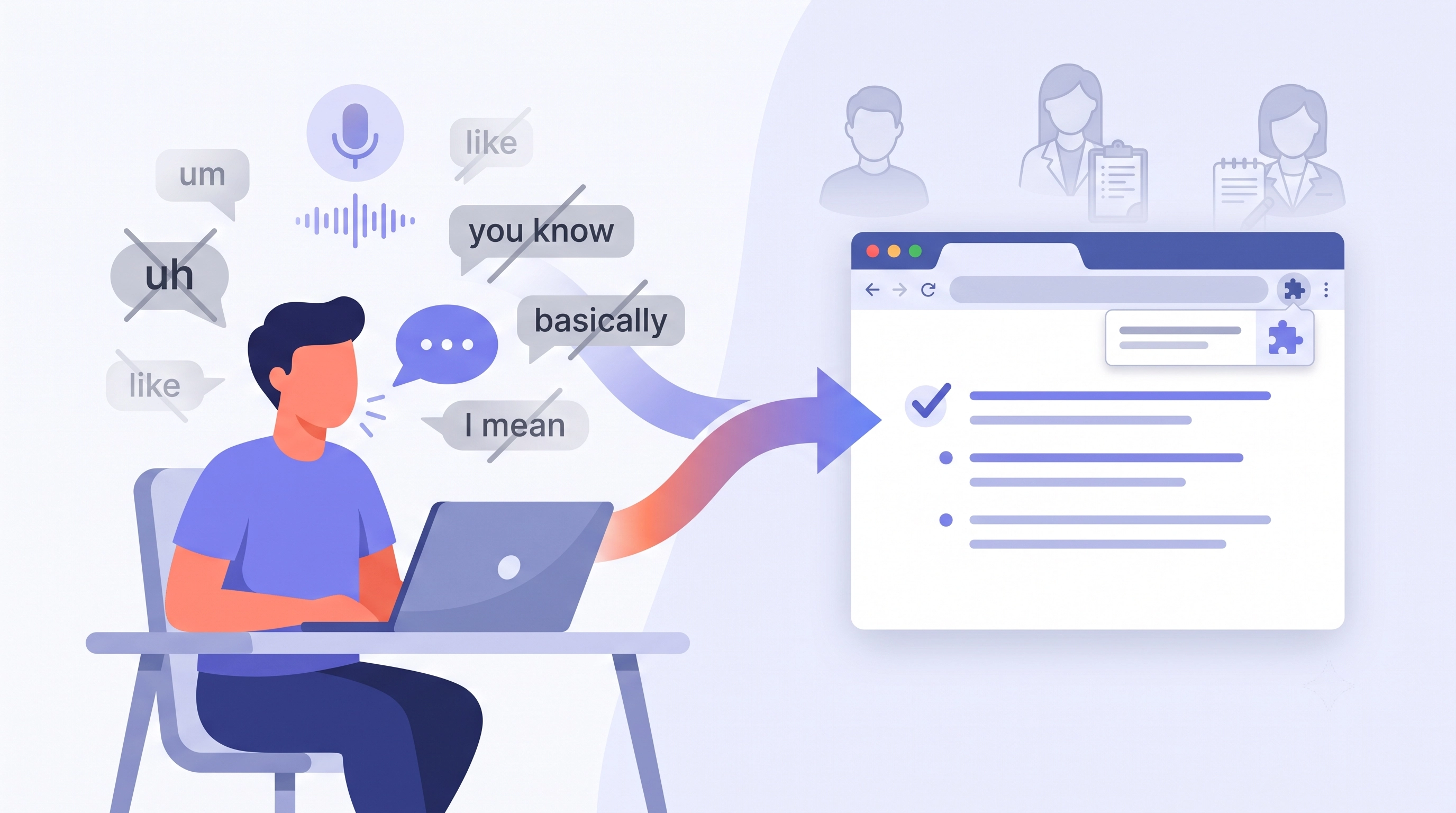
Three People, One Problem: Interviews Live in Speech but Have to Become Text
Think about who deals with interviews. A job seeker rehearsing answers the night before. A qualitative researcher who just finished a 90-minute session and needs to capture what stood out before it fades. A journalist staring at an hour of recorded audio, deadline looming. Three very different people — and all of them share the same bottleneck: the interview happens in speech, but the useful output has to end up as clean, readable text.
Typing is where that pipeline breaks down. The job seeker practices in their head instead of out loud, so they never hear how they actually sound. The researcher puts off the write-up until the details blur. The journalist loses an afternoon transcribing and de-umming by hand. In every case the friction of turning talk into text is what kills the quality.
This guide is about closing that gap with speech to text plus AI. You'll see how to practice interview answers out loud and read them back instantly, how to write up interview notes without typing, and how AI cleanup turns rambling speech into polished text. It's written for all three audiences — but it starts with the one that's most underserved.
First, An Honest Scope: What VoxWrite Is (and Isn't) for Interviews
Because "interview transcription" means different things to different people, let's be precise up front — the same way we'd want a tool to be honest with us.
VoxWrite is a live, single-voice dictation Chrome extension with an AI cleanup layer. You speak into your microphone, and cleaned-up text appears in whatever browser text field your cursor is in. That's the whole model.
What that makes it excellent for in an interview context:
- Interview preparation practice — rehearsing your answers out loud and reading back a clean transcript.
- Writing up interview notes, memos, and summaries by voice instead of typing.
- Drafting — turning your spoken thoughts about an interview into finished copy.
What it is not: a multi-speaker, audio-file transcription service. If you have a recording of a two-person interview and you want a diarized, verbatim transcript that separates "Interviewer" from "Subject," that's a different category of tool — think Otter, Rev, or a Whisper-based transcriber. VoxWrite doesn't ingest an MP3 and split it by speaker.
So when people search for how to convert recorded interview to clean text, the honest answer has two halves: use a dedicated transcription service for the raw multi-speaker record, and use VoxWrite for the part where you turn notes, memos, and drafts into clean text with your voice. Keep that split in mind and everything below fits together. (What is and isn't supported is spelled out in the constraints documentation.)
For Job Seekers: Practice Interview Answers Out Loud With Voice to Text
This is the angle almost nobody writes about, and it's the most powerful. Everyone tells you to "practice out loud" — but there's no feedback loop. You mumble an answer to your bathroom mirror, feel vaguely okay about it, and walk into the real interview having learned nothing.
Voice to text fixes that. When you practice interview answers out loud and the words land on screen as clean text, you get to read back what you actually said — and that's where the learning happens.
Why reading your answer back beats saying it in your head
Speaking and evaluating at the same time is nearly impossible; your brain is busy generating words. But a written transcript is static. You can see, in black and white:
- Where you rambled or never landed the point.
- How many times you leaned on filler words — "um," "like," "you know," "basically." (These are technically speech disfluencies, and they're the fastest way to sound underprepared.)
- Whether your answer had a structure or just trailed off.
Here's the workflow to dictate interview answers for job prep:
- Open a blank Google Doc or notes page in your browser.
- Pull up a common question — "Tell me about a time you handled conflict," "Why do you want this role?"
- Press your VoxWrite hotkey and answer out loud, exactly as you would in the room. No stopping, no do-overs.
- Read the cleaned transcript back. Now you can see the answer and fix it.
Because you speak at around 150 words per minute — versus roughly 40 typing — you can run through a dozen questions in the time it would take to type out two. And a Stanford study found voice input is about three times faster than typing, so the practice loop is fast enough that you'll actually do it more than once.
Structure your answers with the STAR method
A written answer also lets you check it against a framework. The STAR method (Situation, Task, Action, Result) is the standard for behavioral questions, and it's hard to self-assess while speaking. On the page it's obvious: did I set the situation, name my task, describe my actions, and land a concrete result? If a section is missing, you'll see the gap immediately.
This is what makes VoxWrite a genuine AI tool for interview preparation practice rather than just a recorder: it hands you a readable, filler-free version of your own answer so you can iterate on it like a piece of writing. If your specific weakness is disfluency, our deep dive on how to stop saying "um" in interviews walks through the practice drills in detail.
The AI Cleanup Layer: Clean Up Interview Transcript Filler Words Automatically
Whatever your role, the thing that makes voice usable for interview work is the second layer — the AI cleanup that runs after transcription. Raw dictation gives you everything you said, warts and all. The cleanup layer gives you something you'd actually put in a document.
When you dictate through VoxWrite, the AI:
- Removes filler words, false starts, and self-corrections ("wait, let me back up…").
- Fixes punctuation, capitalization, and run-on sentences.
- Repairs the occasional misheard word from context.
- Optionally reshapes the text into a structure you define.
That's the difference between a verbatim mess and finished text. It's why VoxWrite works as an AI interview transcription cleanup tool for the parts of the workflow it covers — your practice answers, your notes, your drafts — turning them from stream-of-consciousness into clean prose in one pass.
A quick example. You dictate a practice answer the way you actually talk:
"okay so um a time I handled conflict… so basically there was this like disagreement on my team about, uh, which vendor to go with and I kind of had to step in and, you know, I set up a meeting and we sort of talked through the criteria and eventually we picked the one that, um, saved us like twenty percent"
With cleanup applied, VoxWrite returns:
"One time I handled conflict was a disagreement on my team about which vendor to choose. I stepped in and set up a meeting where we talked through our criteria together, and we ultimately selected the option that saved us roughly twenty percent."
Same content, spoken once — but now it's a STAR-shaped answer you can refine, not a transcript of you thinking out loud. That's also the fastest way to clean up interview transcript filler words in general: dictate the text rather than hunting for every "um" by hand. The full mechanics of that transformation are covered in our guide to removing filler words from text and our piece on turning casual speech into professional text.
For Qualitative Researchers: Voice to Text for Interview Notes and Memos
Qualitative researchers know the real work isn't the interview — it's everything around it. Writing the protocol, capturing field notes, and above all writing the analytic memos that turn raw sessions into findings. That's where voice to text for qualitative research interviews earns its place.
The best moment to capture insight is right after a session, while impressions are vivid. But typing up a memo is slow enough that it often gets postponed — and postponed insight is degraded insight. Instead, dictate it:
- Analytic memos. Speak your reflections the moment the session ends — what surprised you, emerging themes, questions to follow up. VoxWrite transcribes interview notes automatically into clean text you can drop into your qualitative analysis workflow or coding tool.
- Interview protocols. Draft and revise your question guide by talking through it, faster than typing.
- Debriefs and observations. Capture body language, context, and tone notes that never make it into a verbatim transcript.
One honest caveat, consistent with the scope above: VoxWrite does not produce a diarized, coded transcript of the recorded session itself. For the raw verbatim record you'd pair it with a dedicated transcription service; VoxWrite is for the write-up — the memos, notes, and synthesis you produce in your own voice. Because research interviews often involve confidential material, the privacy model matters here — more on that below.
For Journalists: Speech to Text for the Write-Up
Journalists work under the tightest deadlines and the highest accuracy bar, which is exactly why the write-up stage is worth speeding up with speech to text for journalism interviews.
Where voice pays off:
- Drafting the story. Talk through your lede and structure while the interview is fresh, and get clean copy directly in your CMS or Google Doc instead of typing against the clock.
- Capturing paraphrased quotes and notes. As you play back your recording, dictate the paraphrases, context, and pull-quotes you want to use — going from audio to clean text without stopping to type.
- Writing up notes from a scene or a phone call the moment you hang up.
Accuracy of names is non-negotiable in reporting, and dictation engines often mangle proper nouns. VoxWrite lets you set custom audio prompts that bias transcription toward correct spellings of names, places, organizations, and jargon — configure them in the custom audio prompts documentation. That single feature saves a round of find-and-replace on every draft.
As with research, keep the scope clear: for the verbatim record of an on-the-record interview, keep your own recording and a dedicated transcription tool. VoxWrite handles the fast, clean write-up — the part where your spoken draft becomes publishable copy.
How to Set It Up: Step by Step
The setup is the same regardless of which of the three jobs you're doing. It takes about five minutes; after that, it's press-and-speak.
1. Install the extension
Install VoxWrite from the Chrome Web Store or the Edge Add-ons Store. It runs on Chrome, Edge, and Brave on desktop and laptop. Then grant microphone access — the one-time browser permission is covered in the microphone access documentation.
2. Open where you write
A job seeker opens a blank Google Doc for practice; a researcher opens their memo file or Notion; a journalist opens their CMS or draft. VoxWrite works inside any browser text field — just click into the spot where the text should go.
3. Set a recording hotkey
The faster you can start recording, the more you'll actually use it — especially for interview prep, where a low-friction practice loop is the whole point. Configure a single-key shortcut in the hotkeys documentation. Prefer to click? VoxWrite's floating button (the "bubble") gives you an on-screen record control — set it up via the bubble settings documentation.
4. Press, speak, done
Place your cursor, press the hotkey, and talk. When you stop, VoxWrite transcribes, cleans, and inserts finished text. The start recording documentation walks through the different ways to trigger it, and every dictation is saved locally so you can revisit past takes — see the manage recordings documentation.
The Real Unlock: Interview-Specific Custom Rules
This is where a generic dictation tool stops and VoxWrite keeps going. VoxWrite lets you save custom rules per website — instructions that tell the AI cleanup layer how to shape your dictation, scoped to where you write. Set it once, and every dictation comes back already in the shape you want.
A few interview-optimized rules people set up:
- "STAR answer." Dictate a rambling story and get back a tidy Situation / Task / Action / Result structure — perfect for a job-prep practice doc.
- "Research memo." Turn a spoken debrief into a consistent template: Key themes / Surprises / Follow-up questions / Quotes to revisit.
- "Interview write-up." Shape spoken notes into clean paragraphs with names capitalized and quotes set off — a journalist's default.
- "Question list." Speak a loose set of topics and get back a numbered, well-formed interview question guide.
Setup is in the custom rules documentation, and the broader idea — speaking once and getting formatted output — is covered in our guide to voice typing with templates for formatted output. This is what turns a plain transcriber into a real interview tool: the text doesn't just appear, it appears ready to use.
Where VoxWrite Fits Among Interview Tools
| Task | Multi-speaker transcription service (Otter, Rev, Whisper) | Generic OS dictation | VoxWrite (speech to text + AI cleanup) |
|---|---|---|---|
| Diarized transcript of a recorded 2-person interview | Yes — this is what they're for | No | No — single-voice, live dictation only |
| Practice answers out loud, read them back clean | Clunky — built for recordings, not live prep | Raw transcript, filler and all | Yes — cleaned answer appears instantly for review |
| Filler-word and punctuation cleanup | Varies; often verbatim | None | Yes — automatic AI cleanup |
| Dictate notes / memos / drafts into any site | Not the use case | Types anywhere but raw | Yes — cleaned text into Docs, Notion, CMS, email |
| Structured output (STAR, memo template) | No | No | Yes — custom rules per website |
| Privacy options | Vendor cloud | Tied to OS / vendor account | BYOK option — process through your own AI key |
The takeaway: a transcription service and VoxWrite aren't competitors — they cover different halves of the interview workflow. If you're comparing dictation extensions specifically, our comparison of the best speech-to-text Chrome extensions covers how the everyday-dictation options stack up.
A Note on Privacy for Sensitive Interviews
Interview material can be some of the most sensitive text you handle — a candidate's personal history, a research subject's confidential account, an unpublished source. So it's worth knowing where your dictated words travel.
VoxWrite offers a bring-your-own-key (BYOK) option on its free tier and its one-time lifetime license: you connect your own AI provider account, and your dictation is processed through your key rather than pooled through the vendor — which gives you more control over the data path and over which provider's terms apply. The managed monthly subscription instead routes processing through VoxWrite's backend. Either way, before you dictate anything confidential, review your chosen AI provider's data-retention and training policy, and honor your own consent and ethics obligations. The full reasoning is in our guide to BYOK AI tools and private writing.
The Honest Limitations
Two things to be clear about, so the tool matches your expectations:
- Desktop browser only. VoxWrite is an extension for Chrome, Edge, and Brave — there's no iOS or Android app. Interview preparation practice and note write-ups happen at a laptop or desktop. If you want to rehearse answers on a phone, you'd use your phone keyboard's built-in microphone, which produces a raw verbatim transcript without VoxWrite's cleanup.
- Single-voice, live dictation — not a multi-speaker file transcriber. As covered above, VoxWrite captures your voice in real time. For a diarized transcript of a recorded two-person interview, pair it with a dedicated transcription service and use VoxWrite for the write-up.
Neither is a knock — they're just the boundaries of what VoxWrite is built for. Inside those boundaries, it turns the slow, typing-heavy parts of interview work into a few minutes of talking. More detail is in the constraints documentation.
Frequently Asked Questions
How do I practice interview answers out loud with voice to text?
Open a blank document in your browser, press your VoxWrite hotkey, and answer the question out loud exactly as you would in the room. VoxWrite transcribes your answer and cleans it up, so you can read back what you actually said — where you rambled, repeated yourself, or leaned on "um." It's the fastest feedback loop for interview preparation practice: rehearse aloud and get a readable transcript in the same step.
Can VoxWrite transcribe a recorded interview audio file with two speakers?
No. VoxWrite is a live, single-voice dictation tool, not a multi-speaker audio-file transcriber. It doesn't import an MP3 and split it by speaker. For diarized transcripts of recorded interviews, use a dedicated service like Otter or a Whisper-based tool. VoxWrite fits the write-up side — dictating your notes, memos, and drafts by voice.
How do I clean up filler words in an interview transcript quickly?
Dictate the text through VoxWrite rather than fixing filler by hand. As you speak, the AI cleanup layer strips "um," "uh," false starts, and self-corrections, then adds punctuation — so the text lands already readable. Save a custom rule to apply the same treatment every time, which is the quickest way to clean up interview transcript filler words consistently.
Is voice to text useful for qualitative research interviews?
Yes, on the analysis side. Use VoxWrite to transcribe interview notes automatically — dictate analytic memos, field notes, and observations while they're fresh, and get clean text for your coding workflow. It does not diarize a recorded multi-speaker session; for the raw verbatim transcript, pair it with a dedicated transcription tool.
Can journalists use speech to text for interviews?
Journalists use VoxWrite for drafting: dictating the story and writing up paraphrased quotes and notes as they play back a recording, straight into their CMS. Custom audio prompts bias transcription toward correct spellings of names and terms. For the verbatim record of the interview itself, keep your own recording and a dedicated transcription tool.
Does VoxWrite work for interview prep on a phone?
No. VoxWrite is a desktop browser extension for Chrome, Edge, and Brave with no mobile app. Interview preparation practice happens at a laptop or desktop, where you rehearse answers into a browser text field and read back the cleaned transcript.
How does VoxWrite keep sensitive interview material private?
VoxWrite's BYOK option (free tier and lifetime license) processes dictation through your own AI key rather than pooling it through the vendor — useful for confidential research or unpublished reporting. The monthly subscription routes processing through VoxWrite's backend. Review your AI provider's data-retention policy and your own consent obligations before dictating sensitive content.
Conclusion: Talk It Out, Get It Clean
Every interview lives in speech but has to become text — and typing is where the quality leaks out. The job seeker who only practices in their head never hears how they sound. The researcher who postpones the memo loses the insight. The journalist who types every note loses the afternoon.
Voice to text with an AI cleanup layer closes that gap. Practice interview answers out loud and read back a filler-free version of exactly what you said. Dictate your research memos and journalism drafts and watch clean text appear where you're already writing. Just keep the scope honest: VoxWrite is your live-dictation, write-up, and practice partner — pair it with a dedicated transcription service when you need the verbatim multi-speaker record.
Press a key, talk it out, and get polished text back. Your best interview answers — and your cleanest notes — are one spoken paragraph away.
Ready to prep and write up interviews with your voice?
Try VoxWrite Free for 7 Days — No credit card required. Desktop Chrome, Edge, or Brave only; works in any browser text field.
Related Articles
- How to Stop Saying "Um" in Interviews: Practice With Speech-to-Text AI
- The Complete Guide to Removing Filler Words From Text
- Turn Casual Speech Into Professional Text With AI
- Voice Typing With Templates: Dictate Perfectly Formatted Output
- Best Speech-to-Text Chrome Extensions Compared
- Why BYOK AI Tools Are the Future of Private Writing
About the Author: This guide was created by the VoxWrite team.
Last Updated: July 2026