
From Casual Speech to Professional Text: Using AI to Transform Your Tone
Last updated: January 2026 | Reading time: 13 minutes
The Gap Between How We Speak and How We Write
We all know the feeling.
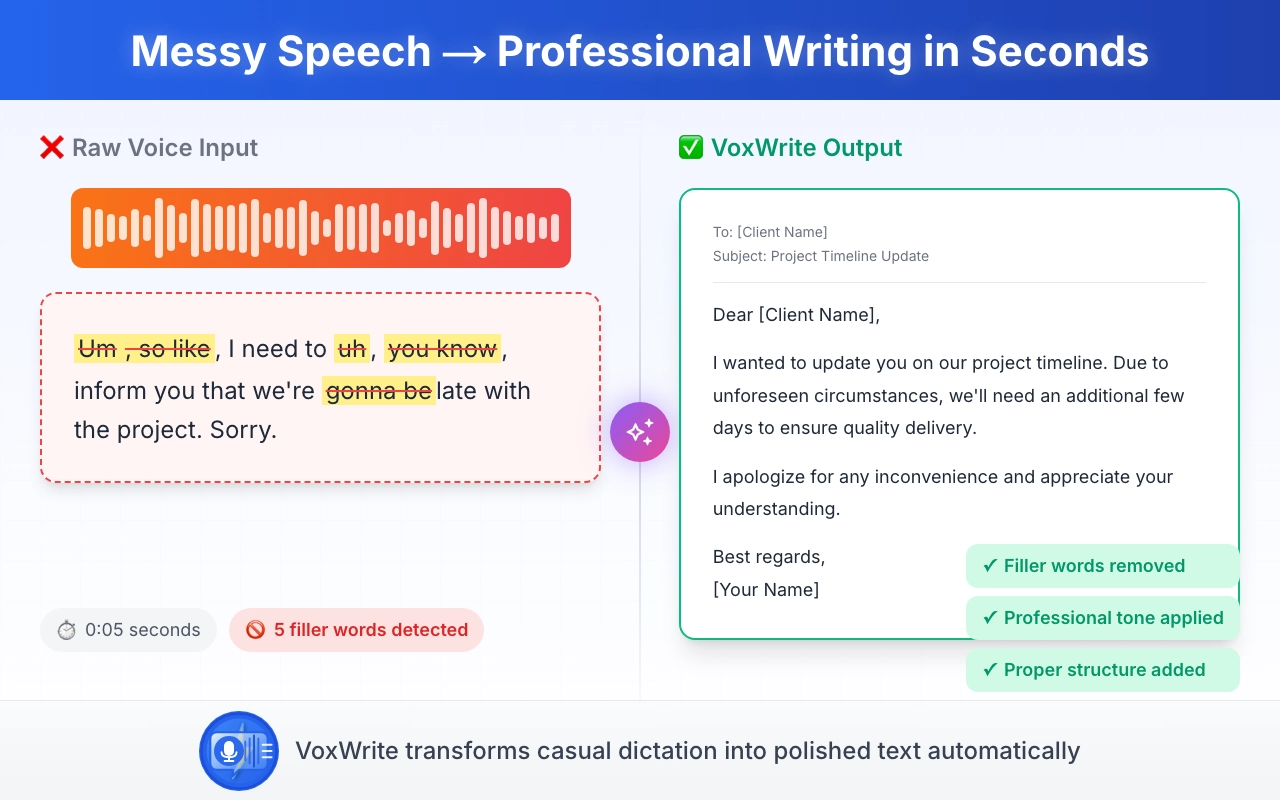
You need to write an important email to a client. In your head, you know exactly what you want to say. But when your fingers hit the keyboard, everything comes out... wrong.
The casual thought:
"Hey, so I was thinking about that thing we talked about, and I think we should probably just go ahead and do it the way you suggested, you know?"
What you need to write:
"Following our recent discussion, I recommend proceeding with your proposed approach. This solution aligns well with our project objectives."
The problem: Transforming casual to formal text conversion manually takes time, energy, and constant editing.
The solution: AI-powered tone adjustment voice to text that does this transformation automatically.
What Is Tone Adjustment Voice to Text?
Traditional voice-to-text just transcribes what you say. You speak casually, you get casual text. You ramble, you get rambling text.
Tone adjustment voice to text is different.
It uses AI to:
- Transcribe your spoken words accurately
- Analyze the intent and meaning
- Transform the text to match your desired tone
- Output professional, polished content
Example in action:
You say (casually):
"Um, hey, so like I wanted to touch base about the quarterly numbers, they're looking pretty good actually, way better than last time"
AI outputs (professionally):
"I wanted to provide an update on our quarterly performance. The numbers are showing significant improvement compared to the previous quarter, exceeding our initial projections."
That's the power of AI voice formatting for business writing.
Why Speech to Professional Text Matters
1. Speed Without Sacrifice
Average typing speed: 40 words per minute
Average speaking speed: 120-150 words per minute
With speech to professional text tools, you get:
- 3x faster content creation
- Professional output quality
- No editing required (in most cases)
2. Natural Communication
Humans are wired to speak, not type. Speaking feels natural because:
- We've done it since childhood
- Ideas flow more freely
- Less cognitive load than typing
Professional text generation from speech lets you think naturally while getting formal output.
3. Accessibility
For people with:
- Repetitive strain injuries (RSI)
- Carpal tunnel syndrome
- Dyslexia or typing difficulties
- Physical disabilities
Voice to formal writing isn't just convenient—it's essential.
How VoxWrite Transforms Your Tone
VoxWrite is a Chrome extension that brings AI voice formatting for business writing to every website.
Here's how it works:
Step 1: You Speak Naturally
Don't worry about:
- Filler words ("um", "uh", "like")
- Informal language
- Sentence structure
- Grammar mistakes
Just talk like you're explaining something to a friend.
Step 2: AI Processes Your Speech
VoxWrite uses advanced AI models (OpenAI GPT-4, Anthropic Claude, Google Gemini) to:
- Transcribe with 95%+ accuracy
- Remove filler words automatically
- Understand context and intent
- Apply your specified tone rules
Step 3: Professional Text Appears
Within seconds, you get:
- Properly formatted text
- Professional tone
- Correct grammar and punctuation
- Ready-to-send content
Real Examples: Casual to Formal Text Conversion
Let's see casual to formal text conversion in action across different scenarios.
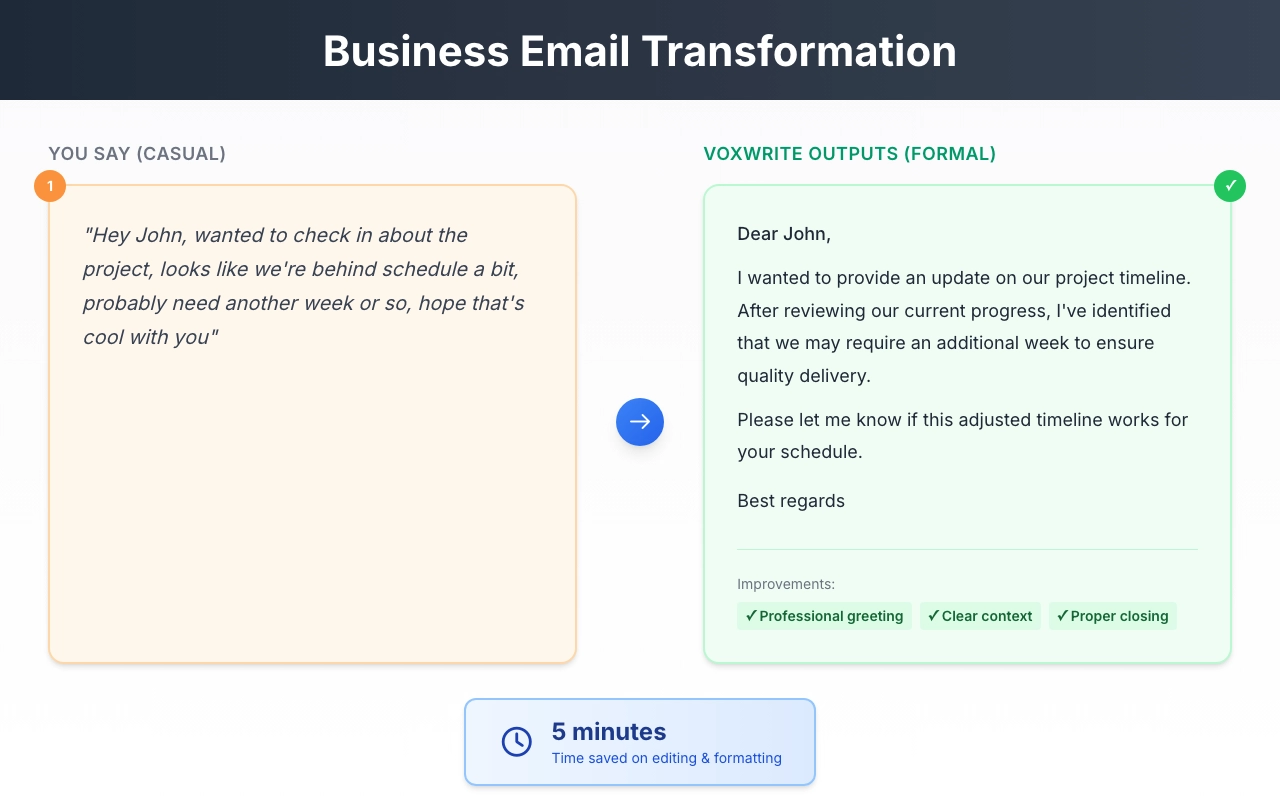
Example 1: Business Email
You say:
"Hey John, wanted to check in about the project, looks like we're behind schedule a bit, probably need another week or so, hope that's cool with you"
VoxWrite outputs:
"Dear John,
I wanted to provide an update on our project timeline. After reviewing our current progress, I've identified that we may require an additional week to ensure quality delivery.
Please let me know if this adjusted timeline works for your schedule.
Best regards"
Time saved: 5 minutes of editing
Example 2: Client Proposal
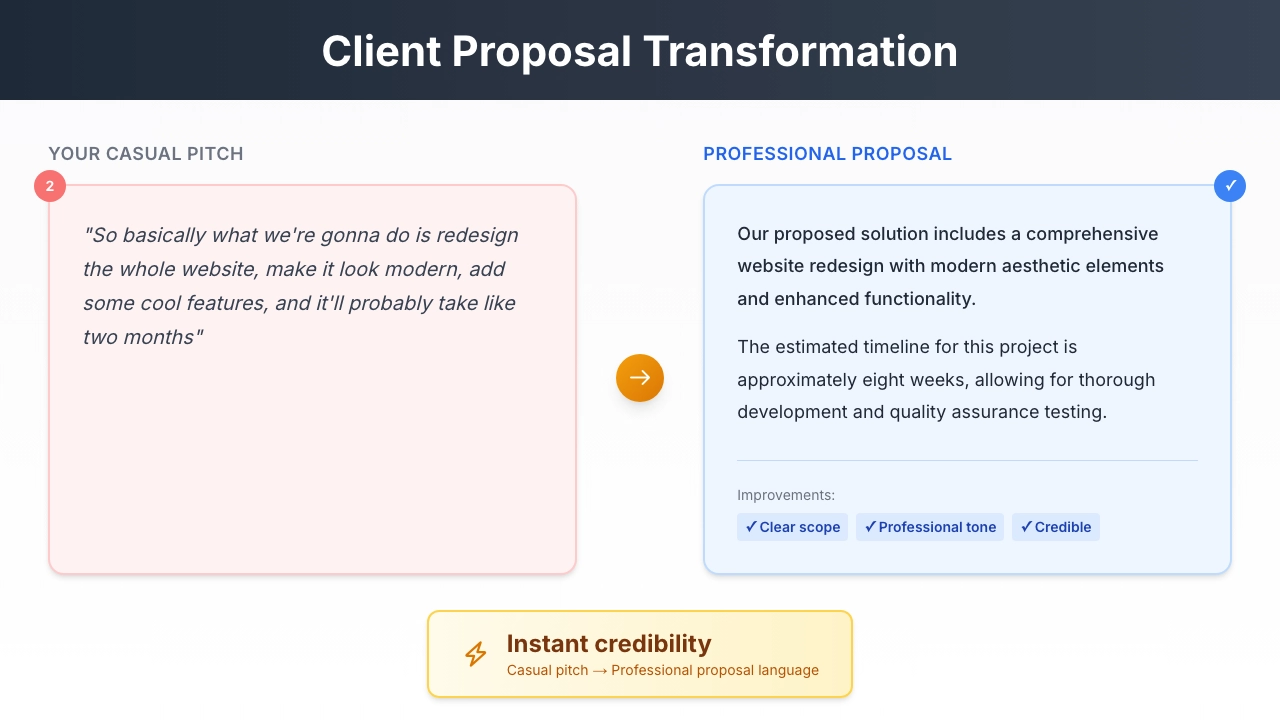
You say:
"So basically what we're gonna do is redesign the whole website, make it look modern, add some cool features, and it'll probably take like two months"
VoxWrite outputs:
"Our proposed solution includes a comprehensive website redesign with modern aesthetic elements and enhanced functionality. The estimated timeline for this project is approximately eight weeks, allowing for thorough development and quality assurance testing."
Transformation: Casual pitch → Professional proposal language
Example 3: Performance Review
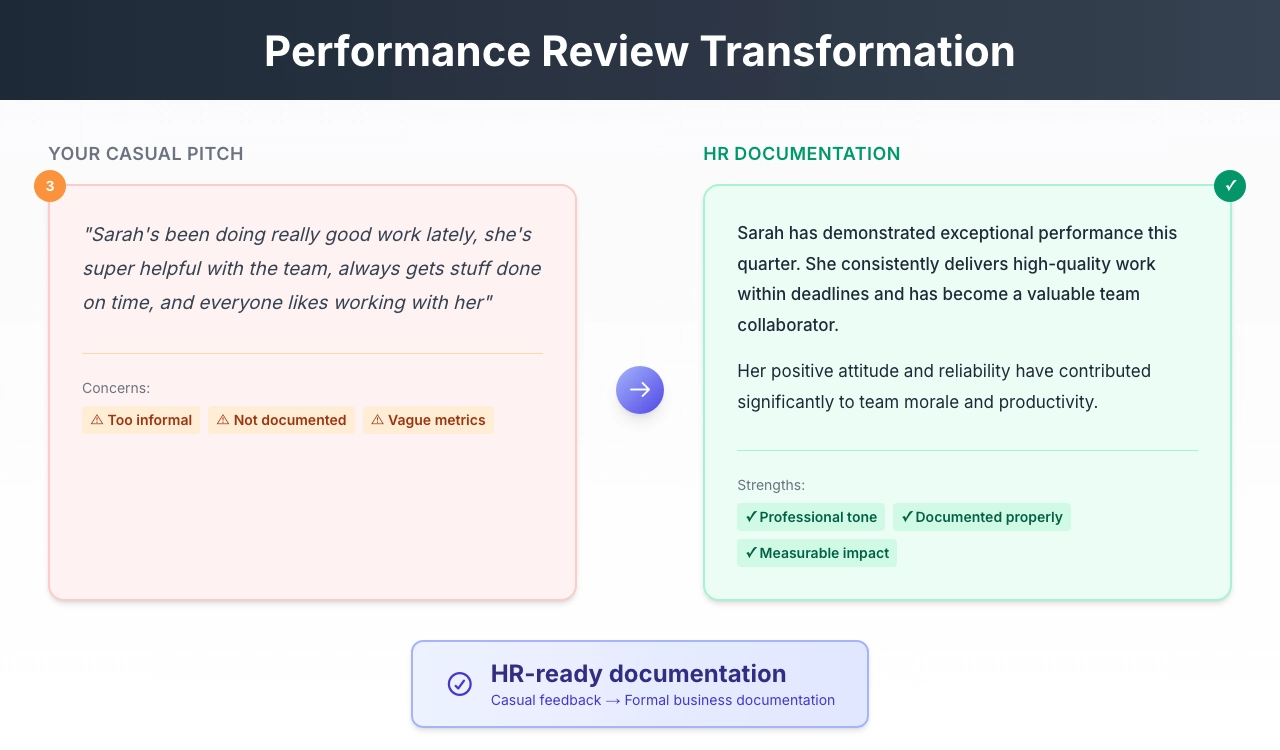
You say:
"Sarah's been doing really good work lately, she's super helpful with the team, always gets stuff done on time, and everyone likes working with her"
VoxWrite outputs:
"Sarah has demonstrated exceptional performance this quarter. She consistently delivers high-quality work within deadlines and has become a valuable team collaborator. Her positive attitude and reliability have contributed significantly to team morale and productivity."
Use case: Formal business email voice typing for HR documentation
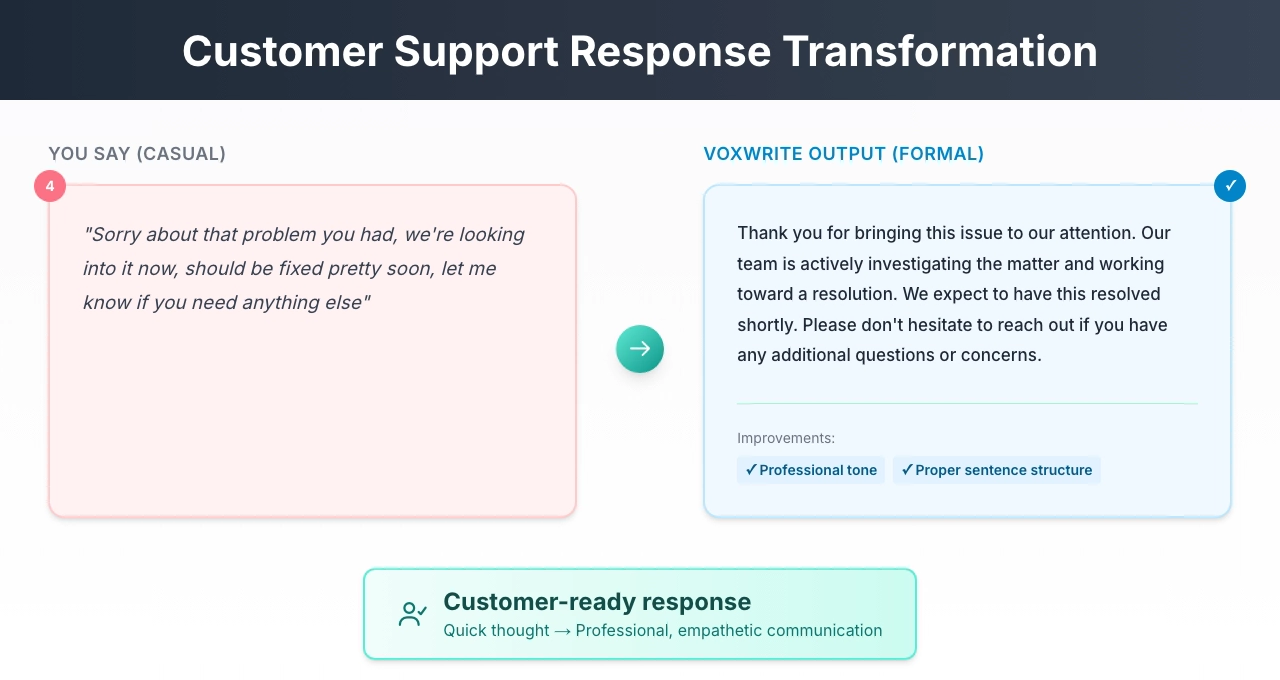
Example 4: Customer Support Response
You say:
"Sorry about that problem you had, we're looking into it now, should be fixed pretty soon, let me know if you need anything else"
VoxWrite outputs:
"Thank you for bringing this issue to our attention. Our team is actively investigating the matter and working toward a resolution. We expect to have this resolved shortly. Please don't hesitate to reach out if you have any additional questions or concerns."
Result: Professional, empathetic customer communication
Dictation Tone Customization: Your Rules, Your Voice
The real power of VoxWrite lies in dictation tone customization.
You can create custom rules that define exactly how your text should sound.
Setting Up Custom Rules
- Click the VoxWrite icon in Chrome or Edge
- Go to Settings → Models → Custom Rules
- Click "Add New Rule"
- Define your transformation preferences
Custom Rule Examples
For Highly Formal Communications:
Transform the text into formal business English.
Use professional vocabulary and complex sentence structures.
Include appropriate honorifics and formal closings.
Avoid contractions and colloquialisms.
For Friendly Professional Tone:
Write in a warm but professional tone.
Use clear, concise language.
Be approachable while maintaining professionalism.
Include appropriate greetings.
For Technical Documentation:
Write in clear, technical language.
Use precise terminology.
Structure content with logical flow.
Avoid unnecessary adjectives or filler content.
For Sales and Marketing:
Write in an engaging, persuasive tone.
Highlight benefits and value propositions.
Use action-oriented language.
Keep it concise and impactful.
Site-Specific Rules
Set different rules for different contexts:
| Website | Tone Setting |
|---|---|
mail.google.com | Formal business email |
slack.com | Friendly professional |
linkedin.com | Professional networking |
notion.so | Clear documentation |
This is true dictation tone customization—your voice, adapted to any context.
Grammar Correction Voice Typing: Beyond Transcription
Grammar correction voice typing is one of the most valuable features of AI-powered dictation.
What Gets Corrected Automatically
Subject-Verb Agreement:
- You say: "The team are working on it"
- AI outputs: "The team is working on it"
Tense Consistency:
- You say: "Yesterday I go to the meeting and discussed the plan"
- AI outputs: "Yesterday I went to the meeting and discussed the plan"
Run-On Sentences:
- You say: "We need to finish the project and then we should review it and after that we can send it to the client"
- AI outputs: "We need to finish the project, then review it. Afterward, we can send it to the client."
Word Choice:
- You say: "The thing is really good for doing the stuff"
- AI outputs: "This solution is highly effective for achieving our objectives"
Languages Supported
Grammar correction voice typing works in 50+ languages:
- English (US, UK, Australian, Indian variants)
- Spanish, French, German, Italian, Portuguese
- Chinese, Japanese, Korean
- Arabic, Hindi, Russian
- And many more
Text Formatting Voice Dictation: Structure Matters
Text formatting voice dictation goes beyond words—it structures your content properly.
Automatic Formatting Features
Punctuation:
- Periods, commas, question marks added automatically
- No need to say "period" or "comma"
Paragraphs:
- Natural breaks become paragraph separations
- Long content gets properly structured
Lists:
- Sequential items become bullet points
- Numbered lists for step-by-step content
Capitalization:
- Proper nouns capitalized
- Sentence beginnings formatted
- Acronyms handled correctly
Example: Formatted Output
You say (stream of consciousness):
"The project has three phases first we do research then we design and finally we implement each phase takes about two weeks"
VoxWrite outputs (formatted):
"The project consists of three phases:
- Research
- Design
- Implementation
Each phase is allocated approximately two weeks."
That's intelligent text formatting voice dictation.
Use Cases for Professional Text Generation Speech
1. Executive Communications
CEOs and executives often think faster than they type. Professional text generation from speech lets them:
- Compose investor updates between meetings
- Create company-wide announcements quickly
2. Legal and Compliance
Legal professionals need precise, formal language. AI transformation helps:
- Convert case notes to formal documentation
- Draft compliance reports
- Create client correspondence
3. Healthcare
Medical professionals benefit from voice to formal writing for:
- Patient notes and documentation
- Referral letters
- Clinical summaries
4. Sales and Business Development
Sales teams use AI voice formatting for business writing to:
- Create proposals faster
- Write follow-up emails instantly
- Document meeting outcomes
5. Customer Service
Support teams leverage tone transformation for:
- Consistent, professional responses
- Empathetic communication at scale
- Faster ticket resolution
Comparing Voice Typing Solutions
| Feature | VoxWrite | Basic Voice Typing | Google Voice Typing |
|---|---|---|---|
| Tone Transformation | Yes (customizable) | No | No |
| Grammar Correction | Yes (AI-powered) | Limited | Limited |
| Custom Rules | Unlimited | No | No |
| Site-Specific Settings | Yes | No | No |
| Filler Word Removal | Automatic | Manual | No |
| Language Translation | Yes (50+ languages) | No | No |
| Professional Formatting | Automatic | Basic | Basic |
Tips for Better Tone Transformation Results
1. Speak in Complete Thoughts
Instead of:
"So the thing is... um... we need to... like... do the project"
Try:
"We need to complete the project by Friday"
Why: Complete thoughts give AI better context for transformation.
2. Use Quality Audio
- External microphone > laptop mic
- Quiet environment
- Speak clearly (but naturally)
3. Review Before Sending
AI is excellent but not perfect. Quick review catches:
- Names and proper nouns
- Specific numbers or dates
- Industry-specific terminology
Getting Started with VoxWrite
Ready to transform your casual speech to professional text?
Step 1: Install the Extension
- Visit the Chrome Web Store or Microsoft Edge Add-ons
- Click "Add to Chrome" or "Get"
- Confirm installation
Works on: Chrome, Edge, Brave, and other Chromium browsers
Step 2: Configure Your Tone
- Click VoxWrite icon
- Go to Settings → Models → Custom Rules
- Create your first rule (e.g., "Professional Business English")
- Set site pattern (e.g.,
mail.google.com)
Step 3: Start Speaking
- Open any website where you need to write
- Click the floating microphone button (or use side panel)
- Speak naturally
- Watch your casual speech become professional text
More details: Read the full documentation
Frequently Asked Questions
How does AI voice formatting work for business writing?
AI voice formatting analyzes your spoken words, removes filler words and repetitions, then restructures the content using professional language patterns. The AI understands context and applies appropriate business writing conventions including proper greetings, formal vocabulary, and structured paragraphs.
Can I customize the tone adjustment for different situations?
Yes. VoxWrite allows you to create custom rules for different contexts. You can set specific rules for formal business emails, casual colleague messages, client communications, or any other scenario. Each rule can specify the exact tone, formality level, and formatting preferences.
Does grammar correction voice typing fix all mistakes?
AI-powered grammar correction catches most common errors including subject-verb agreement, tense consistency, punctuation, and spelling. It also improves sentence structure and word choice. While not perfect, modern AI achieves 95%+ accuracy with clear speech.
What languages are supported for casual to formal text conversion?
VoxWrite supports 50+ languages for transcription and can translate between languages while applying tone transformation. You can speak in Spanish and get formal English output, or speak casually in German and receive professional German text.
Is speech to professional text faster than typing?
Yes, significantly faster. Average typing speed is 40 words per minute while speaking is 120-150 words per minute. Even with AI processing time, voice to formal writing saves 50-70% of your writing time compared to traditional typing.
Can I use dictation tone customization for different websites?
Absolutely. VoxWrite lets you create site-specific rules. Set formal tone for Gmail, friendly professional for Slack, highly formal for client portals, and casual for internal tools. Each website can have its own transformation rules.
Conclusion: Your Voice, Professionally Transformed
The gap between casual speech and professional writing doesn't have to be a barrier anymore.
With AI-powered tone adjustment voice to text, you can:
- Speak naturally and get professional output
- Save hours every week on writing tasks
- Maintain consistent, high-quality communication
- Focus on ideas, not formatting
The technology exists. The results are proven.
The only question is: How much time are you willing to keep losing to manual editing?
Ready to transform your communication?
👉 Try VoxWrite Free for 7 Days 👈
No credit card required. Professional writing starts now.
Related Articles
- Google Docs Voice Typing: The Complete Guide to Dictation
- The Complete Guide to Voice Typing for Faster Email Writing
About the Author: This guide was created by the VoxWrite team.
Last Updated: January 2026