
SpeakGet perfect text. Instantly.
Voice-to-Text Chrome Extension that turns your messy voice into polished, clear email, post, message, note, journal, to-do list, etc. — styled, with perfect punctuation and ready to use.

⚡ Works on every website
🌍 Auto-translate & style your words
🚀 3x faster than typing

How VoxWrite Works
Just 4 steps between your voice and perfect text. No training required.
Add to Chrome or Edge
Add VoxWrite from the Chrome Web Store or Microsoft Edge. Takes 10 seconds. Works immediately on every website you visit.
Select the output format
You can choose a custom rule to get output you want (email, structured text, notes, to-do list, translation to another language, etc.). If no rule chosen — VoxWrite works right away as simple speech-to-text.
Click & Talk
The microphone appears right where you need to type—in emails, messages, documents, anywhere. Click it, talk naturally (messy thoughts are okay!), and stop when done.
Your text appears
If you set no rules, you get clean transcription with perfect punctuation, without "umms." If you set rules: your words automatically translated, styled, or formatted exactly how you want for that specific use case.
Pro tip: Set custom prompts like "Write in professional tone", "Translate to English from any language", or "Format as business email" for instant AI-powered text transformation
Everyday Use Cases
See how VoxWrite fits seamlessly into your daily workflow
Speak your language, write in another
Talk in your native language, get perfect text in another. VoxWrite translates and polishes automatically.
Write emails in seconds
Speak casually in Gmail. VoxWrite makes it sound professional automatically.
Messy thoughts → Clear notes
Brain dump everything. VoxWrite organizes it into bullet points or clean paragraphs.
Think out loud, get articles
Talk through your ideas in Google Docs or Notion. VoxWrite organizes them into clear, readable text.
Social Media in your voice
Record your thought on LinkedIn or X. VoxWrite turns it into an engaging post.
Customer support at speaking speed
Voice-reply in Zendesk, Intercom, or WhatsApp Web. VoxWrite keeps your tone friendly and consistent.
Fill forms by talking
Say your answers out loud. VoxWrite fills in the fields instantly on any website.
Meeting notes that actually make sense
Speak your meeting notes. VoxWrite creates organized action items and key points.
Everything You Need, Built Right In
The only voice-to-text tool that transforms while you talk. Set custom rules for translation, tone, and style—then just speak. VoxWrite handles the rest.
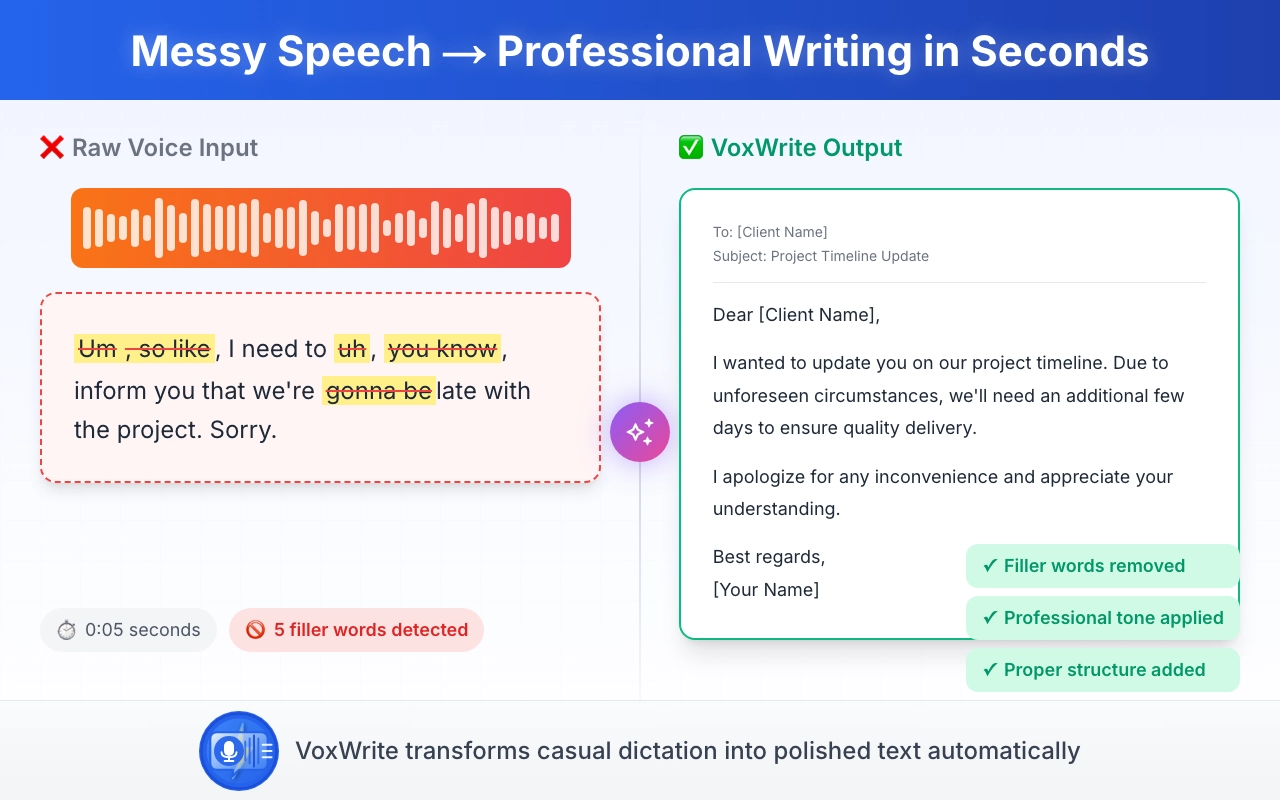
Talk messy, get clean text - in any language
No more "umm" or awkward pauses.
Speak naturally in your native language—even with mistakes, filler words, and rambling thoughts. VoxWrite automatically removes "ums" and "uhs," adds punctuation, fixes grammar, translates to 50+ languages, and turns your messy speech into clear, readable text in seconds.
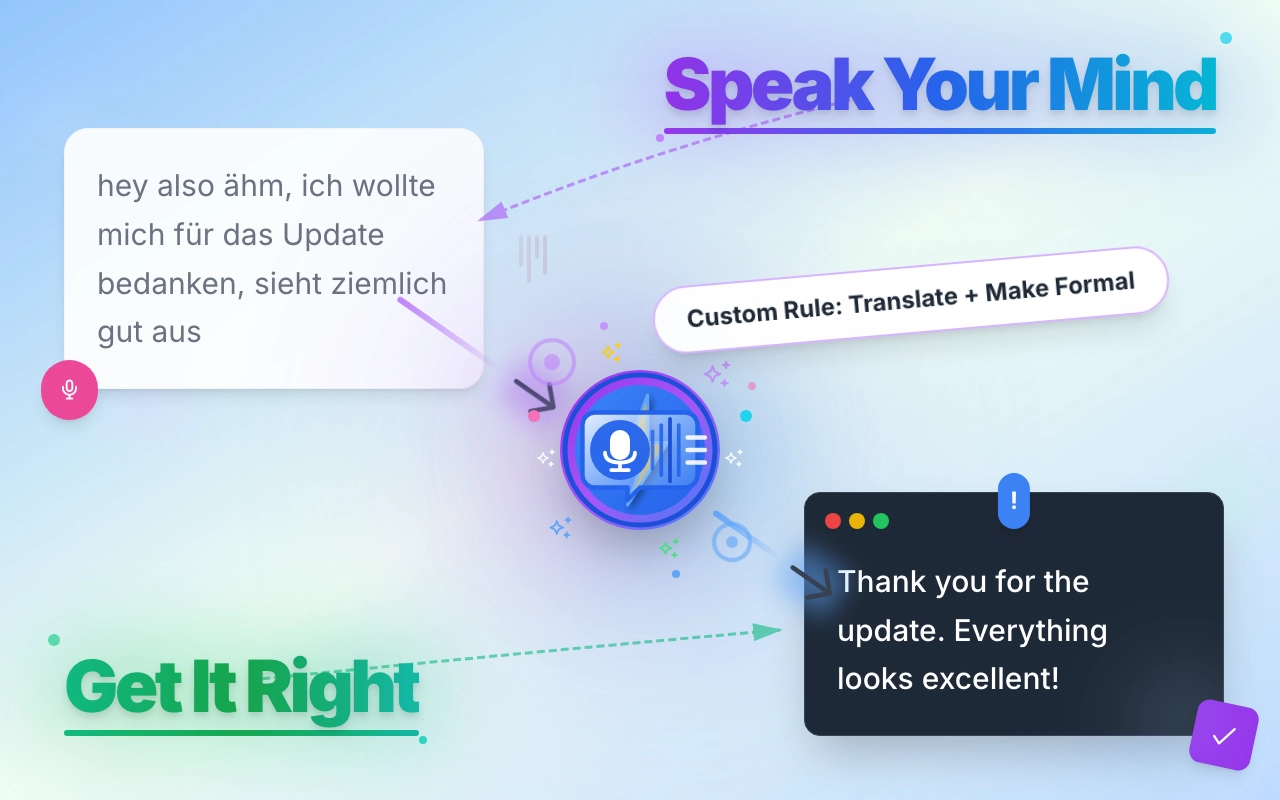
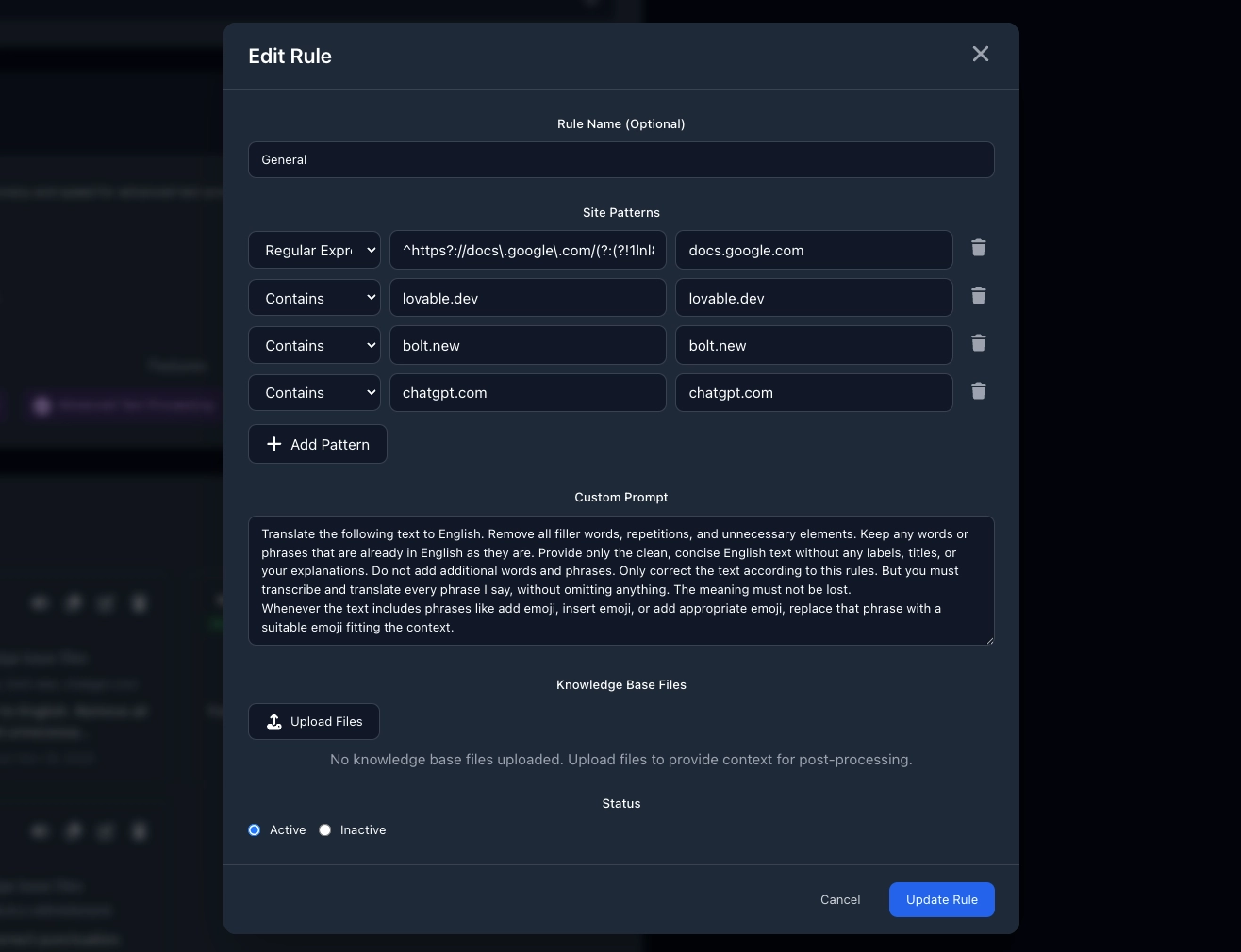
Set your style once, use it forever
Different websites, different rules, zero effort.
Gmail gets formal English. LinkedIn gets professional tone. X stays casual. Tell each website what you want once—VoxWrite remembers forever. Your text appears perfectly formatted every single time. No manual editing ever again.
Ready-made templates for instant results
Skip the setup. Start talking.
Don't want to create custom rules? Choose from pre-built templates: Formal or Friendly Email, Structured Text, Notes, Social Media Post, or To-Do List. One click picks your output style. Perfect for new users or when you need quick results without thinking about formatting.
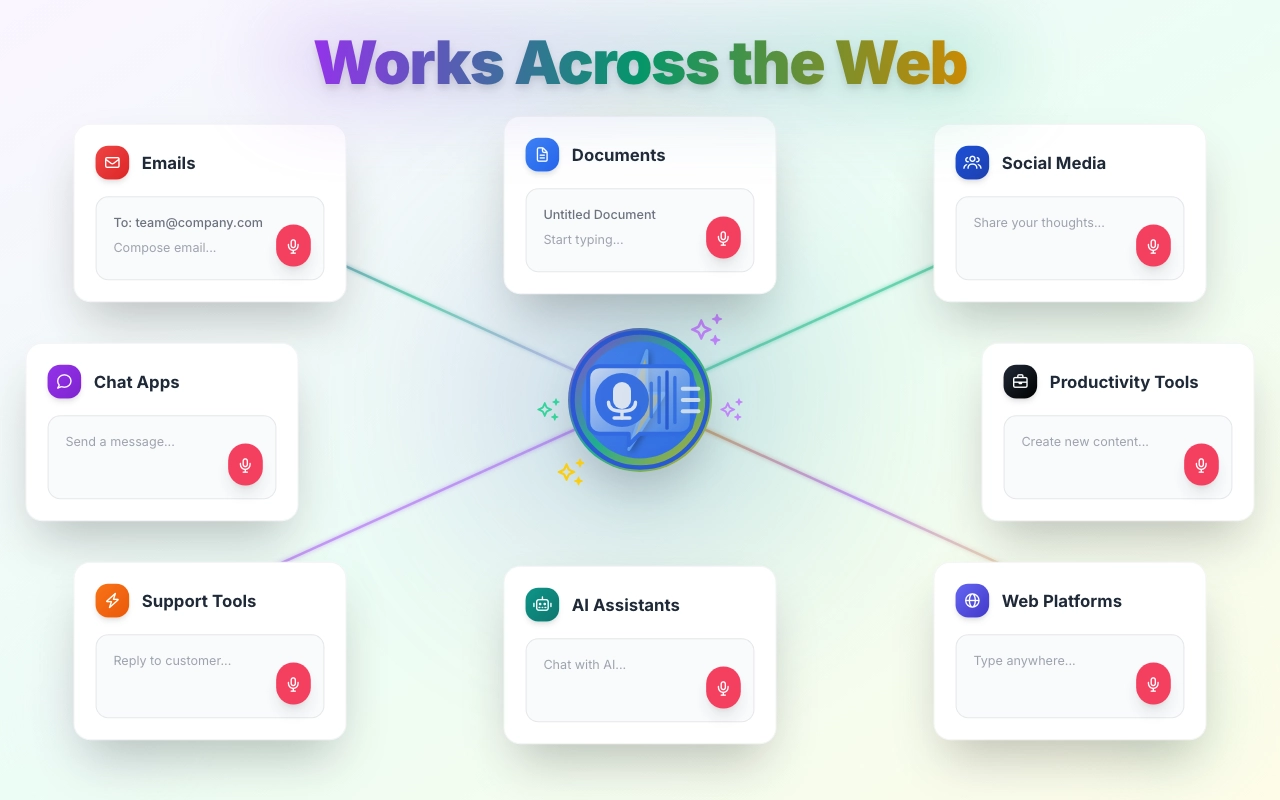
Works everywhere you type
One extension. Every website.
Gmail, Google Docs, LinkedIn, X, Claude, ChatGPT — VoxWrite works on every website. No copy-pasting between apps. Just click the microphone and start talking wherever you are.
Your voice command center — always one click away
Side panel that's always there when you need it.
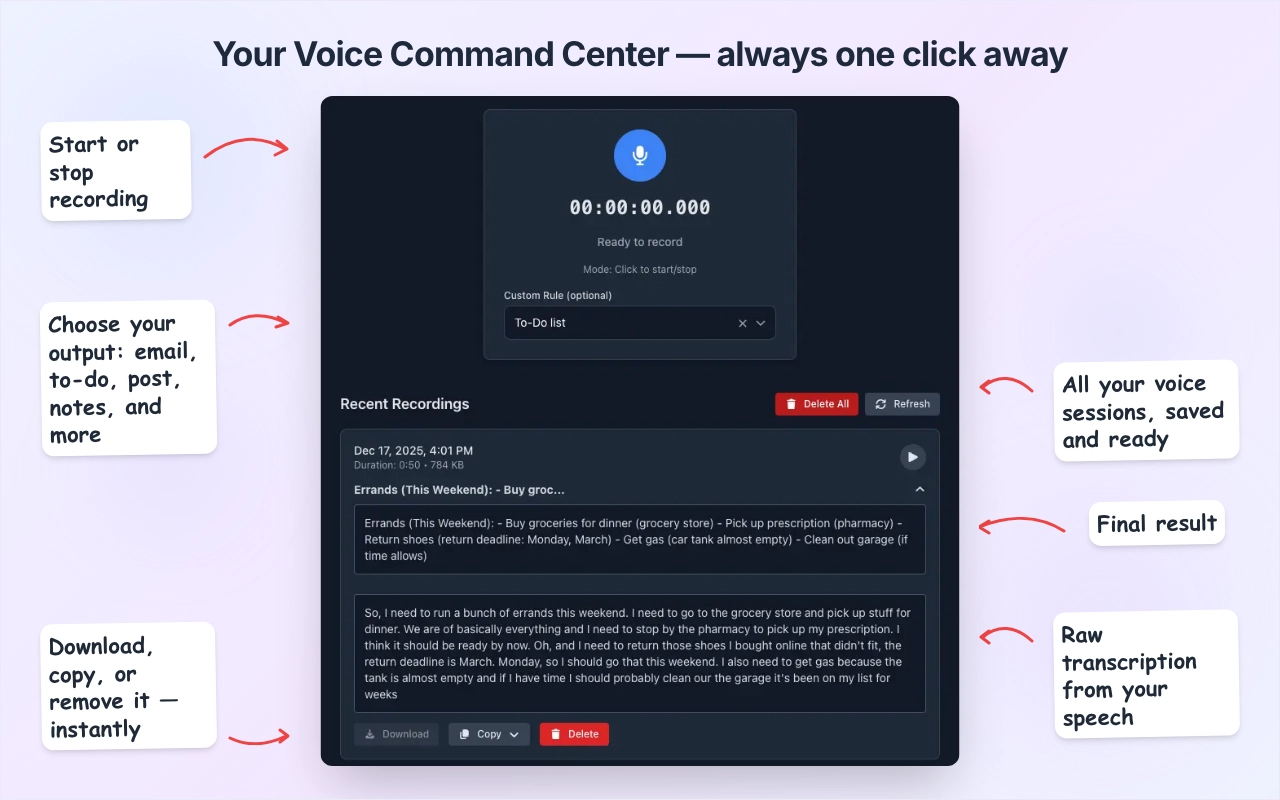
Access everything from one place. Start or stop recording, choose your output format (email, to-do list, post, notes), and manage all your voice sessions. Every recording is saved with both the raw transcription and the final polished result. Download, copy, or delete instantly. Your complete voice history, organized and ready.
Speak. It's Already There
No copying. No pasting.
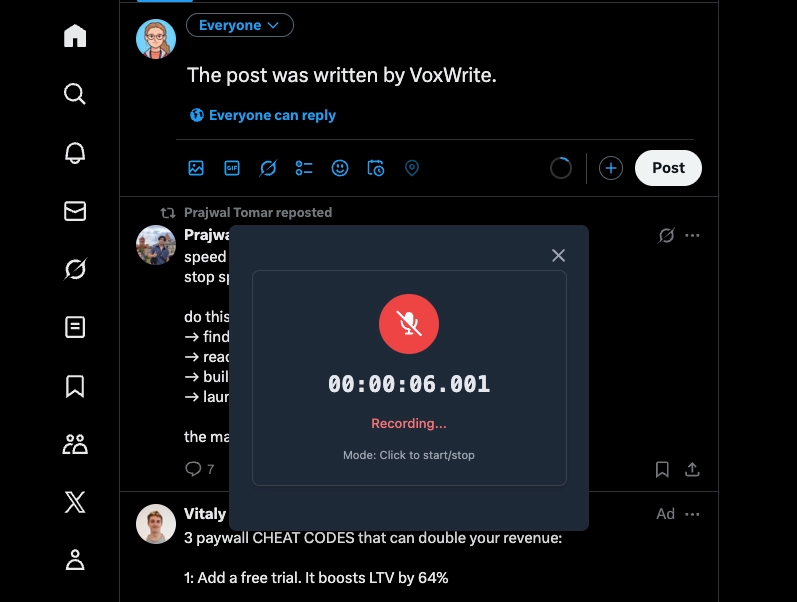
Your transformed text appears directly in the field where you clicked the microphone (If this is not prohibited by the policy of this website) — email compose box, chat window, document editor, anywhere. Speak, and it's already there. Ready to send.
Choose your AI engine
OpenAI, Anthropic, or Google Gemini—you decide.
If you use Lifetime plan, switch between AI providers with one click. Prefer GPT-4? Use it. Love Claude? Connect it. Want Gemini? It's there. Each model has different strengths—test them all and pick your favorite. Or use different models for different tasks. Your choice, your control.

Your Privacy is protected
Nothing leaves your computer.
VoxWrite does not store your audio recordings in the cloud or in any database. We use an external server for post-processing the audio only if you have a subscription, and the data is immediately deleted afterward. Everything else is processed and saved locally in your browser. We only collect your email address (if you have a subscription) to give you access to your personal account for managing your subscription. Your voice. Your data. Your control.

Record with one click
Microphone appears when you need it.
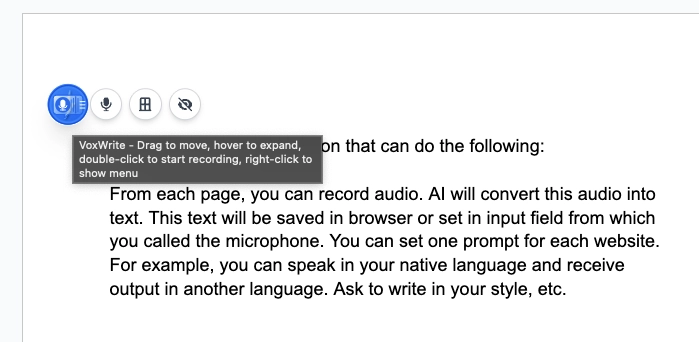
Click any text field and the microphone appears. Or use the floating button that follows you around the page. Or press your custom hotkey. Three ways to start—all instant. No digging through menus.
Pay your way
Subscription or bring your own AI.
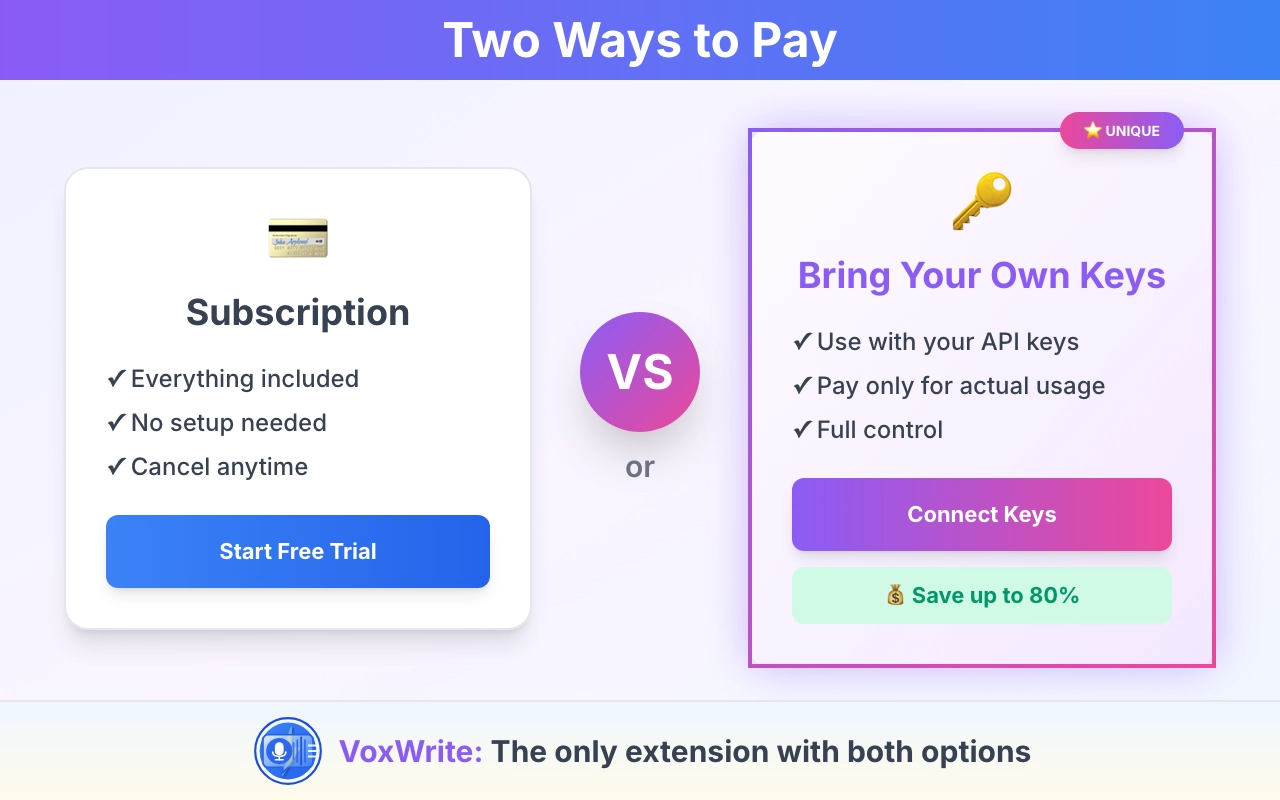
Choose a simple monthly subscription, or unlock VoxWrite once and connect your own OpenAI, Anthropic or Google Gemini API keys. You only pay for what you actually use. Full transparency, no surprises.
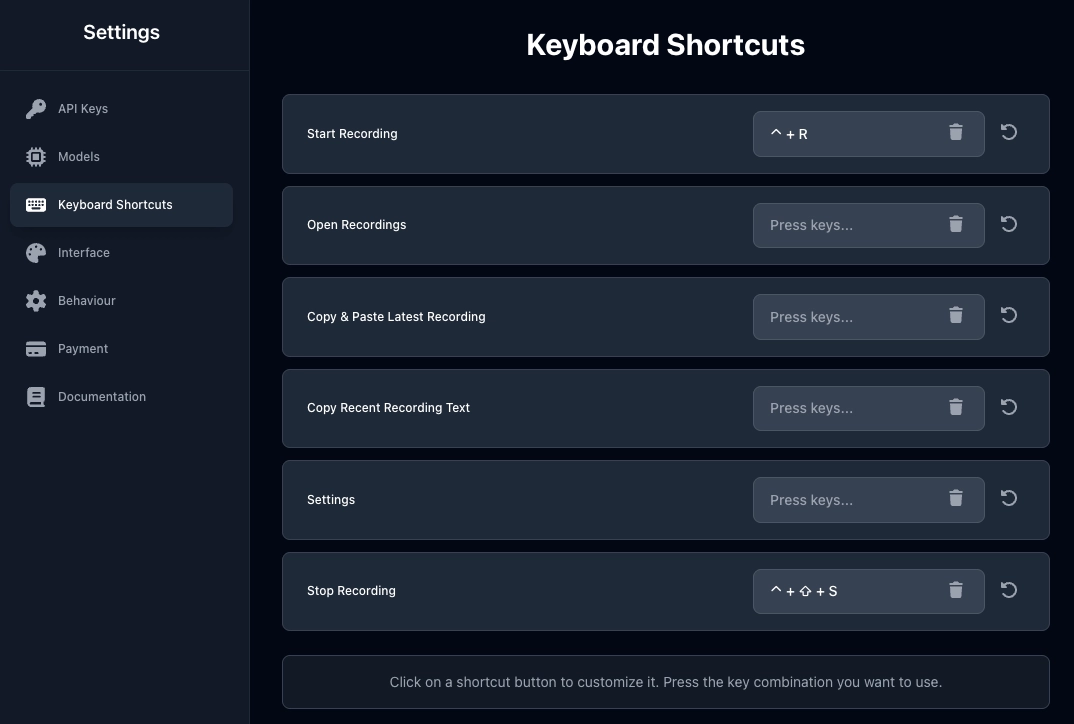
Custom Keyboard Shortcuts
Control everything without touching your mouse.
Set up your own hotkeys to start recording, stop, copy results, or open VoxWrite. Make it work exactly how you want. Power users love this.
Frequently Asked Questions
Everything you need to know about VoxWrite. Can't find the answer you're looking for? Feel free to contact our support team.
The Lifetime plan (€39.99 one-time) requires your own API keys and handles files up to 250MB, while the SaaS plan (€7.99/month) includes managed AI processing with no API keys needed and supports files up to 100MB. Lifetime offers a 14-day money-back guarantee, SaaS includes a 7-day trial (no refunds) with priority support.
The Free plan is available anytime and lets you use VoxWrite with basic features using your own API keys. You get up to 10 transcriptions per day, custom prompts for 1 website, and can download your last transcription. It's perfect for testing VoxWrite before buying a full access or upgrading to a monthly subscription.
You pay €39.99 once and own the software forever with no recurring monthly fees.However, you'll need to cover your own API costs (using your own API keys) when using AI providers for transcriptions and processing.
Yes! The SaaS plan includes a 7-day free trial. Simply sign up for a free account, and you'll receive complimentary credits to explore our Extension.
We offer a 14-day money-back guarantee for Lifetime plan. If you're not satisfied with VoxWrite, contact our support team within 14 days of purchase for a full refund, no questions asked. For SaaS plan we're unable to offer refunds, because we have high costs for AI models. But you can try it risk-free with our 7-day trial before subscribing.
You can cancel your subscription at any time by following these steps: Log in to your account. From there, you have the option to cancel your subscription.
Latest from Our Blog
Insights on voice typing, AI writing, and productivity