
The Complete Guide to Removing Filler Words: Tools, Tips, and Why "Um" Is Killing Your Professional Writing
Last updated: April 2026 | Reading time: 14 minutes
The Hidden Problem With Every Transcript
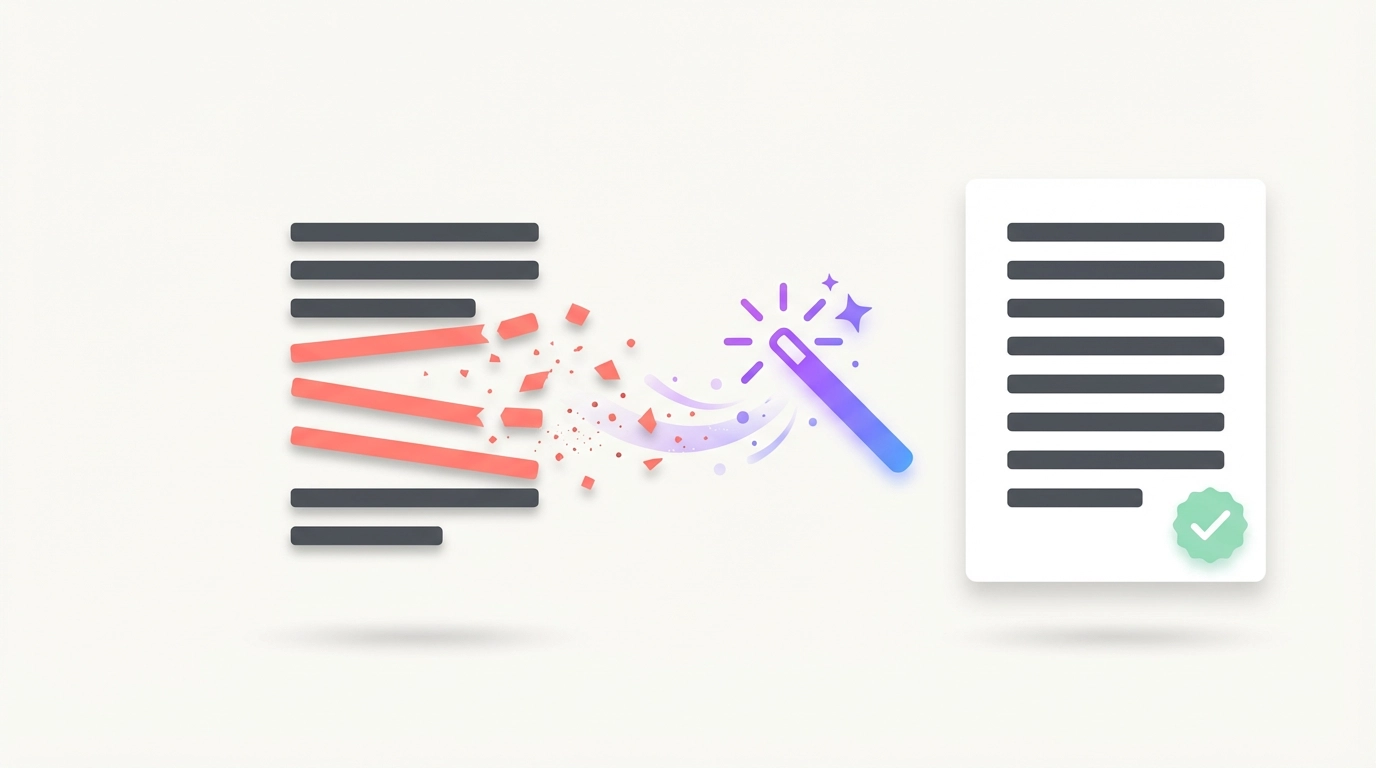
You just dictated an important email. Or transcribed a meeting. Or turned a voice memo into text. You look at the result and it reads like this:
"So, um, basically what I wanted to say is that, you know, we should probably, like, move the deadline to next Friday because, honestly, the team just needs, um, more time to, you know, finish the testing phase and, like, make sure everything is, uh, actually working properly."
The information is there. But it's buried under a layer of verbal noise — filler words that made sense when you were speaking but look terrible in writing.
This is the gap between how we speak and how we write. Every person uses filler words when talking. Research from the University of Pennsylvania found that speakers produce an average of 6 filler words per minute in natural conversation. That means a 10-minute voice memo contains roughly 60 words that add zero meaning to your text.
For professionals who rely on voice-to-text tools — for emails, meeting notes, reports, documentation — filler words aren't just annoying. They're a credibility problem. Text littered with "um," "like," and "basically" reads as unprepared, unfocused, and unprofessional.
The good news: removing filler words from text has never been easier. Whether you're cleaning up a transcript manually or using AI to strip them automatically, this guide covers everything you need to know.
What Are Filler Words (And Why Do We Use Them)?
Filler words are sounds, words, or phrases that don't contribute meaning to a sentence. They serve as verbal placeholders — buying your brain time to formulate the next thought while keeping the conversation flowing.
The Most Common Filler Words
Single-word fillers (easy to spot):
- um, uh, er, ah
- like, so, well, right
- basically, honestly, actually, literally
Filler phrases (harder to catch):
- "you know," "you know what I mean"
- "I mean," "the thing is"
- "to be honest," "at the end of the day"
- "sort of," "kind of"
- "if that makes sense"
- "basically what happened was"
Why We Use Them
Filler words aren't a speech defect — they're a feature of human communication. Linguists call them speech disfluencies, and they serve real purposes in conversation:
- Processing time — Your mouth moves faster than your brain can plan. Fillers hold the floor while you think.
- Social signaling — "You know" and "like" signal informality and invite the listener to relate.
- Hedging — "Sort of" and "kind of" soften statements and reduce commitment.
- Turn-holding — "Um" and "uh" tell listeners you're not done speaking.
In spoken conversation, these functions are useful. In written text, they're pure noise. Readers don't need you to hold the floor. They don't need hedging signals. They need clear, concise information — and filler words get in the way.
The Real Cost of Filler Words in Professional Text
Credibility Loss
A study published in the Journal of Communication found that speakers who used fewer filler words were rated as significantly more credible and knowledgeable. The same effect carries over to written text: documents with filler words are perceived as less polished and less authoritative.
Consider these two versions of the same meeting note:
With fillers:
"So basically the client said they, um, want to move forward with the project but, you know, they need to see a revised proposal first, and honestly I think we should, like, prioritize that this week."
Without fillers:
"The client wants to move forward but needs a revised proposal first. We should prioritize that this week."
Same information. Half the words. Twice the impact.
Wasted Reading Time
Filler words increase text length by 15-25% without adding any content. For someone reading a 2,000-word meeting transcript, that's 300-500 extra words of nothing. Multiply that across every transcript, every email, every document — and the wasted reading time adds up fast.
Professional Image
In business contexts, the quality of your written communication directly impacts how others perceive your competence. A proposal filled with "basically" and "you know" doesn't inspire confidence. A client email peppered with "um" and "like" suggests the message was dictated carelessly and sent without review.
Filler words in professional writing are the text equivalent of showing up to a meeting in pajamas — the content might be fine, but the presentation undermines it.
How to Identify Filler Words in Your Text
Before you can remove filler words, you need to find them. Here's the challenge: some filler words are also legitimate words.
Context-Dependent Fillers
The word "like" is a filler in:
"I was, like, really surprised by the results."
But it's a real word in:
"Tools like VoxWrite handle this automatically."
The word "so" is a filler in:
"So, I was thinking we should change the approach."
But it's meaningful in:
"The deadline is Friday, so we need to start today."
"Actually" is a filler in:
"I actually think that's a good idea."
But it adds meaning in:
"The report says 500, but the actual number is 487."
This is why simple find-and-replace doesn't work for cleaning up speech transcript text. You need something that understands context — either a careful human editor or an AI tool.
The Highlighting Test
A practical approach: copy your text into a document and highlight every word that could be removed without changing the meaning. If you can delete a word and the sentence still makes complete sense, it's a filler. If the meaning changes, it stays.
This works for short texts. For anything longer than a few paragraphs, you need automation.
Methods for Removing Filler Words
Method 1: Manual Editing
Best for: Short texts, high-stakes documents, final proofreading.
Read through the text and delete every filler word and phrase. This is the most precise method because a human can handle context perfectly — you'll never accidentally remove a "like" that's doing real grammatical work.
The downside: It's slow. Editing a 30-minute meeting transcript takes 15-20 minutes of careful reading. And you'll miss some fillers, especially the subtle ones like "basically" and "honestly" that your brain skips over.
Method 2: Find-and-Replace
Best for: Quick passes on clearly identified fillers.
Use your text editor's find-and-replace function to search for obvious fillers: "um," "uh," "you know," "I mean." This catches the low-hanging fruit quickly.
The downside: It can't handle context. Replacing all instances of "like" will break legitimate uses. Replacing "so" at the start of sentences will catch both fillers and valid conjunctions. You'll need a manual pass afterward to fix the false positives.
Method 3: AI-Powered Cleanup (Recommended)
Best for: Everything — especially voice-to-text, transcripts, and high-volume text processing.
AI tools like VoxWrite process your speech and automatically remove filler words as part of the transcription pipeline. The AI understands context, so it knows when "like" is a filler and when it's a comparison. It also handles filler phrases, false starts, repeated words, and other speech disfluencies that manual methods easily miss.
How VoxWrite handles filler word removal:
- You speak naturally — don't try to avoid fillers; talk the way you normally do
- AI transcribes your speech — capturing everything, including fillers
- AI cleanup removes disfluencies — filler words, false starts, repeated words, and verbal stumbles are stripped out
- Clean text appears — professional, concise, ready to use
The result:
What you said:
"So, um, I wanted to follow up on our conversation from, uh, last Tuesday. Basically, you know, the team has been, like, working really hard on the prototype and, um, we think — we actually think it's ready for, you know, initial testing. Honestly, I'm, like, pretty confident in the results so far."
What VoxWrite outputs:
"I wanted to follow up on our conversation from last Tuesday. The team has been working hard on the prototype, and we believe it's ready for initial testing. I'm confident in the results so far."
Every filler removed. Every piece of information preserved. The text went from 67 words to 38 — a 43% reduction — with zero meaning lost.
A Closer Look at Each Filler Word
Not all fillers are equal. Some are obvious; others hide in plain sight. Here's a breakdown of the most common filler words in English, where they appear, and how to handle them.
"Um" and "Uh" — The Classic Disfluencies
Frequency: The most common fillers in spontaneous speech. In text: Always removable. "Um" and "uh" serve no written purpose. AI handling: VoxWrite removes these automatically in every transcription.
"Like" — The Chameleon
Frequency: Extremely common, especially in informal speech. The challenge: "Like" has four legitimate uses (comparison, enjoyment, similarity, approximation) and one filler use. AI must distinguish between them. In text: Remove when used as a verbal pause. Keep when it serves a grammatical function.
Filler: "It was, like, really difficult." -> "It was really difficult." Legitimate: "Tools like VoxWrite handle this." -> Keep as-is.
"Basically" — The False Simplifier
Frequency: Very common in professional speech, especially when explaining complex topics. The problem: "Basically" promises simplification but rarely delivers it. The explanation after "basically" is usually the same complexity level as without it. In text: Remove in almost all cases. If something needs simplifying, simplify it — don't just say "basically."
"Basically, the server went down because the cache expired." -> "The server went down because the cache expired."
"Honestly" and "To Be Honest" — The Trust Eroders
Frequency: Common in professional and personal speech. The paradox: Saying "honestly" implies that other statements might not be honest. It erodes trust rather than building it. In text: Remove unless you're making a genuine contrast. ("I expected it to fail, but honestly, it worked perfectly" — keep. "Honestly, I think we should change the approach" — remove.)
"You Know" — The Assumption Maker
Frequency: Extremely common in casual and semi-formal speech. The problem: The reader may not, in fact, "know." And if they do, you don't need to tell them they know. In text: Remove in virtually all cases.
"The deadline is, you know, really tight this quarter." -> "The deadline is tight this quarter."
"Sort of" and "Kind of" — The Confidence Killers
Frequency: Common in professional speech, especially when hedging. The problem: These words weaken every statement they touch. "I sort of think we should change direction" sounds uncertain. "We should change direction" sounds decisive. In text: Remove unless deliberate vagueness is intended. ("It's sort of a hybrid approach" might be intentional.)
"I Mean" — The Self-Corrector
Frequency: Very common as a sentence starter. The problem: In speech, "I mean" signals you're about to rephrase. In text, just write the better version — the reader doesn't need to see the false start. In text: Remove the "I mean" and keep whatever follows.
"I mean, the real issue is the timeline." -> "The real issue is the timeline."
Removing Filler Words From Specific Content Types
Meeting Transcripts
Meeting transcripts are the worst offenders. Multiple speakers, informal tone, rapid-fire discussion — the average meeting transcript is 20-30% filler by word count.
Strategy: Use AI to clean up speech transcripts automatically during or immediately after the meeting. VoxWrite's custom rules can format meeting notes into structured summaries while stripping fillers in the same pass.
Before cleanup:
"So, um, John, do you want to give us an update on the, you know, the backend migration? Yeah, so basically we're, like, about 70% done with the migration. The main thing is, honestly, the database schema changes are taking longer than, um, expected because we found some, you know, legacy tables that need to be, like, restructured."
After AI cleanup:
"John provided an update on the backend migration: approximately 70% complete. Database schema changes are taking longer than expected due to legacy tables that need restructuring."
Podcast Transcripts
Podcasts are conversational by nature, so transcripts are loaded with fillers. If you're publishing a transcript alongside your podcast episodes, cleaning up fillers makes the text dramatically more readable.
Strategy: Process podcast transcripts through an AI filler word remover for podcast transcripts. Keep the conversational tone but remove the disfluencies that slow down reading.
Voice-Dictated Emails
When you dictate emails, your natural speaking patterns — including fillers — come through. An email that sounds fine when spoken can look unprofessional when written.
Strategy: Use VoxWrite with custom rules for email formatting. The AI removes fillers and restructures your spoken words into a proper email format simultaneously. Learn more in our guide to dictating professional emails.
Voice Memos and Notes
Voice memos captured on the go — during commutes, between meetings, while walking — tend to have the highest filler density because you're multitasking.
Strategy: Let the AI handle it. Don't try to speak cleanly while driving or walking. Capture the ideas naturally, and let VoxWrite's AI filler word detection and removal clean up the text automatically.
Beyond Filler Words: Other Speech Disfluencies to Clean Up
Filler words are the most visible problem, but spoken text has other patterns that look bad in writing:
False Starts
"I think we should — actually, let me rephrase that — we need to redesign the API."
Cleaned: "We need to redesign the API."
Repeated Words
"We need to to make sure the the tests pass before deployment."
Cleaned: "We need to make sure the tests pass before deployment."
Verbal Self-Corrections
"The meeting is at 3 — no wait, 4 PM on Thursday."
Cleaned: "The meeting is at 4 PM on Thursday."
Trailing Off
"And then we could also maybe look into... anyway, the main point is the deadline."
Cleaned: "The main point is the deadline."
VoxWrite's AI processing handles all of these automatically. It doesn't just remove filler words — it cleans up the entire dictation so the output reads like it was typed, not spoken.
How to Reduce Filler Words in Your Speech
Removing fillers from text is the immediate fix. But if you want your raw dictation to be cleaner from the start, here are proven techniques:
1. Embrace the Pause
The urge to say "um" comes from discomfort with silence. Instead of filling the gap with a sound, just pause. A one-second pause feels long to the speaker but is barely noticeable to the listener — or to a transcription tool.
2. Think Before You Speak
Before starting a dictation, take 3-5 seconds to organize your main points mentally. Knowing your structure in advance reduces the need for verbal placeholders.
3. Speak in Shorter Sentences
Long, complex sentences invite fillers because you run out of planned words before the sentence ends. Short, direct sentences are easier to speak cleanly.
Instead of: "So basically what I want to say is that, um, we should probably think about, like, restructuring the project timeline because honestly the current one is, you know, not realistic." Try: "The project timeline needs restructuring. The current one isn't realistic."
4. Record and Review
Use VoxWrite to dictate a few paragraphs, then compare what you said (the recording) with the cleaned output. The gap between the two shows you exactly which fillers you use most — and awareness is the first step to reduction.
5. Don't Aim for Perfection
Zero filler words isn't the goal. Natural speech will always include some disfluencies — and that's fine. The goal is to reduce them enough that your text output needs minimal cleanup. VoxWrite handles the rest.
VoxWrite vs. Other Filler Word Removal Approaches
| Approach | Handles Context | Speed | Catches Phrases | Works in Real-Time |
|---|---|---|---|---|
| Manual editing | Yes | Slow | Some | No |
| Find-and-replace | No | Fast | No | No |
| Basic transcription tools | No | Fast | No | Yes |
| VoxWrite AI cleanup | Yes | Fast | Yes | Yes |
VoxWrite is the only approach that combines context awareness, speed, filler phrase detection, and real-time processing. You don't clean up text after dictation — the text arrives clean.
Setting Up Automatic Filler Word Removal in VoxWrite
Step 1: Install VoxWrite
Install VoxWrite from the Chrome Web Store or get it from the Microsoft Edge Add-ons Store. Works on Chrome, Edge, Brave, and any Chromium-based browser.
Step 2: Dictate Naturally
Open any website with a text field — Gmail, Notion, Google Docs, Slack, your CRM — and start dictating. Don't worry about filler words. Speak the way you normally do.
Step 3: Let AI Do the Cleanup
VoxWrite's AI processing automatically removes filler words, false starts, and repeated words from your transcription. The clean text appears directly in the text field.
Step 4: Add Custom Rules for Extra Cleanup (Optional)
For even more control, create custom rules that target specific filler patterns. For example:
Remove all filler words and verbal disfluencies. Eliminate hedging language
like "sort of," "kind of," and "I think maybe." Convert informal speech
patterns into concise professional writing. Keep the meaning intact but
remove all verbal padding.
This level of cleanup is useful for high-stakes content — client proposals, published documents, and executive communications. See our custom rules documentation for step-by-step setup, or read our guide to voice typing with templates for more examples.
Frequently Asked Questions
What are filler words and why do they matter?
Filler words are sounds or phrases that don't add meaning to a sentence — words like um, uh, like, basically, you know, honestly, and sort of. In spoken conversation, they're natural pauses while your brain catches up. But in written text — especially in transcripts, dictation, and professional documents — they clutter your message, reduce clarity, and make you sound less credible. Removing them is one of the fastest ways to improve any text.
How do I remove filler words from a transcript?
You have three options: manual editing (slow but precise), find-and-replace (fast but misses context-dependent fillers), or AI-powered tools like VoxWrite that automatically detect and remove filler words during transcription. AI tools are the most efficient because they understand context — they can tell when "like" is a filler versus when it's a comparison word.
Can AI detect filler words automatically?
Yes. Modern AI speech-to-text tools can identify filler words and speech disfluencies during transcription. VoxWrite removes filler words automatically as part of its AI processing pipeline — your dictation comes out clean without you needing to do anything. More advanced setups using custom rules can also catch filler phrases like "to be honest," "at the end of the day," and "if that makes sense."
What's the difference between filler words and filler phrases?
Filler words are single words or sounds: um, uh, like, so, well, right. Filler phrases are multi-word expressions that serve the same padding function: "you know what I mean," "at the end of the day," "to be honest," "the thing is," "basically what happened was." Filler phrases are harder to spot because they sound more intentional, but they're equally empty of meaning.
What are the most common filler words in English?
The top filler words in English are: um, uh, like, you know, basically, honestly, actually, literally, sort of, kind of, I mean, right, so, and well. Among these, "um" and "uh" are the most frequent in spontaneous speech. "Like," "basically," and "honestly" are the most common in professional contexts because speakers don't realize they're using them.
How many filler words does the average person use?
Research suggests the average speaker uses 5-8 filler words per minute in casual conversation. In professional settings like meetings and presentations, this drops to 2-4 per minute — still enough to noticeably affect the quality of a transcript. A 30-minute meeting can easily contain 60-120 filler words that need cleaning from the transcript.
Does removing filler words change the meaning of text?
No. By definition, filler words carry no semantic meaning — they're verbal pauses, not content. Removing them from a transcript preserves every piece of actual information while making the text shorter, clearer, and more professional. The meaning stays the same; only the noise is removed.
Is it bad to have filler words in professional writing?
Yes. In professional writing — emails, reports, proposals, documentation — filler words signal carelessness and reduce trust. They make text longer without adding value, and they dilute your key points. Concise, filler-free writing is perceived as more competent and authoritative. If your text originated from voice dictation, cleaning up fillers is essential before sharing.
Can I remove filler words from podcast transcripts?
Yes. If you have a text transcript of a podcast episode, you can clean it up using AI tools. VoxWrite is designed for real-time dictation cleanup, but its AI processing works on any spoken-to-text content. For existing transcripts, paste the text into any text field on the web and use VoxWrite's custom rules to reprocess it — removing fillers, fixing grammar, and improving readability.
How can I use fewer filler words when speaking?
The most effective techniques are: embrace pauses instead of filling silence with "um," think before you speak by organizing your points mentally for a few seconds, speak in shorter sentences to avoid running out of planned words, and record yourself to build awareness of which fillers you use most. Practice helps, but perfection isn't the goal — tools like VoxWrite clean up any remaining fillers automatically.
Conclusion: Clean Text Starts With the Right Tool
Filler words are a natural part of speech. You'll never eliminate them completely from how you talk — and you don't need to. What you need is a way to ensure they don't end up in your written text.
The three levels of filler word removal:
- Awareness — Know which fillers you use and where they appear
- Reduction — Use speaking techniques to produce cleaner dictation
- Automation — Let AI handle the cleanup so your output is always professional
VoxWrite handles level three automatically. Every dictation comes out clean — filler words removed, grammar fixed, punctuation added. You speak naturally and get professional text.
Stop editing transcripts by hand. Stop sending emails with "basically" and "you know" scattered through them. Stop worrying about how many "ums" slipped into your meeting notes.
Speak naturally. Let AI clean it up. Send with confidence.
Ready to remove filler words from your dictation automatically?
Try VoxWrite Free for 7 Days - No credit card required.
Related Articles
- How to Stop Saying Um in Interviews: Practice With Speech-to-Text AI
- From Casual Speech to Professional Text with AI
- Voice Typing With Templates: Dictate Perfectly Formatted Emails, Notes, and To-Do Lists
- Dictate Blog Posts: From Voice to Published Content
About the Author: This guide was created by the VoxWrite team.
Last Updated: April 2026