
Dictate Blog Posts Faster: From Ideas to Published Content
Last updated: February 2026 | Reading time: 12 minutes
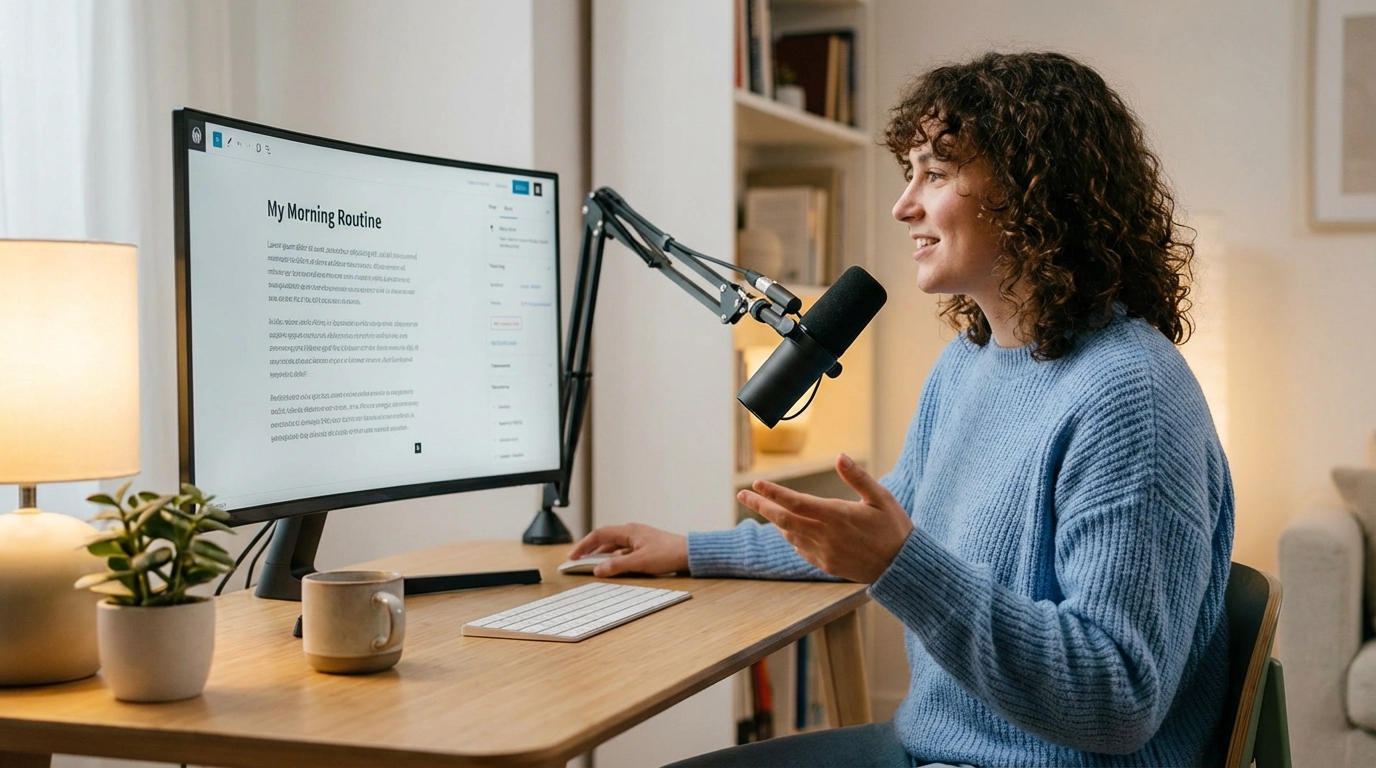
The Blogger's Bottleneck: Why Writing Takes So Long
You have ideas. Plenty of them.
But every time you sit down at your keyboard, open a blank document, and try to type them out... the energy is gone. The cursor blinks. The words don't come.
The average blog post takes 4 hours and 10 minutes to write, according to Orbit Media's annual blogging survey. That number has been climbing every year as content standards rise.
Here's what makes it worse:
- You type at 40 words per minute (the average)
- You speak at 120-150 words per minute (naturally)
- You lose ideas between thinking and typing
- Blank screens create writer's block
- Editing while drafting kills momentum
What if you could dictate blog posts with your voice and skip the slowest part of the process entirely?
That's exactly what a blog writing voice dictation workflow looks like. And it's changing how content creators produce articles.
Why Voice Dictation Is a Game-Changer for Bloggers
Content creation voice typing isn't new. Journalists have used dictation for decades. But AI-powered voice-to-text has made it practical for everyday bloggers.
Speed That Actually Matters
Let's do the math on faster blog post writing with voice:
- A 2,000-word blog post by typing: ~50 minutes of pure typing (at 40 WPM)
- A 2,000-word blog post by speaking: ~15 minutes of speaking (at 130 WPM)
That's 35 minutes saved on the first draft alone. Over a month of weekly posts, you save over 2 hours of typing time.
But the real savings go deeper.
Ideas Flow Better When You Speak
Typing forces you to think in written language. Speaking lets you think in ideas.
When you dictate blog posts, you tap into how your brain naturally processes information:
- Thoughts come as spoken sentences, not typed ones
- You explain things more clearly when you "talk it out"
- Complex topics become simpler when you imagine explaining to a friend
- You don't stop to fix typos mid-thought
Research from the PeerJ Computer Science journal found that people generate more ideas and express them with more natural language flow when speaking versus typing.
No More Blank Page Anxiety
Writer's block is really "typer's block." Most bloggers don't have trouble thinking about their topic. They have trouble typing about it.
Voice dictation eliminates the blank page entirely. You open your mouth and start talking. When you stop, the AI processes your speech and delivers clean, structured text. The momentum builds. The draft takes shape.
The Voice-First Blog Writing Workflow
Here's the complete blog writing voice dictation workflow that turns ideas into published posts faster than traditional writing. Three steps: outline, dictate, edit.
Step 1: Dictate Your Blog Outline
You have a topic. Now it's time for blog outline dictation.
Most bloggers skip outlining because it feels like extra work. But dictating an outline takes less than 3 minutes and saves 30+ minutes of restructuring later.
How to outline by voice:
- Open your blog editor in Chrome
- Set a VoxWrite custom rule:
Format this as a blog post outline with H2 and H3 headings.
Use bullet points for key points under each section.
Keep it structured and scannable.
- Click the microphone and speak your outline naturally
- Stop recording. VoxWrite processes your speech and delivers the formatted outline.
You say:
"Okay so the post is about productivity tools for freelancers, I'll start with an intro about how freelancers waste time on wrong tools, then a section about time tracking apps with three recommendations, then a section about project management tools, then a comparison table, and wrap up with how to choose the right stack"
VoxWrite delivers:
Introduction
- The problem: Freelancers waste time on the wrong productivity tools
Best Time Tracking Apps for Freelancers
- Recommendation 1
- Recommendation 2
- Recommendation 3
Project Management Tools That Save Real Time
- Key features to look for
- Top picks
Comparison Table
- Side-by-side feature comparison
How to Choose the Right Tool Stack
- Decision framework
- Final recommendations
3 minutes of speaking. A complete blog structure.
That's the power of blog outline dictation with AI formatting. You can also use VoxWrite's built-in templates to jumpstart common content structures like listicles, how-to guides, or comparison posts.
Step 2: Speak Each Section
Now comes the main event: dictating the actual content.
This is where fast content writing with voice really shines.
The process:
- Look at your first H2 section
- Click the VoxWrite microphone (side panel, floating button, or keyboard shortcut)
- Speak for 2-3 minutes as if you're explaining the topic to a friend
- Stop recording. VoxWrite's AI processes your speech and delivers polished text.
- Review the output, then move to the next section
Pro tips for dictating blog sections:
- One section at a time. Don't try to dictate the entire post in one take. Break it into chunks.
- Use your outline as a teleprompter. Glance at the key points before speaking each section.
- Talk like you're teaching. The best blog content sounds conversational. Voice dictation naturally creates this tone.
- Don't worry about perfection. VoxWrite removes filler words, fixes grammar, and structures your text automatically. Speak with mistakes and pauses. The AI handles the cleanup.
Speed comparison for a single section (500 words):
- Typing: ~12 minutes
- Voice dictation: ~4 minutes (speaking + AI processing)
- Time saved per section: 8 minutes
For a typical post with 6 sections, that's 48 minutes saved on the first draft.
Bonus: All your recordings stay in the VoxWrite side panel. You can go back, listen, reprocess with different rules, or export the transcription anytime.
Step 3: Edit and Polish
Voice-dictated content needs less editing than you'd think, especially with AI-powered tools that format and clean up speech after processing.
What VoxWrite handles automatically:
- Removes filler words ("um", "uh", "like", "you know", "basically")
- Fixes grammar and punctuation
- Structures paragraphs properly
- Capitalizes correctly
- Formats with proper sentence structure
What you should still check manually:
- Accuracy of facts and figures - AI transcribes what you say, so verify data points
- Keyword placement - Make sure target SEO keywords appear in headings and early paragraphs
- Internal and external links - Add links to supporting content
- Formatting - Add images, code blocks, or tables where needed
- Tone consistency - Adjust sections that feel different from the rest
Editing time for a voice-dictated draft: 20-30 minutes (versus 45-60 minutes for a typed first draft that needs heavier restructuring).
How VoxWrite Makes Blog Dictation Easy
VoxWrite is a Chrome extension that turns your speech into clear, professional, formatted and corrected text. It goes beyond basic speech-to-text by combining dictation with AI editing. It works in any text field on any website in your browser, which means it works with your blog editor.
Works Where You Already Write
- WordPress (wp-admin editor)
- Ghost
- Google Docs (draft and transfer)
- Notion
- Medium
- Substack
- Any browser-based text field
Just open your editor, click the microphone, speak naturally, and stop. VoxWrite processes your audio and delivers polished text directly into the text field.
Custom Rules for Blog Content
Set up a dictation for bloggers rule that formats your speech specifically for blog writing:
Format as blog content with clear paragraphs.
Use short sentences and conversational tone.
Remove all filler words and repetitions.
Add proper punctuation and paragraph breaks.
Keep the writing engaging and scannable.
VoxWrite remembers your rules per website. Set it once for your blog editor, and it applies every time automatically.
You can create different rules for different types of content:
| Content Type | Custom Rule Focus |
|---|---|
| How-to tutorials | Step-by-step formatting, numbered lists |
| Opinion pieces | Conversational tone, persuasive language |
| Product reviews | Structured comparisons, pros/cons format |
| Listicles | Bold headings, bullet points, scannable layout |
| Case studies | Professional tone, data-focused formatting |
More details on setting up rules: Custom Rules Guide
Built-in Templates and Knowledge Base
Don't want to create rules from scratch? VoxWrite includes built-in templates for common content types: emails, notes, to-do lists, social media posts, and structured texts. Pick a template, hit the mic, and your dictation is formatted automatically.
For niche bloggers, the knowledge base feature is powerful. Upload training files that teach VoxWrite your industry terms, brand voice, and writing preferences. The AI uses this context to produce text that sounds like you, not a generic AI output.
AI-Powered Transformation
VoxWrite doesn't just transcribe. It transforms your speech into polished, readable text using AI models from OpenAI, Anthropic, and Google.
What this means for bloggers:
- You ramble for 3 minutes about a topic and get back 4 clean paragraphs
- Filler words like "um," "uh," "like," and "you know" disappear automatically
- Run-on sentences become properly structured content
- Casual speech becomes professional text without manual editing
Your Recordings, Always Available
Every recording you make stays in the VoxWrite side panel. You can:
- Replay any recording
- Reprocess with different rules or templates
- Export or copy transcriptions
- Delete when you no longer need them
This means you can dictate several blog sections in a row, then come back later to review and refine each one.
Real Example: Voice-Dictating a Blog Section
Let's see blog post voice to text in a real scenario.
The task: Write an introduction for a blog post about remote work productivity.
What the blogger says (90 seconds of speaking):
"Okay so remote work is great but let's be honest, most people are less productive at home than they think, there's a study from Stanford that shows productivity went up for remote workers but that was in a controlled environment, in reality people deal with distractions like kids and Netflix and the fridge being right there, so I want to talk about actual strategies that work not just the usual set up a home office advice that everyone's already heard"
The blogger stops recording. VoxWrite processes the audio and delivers:
Remote work offers incredible flexibility, but let's be honest: most people aren't as productive at home as they believe. While Stanford's well-known study showed productivity gains for remote workers, that research was conducted in a controlled environment. The reality for most people involves constant distractions, from family interruptions to the ever-present temptation of Netflix and a fully stocked kitchen.
The usual advice of "set up a dedicated home office" isn't enough. In this post, we'll explore strategies that actually work for staying productive when working remotely.
Result: 90 seconds of casual speaking became a polished, engaging introduction. No typing required. The filler words, rambling, and casual tone were all cleaned up by the AI.
The Speed Advantage: Full Breakdown
Here's a complete time comparison for producing a 2,500-word blog post:
| Task | Traditional Typing | Voice Dictation Workflow |
|---|---|---|
| Outline creation | 15 min | 3 min |
| First draft | 75 min | 25 min |
| Editing and polish | 50 min | 25 min |
| Formatting and links | 15 min | 15 min |
| Total time | ~155 min (2h 35m) | ~68 min (1h 8m) |
That's a 56% time reduction. For weekly bloggers, that adds up to almost 6 hours saved per month.
For content teams publishing daily, the savings are transformational.
7 Tips for Better Voice-Dictated Blog Posts
1. Warm Up Before You Dictate
Spend 60 seconds talking about your topic before you hit record. This primes your brain and gets the ideas flowing. Your first take will be noticeably better.
2. Use a Good Microphone
Background noise reduces transcription accuracy. VoxWrite works well even if you talk fast or have an accent, but a quality microphone makes a difference:
- External USB mic (best)
- Headset with mic (good)
- Laptop built-in mic (okay)
A $30 USB mic improves accuracy significantly.
3. Speak in Sections, Not Chapters
Dictate one H2 section at a time. This gives you natural break points for review and keeps each segment focused. Trying to dictate an entire 2,000-word post in one take leads to rambling.
4. Imagine You're Explaining to a Friend
The best blog content sounds like a knowledgeable friend giving advice. Voice dictation naturally creates this tone because you are literally talking. Don't fight it. Lean into the conversational style. Speak with mistakes and pauses. VoxWrite handles the cleanup.
5. Keep Your Outline Visible
Put your outline on a second monitor or print it out. Glance at it before dictating each section so you stay on track. This prevents the "where was I going with this?" problem.
6. Set Up Blog-Specific Custom Rules
Use VoxWrite's custom rules to automatically format your dictation for blog content. Set different rules for different sites: formal for your business blog, casual for social media, structured for documentation. VoxWrite remembers and applies them automatically.
7. Edit on a Separate Pass
Don't try to perfect each section as you go. Dictate the entire draft first, then switch to editing mode. You can always reprocess any recording from the side panel with different rules if the first result isn't quite right.
Who Benefits Most from Blog Voice Dictation?
Dictation for bloggers works especially well for:
- Solo content creators who need to publish consistently without burning out
- Freelance writers juggling multiple client blogs and deadlines
- Subject matter experts who know their topic deeply but write slowly
- Podcasters who want to repurpose spoken content into blog posts
- Non-native English speakers who think faster than they type in English. VoxWrite supports 50+ languages and can even translate while transcribing.
- People with RSI or carpal tunnel who need to reduce keyboard strain
If you create content regularly and typing is your bottleneck, a voice content creation tool will change your workflow.
Getting Started: Your First Voice-Dictated Blog Post
Ready to try dictation for bloggers yourself?
Step 1: Install VoxWrite
- Visit the Chrome Web Store or Microsoft Edge Add-ons
- Click "Add to Chrome" or "Get"
- Confirm installation
Works on: Chrome, Edge, Brave, and other Chromium-based desktop browsers.
Step 2: Set Up a Blog Writing Rule
- Click the VoxWrite icon in your toolbar
- Go to Settings -> Models -> Custom Rules
- Click "Add New Rule"
- Add a rule like:
Format as blog content. Use short paragraphs, conversational tone,
and clear structure. Remove filler words and repetitions.
Add proper punctuation. Keep the writing engaging and scannable.
Or skip custom rules and use one of the built-in templates to get started right away.
Step 3: Open Your Blog Editor and Speak
- Open WordPress, Ghost, Notion, Google Docs, or any browser-based editor
- Click the floating microphone button, open the VoxWrite side panel, or use a keyboard shortcut
- Speak your first section naturally (mistakes and pauses are fine)
- Stop recording. VoxWrite processes your audio and inserts polished text.
- Review the result, then move to the next section
Your first voice-dictated blog post will take about half the time of typing. By your third post, you'll have the workflow dialed in and wonder how you ever typed everything.
Frequently Asked Questions
How do I dictate blog posts with my voice?
Install VoxWrite as a Chrome extension on your desktop browser, open your blog editor (WordPress, Ghost, Notion, Google Docs), click the microphone button, and speak your ideas. When you stop recording, the AI processes your speech, removes filler words, and delivers formatted text ready for publishing.
Is voice dictation faster than typing for blog writing?
Yes. Most people type 40 words per minute but speak 120-150 words per minute. With AI-powered dictation that auto-formats and cleans up speech, bloggers typically produce first drafts 2-3x faster than typing, even accounting for editing time.
Can I reprocess a recording with different rules?
Yes. All your recordings stay in the VoxWrite side panel. You can go back to any recording, apply a different custom rule or template, and get a completely new output without re-dictating. This is useful when you want to try different tones or formats for the same content.
How do I structure a blog outline using voice?
Speak your main topic, then list your key sections naturally. Say something like: "My main sections are introduction, three tips, a comparison, and conclusion." VoxWrite can format this into a structured outline with headings and subheadings using custom rules. You can also use built-in templates for common blog structures.
Does voice-dictated content need heavy editing?
With basic transcription tools, yes. But AI-powered tools like VoxWrite remove filler words, fix grammar, and restructure sentences automatically. Most bloggers find they only need light editing for tone and accuracy after voice dictation.
What equipment do I need for blog voice dictation?
A desktop or laptop computer with Chrome, Edge, Brave, or another Chromium browser, plus a microphone. For best results, use an external USB microphone or quality headset. A quiet environment improves accuracy. No special software needed beyond the VoxWrite Chrome extension.
Can voice dictation handle technical or niche blog topics?
Yes. Modern AI transcription handles specialized vocabulary well, even with accents or fast speech. You can also upload training files to VoxWrite's knowledge base to provide context about your niche, industry terms, and preferred writing style.
How do I go from voice notes to a finished blog post?
Follow a three-step workflow: dictate a structured outline, speak full sections using the outline as a guide, then do a final editing pass. All your recordings stay in the VoxWrite side panel where you can replay, reprocess, export, or delete them anytime.
Conclusion: Stop Typing, Start Speaking
The biggest obstacle to consistent blogging isn't ideas. It's the time and energy it takes to turn ideas into published posts.
Blog post voice to text changes the equation:
- Build outlines in 3 minutes instead of 15
- Draft 2,500 words in 25 minutes instead of 75
- Edit cleaner first drafts that need less rework
- Reprocess any recording with different rules until it's right
Content creation voice typing isn't a gimmick. It's a workflow shift that gives you back hours every week.
The bloggers who publish consistently aren't necessarily better writers. They're the ones who've removed the friction between having an idea and hitting publish.
Voice dictation removes that friction.
Ready to write your next blog post in half the time?
Try VoxWrite Free for 7 Days - No credit card required.
Related Articles
- Google Docs Voice Typing: The Complete Guide to Dictation
- From Casual Speech to Professional Text: Using AI to Transform Your Tone
- The Complete Guide to Voice Typing for Faster Email Writing
- Voice Dictation for Accessibility: Typing Less, Writing More
About the Author: This guide was created by the VoxWrite team.
Last Updated: February 2026