
Voice Dictation for Accessibility: Reducing Carpal Tunnel & RSI While Working
Last updated: January 2026 | Reading time: 14 minutes
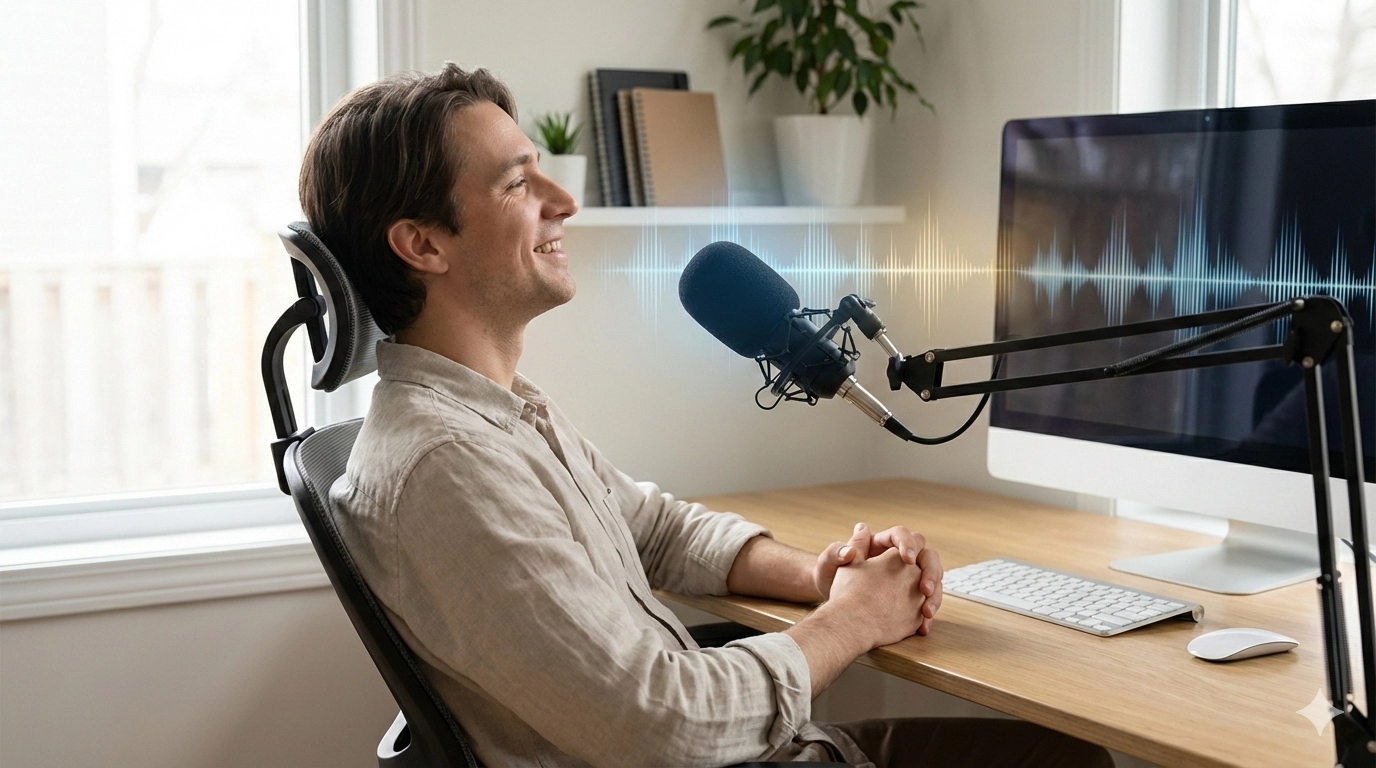
The Hidden Cost of Typing: When Your Hands Become Your Limitation
Every day, millions of knowledge workers face a silent struggle.
Their hands hurt. Their wrists ache. Their fingers tingle.
The diagnosis: Carpal tunnel syndrome, repetitive strain injury (RSI), or related musculoskeletal disorders.
The cause: Hours upon hours of typing on keyboards.
The statistics are alarming:
- Over 900,000 workers suffer from RSI-related injuries annually in the US alone
- Carpal tunnel syndrome affects approximately 3-6% of the adult population
- Average typing-related injury costs $30,000+ in medical bills and lost productivity
- 50% of RSI sufferers experience career-limiting symptoms
The question isn't whether keyboard work is risky. It's what you can do about it.
This guide explores how voice typing for carpal tunnel relief and dictation for repetitive strain injury prevention can transform your work life and protect your health.
Understanding the Problem: How Typing Damages Your Body
The Mechanics of Repetitive Strain
Every keystroke involves a complex sequence of movements:
- Finger flexion and extension
- Wrist positioning
- Forearm muscle engagement
- Shoulder and neck tension
Multiply this by 10,000+ keystrokes daily and the cumulative damage adds up.
What Is Carpal Tunnel Syndrome?
Carpal tunnel syndrome occurs when the median nerve—which runs through a narrow passage in your wrist—becomes compressed.
Symptoms include:
- Numbness and tingling in thumb, index, and middle fingers
- Weakness in hand grip
- Pain radiating up the forearm
- Difficulty with fine motor tasks
- Dropping objects unexpectedly
Typing is a primary cause because:
- Repetitive finger movements inflame the carpal tunnel
- Wrist positioning compresses the median nerve
- Poor ergonomics worsen mechanical stress
- Extended typing sessions prevent tissue recovery
What Is Repetitive Strain Injury (RSI)?
RSI is an umbrella term for injuries caused by repetitive movements. For typists, this commonly includes:
Tendinitis:
- Inflammation of tendons in fingers, wrists, or forearms
- Pain during movement
- Swelling and tenderness
De Quervain's tenosynovitis:
- Affects tendons on the thumb side of the wrist
- Pain when gripping or twisting
- Common in heavy mouse users
Cubital tunnel syndrome:
- Ulnar nerve compression at the elbow
- Numbness in ring and pinky fingers
- Pain when elbow is bent (typing position)
Thoracic outlet syndrome:
- Nerve compression between collarbone and first rib
- Affects arm and hand function
- Caused by poor posture during typing
Voice Typing: A Medical Solution to a Mechanical Problem
The logic is simple: If typing causes injury, stop typing.
Voice dictation RSI prevention works because it completely eliminates the repetitive hand movements that cause strain.
How Voice Typing Provides Carpal Tunnel Relief
When you switch from typing to speaking:
1. Zero finger movements
- No flexion/extension cycles
- No tendon stress
- No nerve compression in the carpal tunnel
2. Natural wrist position
- Hands can rest naturally
- No sustained awkward positioning
- Reduced pressure on median nerve
3. Muscle recovery time
- Overworked muscles can heal
- Inflammation decreases
- Tissue repairs itself
4. Maintained productivity
- Speaking is 3x faster than typing (120-150 WPM vs 40 WPM)
- No productivity loss during recovery
- Often increased output
Clinical Evidence for Voice Typing Benefits
Research supports voice dictation as an effective typing alternative for accessibility:
- A study in the Journal of Occupational Rehabilitation found that workers who switched to voice recognition showed significant reduction in upper extremity discomfort
- Physical therapists increasingly recommend voice typing as part of RSI treatment protocols
- Ergonomics specialists consider voice input a primary intervention for keyboard-related injuries
Accessibility Voice Typing Tools: Who Benefits Most
People with Carpal Tunnel Syndrome
The scenario: You've been diagnosed with carpal tunnel. Your doctor recommends reducing typing. But your job requires constant computer work.
The solution: Voice typing for carpal tunnel relief lets you continue working while your wrist heals.
Real impact:
- Continue working during recovery
- Avoid career-limiting surgery decisions
- Maintain income while healing
- Prevent condition from worsening
People with RSI
The scenario: Chronic pain in your hands, wrists, or forearms. Physical therapy helps but symptoms return whenever you type heavily.
The solution: Dictation for repetitive strain injury prevention breaks the damage cycle.
Real impact:
- Stop the repetitive motion that causes injury
- Allow tissues to heal fully
- Prevent chronic condition development
- Reduce reliance on pain medication
People with Physical Disabilities
The scenario: Conditions like cerebral palsy, muscular dystrophy, arthritis, or paralysis make traditional typing difficult or impossible.
The solution: Hands-free typing for disability provides full computer access through voice.
Real impact:
- Complete independence in computer work
- Career opportunities otherwise inaccessible
- Educational access
- Social and communication capabilities
People with Temporary Injuries
The scenario: Broken arm, hand surgery, burns, or other temporary conditions that prevent typing.
The solution: Accessibility voice typing tools maintain productivity during recovery.
Real impact:
- No work interruption during healing
- Return to full productivity immediately
- Avoid disability leave when unnecessary
Aging Workers
The scenario: Natural age-related changes—arthritis, reduced dexterity, declining fine motor control—make typing increasingly difficult.
The solution: Voice dictation adapts to changing abilities.
Real impact:
- Extended career possibilities
- Maintained productivity despite physical changes
- Independence in computer use
- Reduced frustration and fatigue
Setting Up an Ergonomic Voice Typing Setup
An ergonomic voice typing setup involves more than just software. Here's how to optimize your workspace for voice-first computing.
Hardware Requirements
Microphone Selection:
| Type | Pros | Cons | Best For |
|---|---|---|---|
| USB Headset | Consistent positioning, noise isolation | Can be uncomfortable for long use | Open offices, noisy environments |
| USB Desktop Mic | High quality, comfortable | Picks up ambient noise | Quiet home offices |
| Wireless Earbuds | Freedom of movement | Variable mic quality | Mobile workers |
| Laptop Built-in | No extra hardware | Lower quality, more errors | Casual use, getting started |
Recommendation: Start with what you have. A $20-50 USB microphone significantly improves accuracy if you're committed to voice typing.
Workspace Setup for Voice Dictation
Room acoustics:
- Soft surfaces absorb echo (carpets, curtains)
- Avoid hard, reflective surfaces near microphone
- Background noise under 50dB ideal
Microphone positioning:
- 6-12 inches from mouth
- Slightly off-center (reduces breath sounds)
- Consistent position for consistent results
Body position:
- Sit or stand comfortably
- No hunching over keyboard
- Relaxed shoulders and neck
- Hands can rest anywhere
Hydration station:
- Water nearby (speaking requires hydration)
- Throat lozenges for long sessions
- Humidifier in dry environments
Software Setup: VoxWrite for Accessibility
VoxWrite is particularly well-suited for accessibility use because of its flexibility and AI capabilities.
Installation:
- Install from Chrome Web Store or Microsoft Edge Add-ons
- Grant microphone permission
- Start dictating on any website
Accessibility-optimized settings:
For RSI/carpal tunnel users:
- Enable floating button for minimal clicking
- Set up keyboard shortcut for hands-free activation
- Configure auto-insert to reduce mouse use
For motor disabilities:
- Use side panel for larger controls
- Enable voice commands where possible
- Create custom rules for common phrases
How to Prevent Carpal Tunnel Syndrome with Voice Typing
Prevention is far better than treatment. Here's how to use voice typing to prevent carpal tunnel syndrome from typing.
The 80/20 Voice Typing Rule
Target: 80% voice typing, 20% keyboard use maximum
Why it works:
- Dramatically reduces repetitive stress
- Allows some keyboard use for precision tasks
- Sustainable long-term approach
- Prevents RSI from developing
Implementation:
- Use voice for all emails (biggest typing task)
- Use voice for documents and reports
- Use voice for chat messages and communication
- Reserve keyboard for passwords, coding, and precise edits
Daily Voice Typing Schedule for RSI Prevention
Morning routine:
- Start with voice dictation (hands are fresh)
- Complete high-volume writing tasks
- Save keyboard work for later
Midday:
- Continue voice typing for communications
- Brief keyboard use if needed
- Take regular breaks
Afternoon:
- Voice typing for remaining writing
- Minimal keyboard use
- Hands rested for next day
Warning Signs: When to Switch to Voice Completely
Immediate voice-only indicators:
- Tingling or numbness in fingers
- Wrist pain during or after typing
- Weakness when gripping
- Pain that wakes you at night
- Symptoms that persist after rest
If you experience these: Stop typing entirely. Use voice dictation for RSI prevention exclusively until symptoms resolve. See a doctor.
Wrist Pain Relief Through Voice Dictation
For those already experiencing pain, wrist pain relief through voice dictation can be transformative.
Immediate Relief Protocol
Day 1-7: Complete typing cessation
- 100% voice typing
- Zero keyboard use
- Ice affected areas
- Gentle stretching
Week 2-4: Monitored recovery
- Continue 95% voice typing
- Brief keyboard use only if pain-free
- Daily symptom tracking
- Gradual activity increase
Week 4+: Sustainable practice
- Establish 80/20 voice/keyboard ratio
- Listen to body signals
- Maintain ergonomic setup
- Regular breaks during any typing
Combining Voice Typing with Medical Treatment
Voice dictation complements other treatments:
Physical therapy:
- Voice typing maintains productivity during exercises
- No typing counteracts therapy benefits
- Faster recovery when repetitive stress stops
Wrist braces:
- Braces limit movement but also limit typing
- Voice typing allows full productivity while braced
- Compliance with bracing recommendations improves
Medication:
- Anti-inflammatories work better when stress stops
- Pain medication needs decrease faster
- Fewer side effects from reduced medication
Surgery (if needed):
- Pre-surgery: voice typing prevents worsening
- Post-surgery: voice typing maintains income during recovery
- Long-term: voice typing prevents recurrence
Accessibility Software Speech Recognition: Modern Capabilities
Today's accessibility software speech recognition has advanced dramatically compared to earlier generations.
What Modern AI Speech Recognition Can Do
Accuracy:
- 95-99% accuracy with clear speech
- Handles accents and dialects
- Learns from corrections
- Works with various speech patterns
Intelligence:
- Automatic punctuation
- Grammar correction
- Filler word removal
- Context understanding
Transformation:
- Casual speech to professional text
- Language translation
- Tone adjustment
- Format optimization
VoxWrite vs. Basic Speech Recognition
| Feature | VoxWrite | Basic Voice Typing |
|---|---|---|
| Transcription accuracy | 95-99% | 85-95% |
| Automatic punctuation | AI-powered, natural | Voice commands required |
| Grammar correction | Automatic | None |
| Filler word removal | Automatic | None |
| Professional formatting | AI transformation | Manual editing required |
| Custom rules | Unlimited | None |
| Works everywhere | Any website | Limited applications |
For accessibility users: AI-powered tools like VoxWrite reduce the editing needed after dictation, which means less mouse and keyboard use overall.
Getting Workplace Accommodations for Voice Typing
In many countries, employees with RSI, carpal tunnel, or other conditions affecting typing can request workplace accommodations.
United States (ADA)
Under the Americans with Disabilities Act:
- Employers must provide reasonable accommodations
- Voice dictation software often qualifies
- Medical documentation may be required
- Employers cannot discriminate based on accommodation needs
How to request:
- Obtain medical documentation of your condition
- Submit formal accommodation request to HR
- Specify voice dictation software as the accommodation
- Engage in interactive process with employer
European Union
Under EU disability directives:
- Similar reasonable accommodation requirements
- Varies by member state
- Generally supportive of assistive technology
Documentation Tips
From your doctor:
- Diagnosis (carpal tunnel, RSI, etc.)
- Functional limitations (reduced typing capacity)
- Recommended accommodation (voice dictation)
- Expected duration (permanent or temporary)
For your employer:
- Explain how voice typing enables job performance
- Note that it's often cost-effective ($40-100/year)
- Emphasize maintained or improved productivity
- Offer to demonstrate the technology
Tips for Successful Voice Typing Adoption
For Carpal Tunnel and RSI Sufferers
Start gradually:
- Don't switch 100% overnight
- Build voice typing stamina
- Learn optimal microphone technique
- Develop natural speaking rhythm
Expect an adjustment period:
- First week: Learning curve
- Second week: Increasing comfort
- Third week: Approaching normal speed
- Fourth week: Often faster than previous typing
Track your symptoms:
- Note pain levels daily
- Correlate with voice vs. keyboard use
- Adjust ratios based on response
- Share data with healthcare providers
For People with Disabilities
Customize for your needs:
- Adjust microphone sensitivity
- Create custom voice commands
- Set up rule-based transformations
- Optimize for your speech patterns
Combine with other assistive technology:
- Voice typing works alongside screen readers
- Compatible with eye tracking systems
- Integrates with other accessibility tools
- Part of comprehensive assistive setup
Frequently Asked Questions
Can voice typing actually help with carpal tunnel syndrome?
Yes. Voice typing eliminates repetitive finger and wrist movements that cause carpal tunnel syndrome. By speaking instead of typing, you rest the median nerve and give inflamed tissues time to heal. Many users report significant pain reduction within days of switching to voice dictation.
Is voice dictation covered by workplace disability accommodations?
In many countries, yes. Under laws like the ADA (Americans with Disabilities Act) and similar legislation worldwide, employers must provide reasonable accommodations for employees with RSI or carpal tunnel. Voice dictation software is often covered as a workplace accommodation.
How accurate is voice dictation for professional work?
Modern AI-powered voice dictation achieves 95-99% accuracy with clear speech. Tools like VoxWrite use OpenAI Whisper and GPT-4o, which handle accents, background noise, and natural speech patterns effectively. The AI also corrects grammar and formats text professionally.
Can I use voice typing if I have a speech impediment?
Yes. Modern speech recognition AI is trained on diverse voice patterns including various speech impediments, accents, and speaking styles. While accuracy may vary, most users with speech differences find AI-powered dictation significantly more accessible than older speech recognition technology.
What equipment do I need for ergonomic voice typing?
At minimum, you need a computer and a microphone. For best results, use an external USB microphone or headset, position it 6-12 inches from your mouth, and work in a quiet environment. No special hardware is required.
How long does it take to see pain relief from switching to voice typing?
Many users report noticeable pain reduction within the first week of consistent voice typing use. However, recovery from RSI or carpal tunnel varies by severity. Voice typing should complement, not replace, medical treatment for existing conditions.
Will I be as productive with voice typing as with keyboard typing?
Most users become equally or more productive with voice typing. Speaking (120-150 words per minute) is 3x faster than typing (40 words per minute). While there's a learning curve, most people match their typing productivity within 2-4 weeks.
Can voice typing handle technical or specialized vocabulary?
Yes. AI-powered tools like VoxWrite handle technical terminology, industry jargon, and specialized vocabulary effectively. You can also create custom rules to ensure specific terms are transcribed correctly.
Getting Started: Your Path to Pain-Free Productivity
Ready to protect your hands and maintain your productivity?
Step 1: Install VoxWrite
Free trial available (no credit card required):
- Visit Chrome Web Store or Microsoft Edge Add-ons
- Click "Add to Chrome" or "Get"
- Grant microphone permission
- Start dictating immediately
Step 2: Set Up Your Workspace
- Position microphone correctly
- Test in your environment
- Adjust settings for comfort
- Create custom rules for your work
Step 3: Begin Your Transition
- Start with emails (highest volume)
- Add documents and reports
- Gradually reduce keyboard use
- Monitor symptoms and adjust
Documentation: Complete setup guide
Conclusion: Your Hands Are Irreplaceable
Keyboards are not.
If you're experiencing pain, tingling, or weakness from typing, you have options. Voice typing technology has advanced to the point where it's not just an accommodation—it's often a superior way to work.
The math is clear:
- Voice typing prevents injury
- Voice typing allows recovery
- Voice typing maintains productivity
- Voice typing is often faster than typing
Your career doesn't have to end because of RSI or carpal tunnel.
Your productivity doesn't have to suffer because of disability.
Your hands deserve protection.
Start with voice typing today. Your future self will thank you.
Ready to protect your hands?
Try VoxWrite Free for 7 DaysNo credit card required. Works on any website. Your hands will thank you.
Related Articles
- The Complete Guide to Voice Typing for Faster Email Writing
- From Casual Speech to Professional Text: Using AI to Transform Your Tone
About the Author: This guide was created by the VoxWrite team.
Last Updated: January 2026