Why Bring-Your-Own-Key (BYOK) AI Tools Are the Future of Private, Cost-Effective Writing
Last updated: March 2026 | Reading time: 13 minutes
Every time you paste sensitive text into an AI writing tool, you're making a trust decision. You're trusting that company not to log your input. Not to use it for training. Not to get breached. Not to change their privacy policy next quarter.
For most casual users, that trust is a reasonable trade-off. But if you're a lawyer drafting client communications, a therapist writing session notes, an HR professional handling employee data, or a freelancer working under NDA — the stakes are different.
The AI writing tools most people use — subscription platforms like Grammarly, Jasper, and even ChatGPT — operate on a simple model: your text goes to their servers, their AI processes it, and they send back the result. What happens to your text in between? That depends on their privacy policy, their data retention practices, and how much you trust a company you've never audited.
There's a better model. It's called BYOK — Bring Your Own Key — and it's quietly reshaping how privacy-conscious professionals use AI.
What Is BYOK, and Why Should You Care?
Bring your own API key means exactly what it sounds like: instead of paying a subscription to an AI tool that controls the entire pipeline, you get your own API key directly from an AI provider (OpenAI, Anthropic, Gemini) and plug it into a tool that acts as the interface.
The tool handles the user experience — the microphone, the text editor, the formatting, the custom rules. But the AI processing happens under your account, with your key, under your data agreement with the provider.
Here's why that distinction matters:
Your Data Never Touches a Third-Party Server
With a traditional AI writing tool, the data flow looks like this:
You → Tool's Server → AI Provider → Tool's Server → You
Your text passes through the tool company's infrastructure twice. They can log it, cache it, analyze it, or store it — and you may never know.
With a BYOK AI writing tool, the data flow is:
You → AI Provider → You
The tool runs in your browser. Your text goes directly from your browser to the AI provider's API. The tool company's servers are never in the loop. There's nothing to log because the data never reaches them.
You Control the AI Provider's Data Policy
When you use your own OpenAI or Anthropic API key, your data is governed by the API Terms of Service — which are meaningfully different from the consumer product terms.
For example, OpenAI's API data policy states that API inputs and outputs are not used for model training by default. This is a critical distinction from ChatGPT's consumer product, where your conversations may be used to improve models unless you opt out.
With BYOK, you're not hoping a tool company has a good privacy policy. You're choosing your AI provider and reading their data agreement directly.
You Pay Only for What You Use
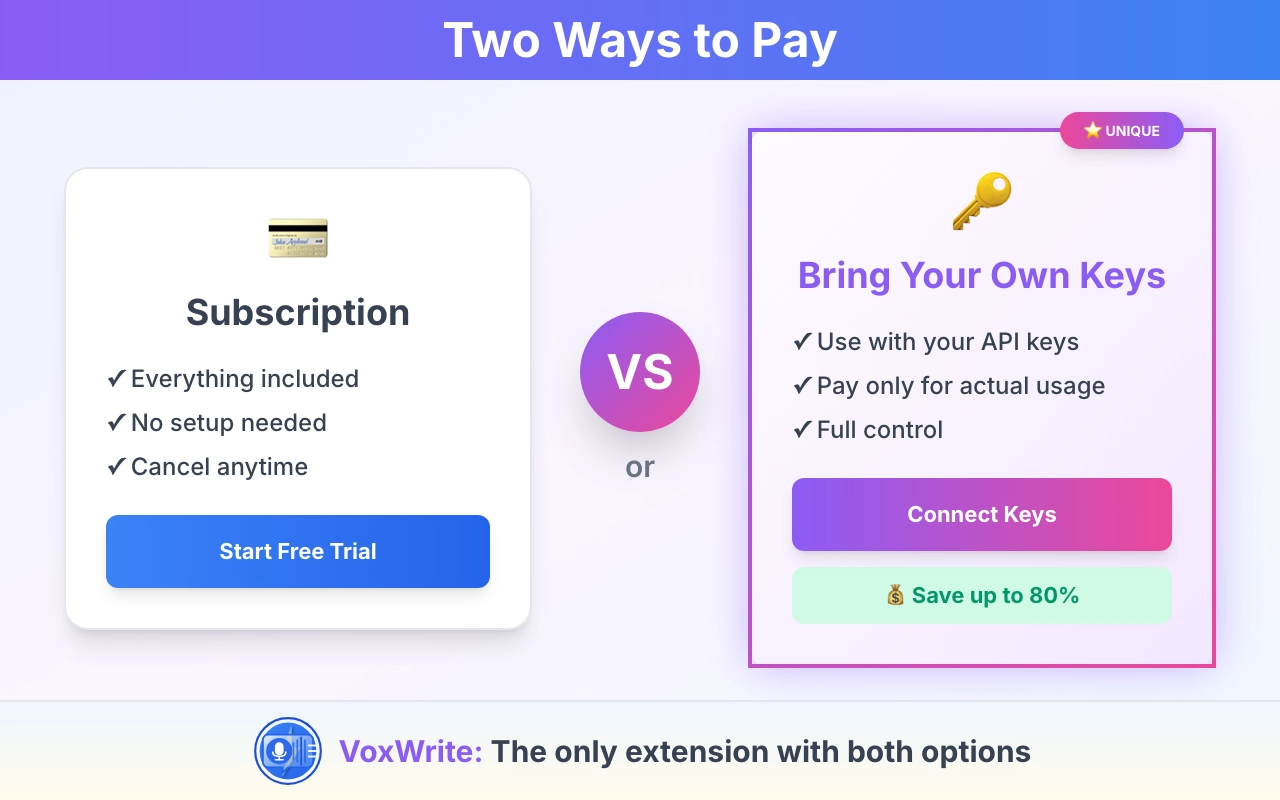
Subscription AI tools charge a flat monthly fee — whether you use the tool once or a thousand times. BYOK tools charge per API call, which means:
- Light use (10-20 dictations/day): $0.10-$1.00/day → $2-20/month
- Heavy use (50+ dictations/day): $2.50-$5.00/day → $50-100/month
- Occasional use (a few times per week): Under $5/month
Most professionals fall in the light-to-moderate range. Compare that to $20-50/month for a subscription tool with features you don't use, and the economics are clear.
The Privacy Problem With Subscription AI Tools
Let's be specific about what's at risk.
What Subscription Tools Can See
When you use a subscription AI writing assistant, the tool company typically has access to:
- Every piece of text you input — emails, documents, notes, messages
- The websites you use it on — revealing your work patterns and tools
- Your editing patterns — what you change, how often, what you accept or reject
- Metadata — timestamps, session duration, frequency of use
Some tools are transparent about this. Many aren't. And privacy policies change — what's protected today might be fair game after the next acquisition or policy update.
Real-World Privacy Scenarios
A lawyer uses an AI writing extension to polish client emails. Those emails contain privileged attorney-client communications. If the tool company logs that text, the privilege may be compromised — and the lawyer may not even know until a data breach or legal discovery reveals it.
An HR professional dictates interview notes that include candidate assessments, salary information, and hiring decisions. That data flowing through a third-party server creates compliance risk under GDPR, CCPA, and employment law.
A therapist uses voice-to-text to draft session notes. Those notes contain protected health information. A subscription tool that stores or processes that text on its servers may violate HIPAA requirements.
A freelancer under NDA pastes client strategy documents into an AI tool for rewriting. If the tool company's data practices don't meet the NDA's confidentiality requirements, the freelancer is in breach — potentially without knowing it.
These aren't hypothetical risks. They're the daily reality for professionals who use AI tools that don't store data — or more accurately, who need AI tools that don't store data but are currently using ones that do.
How BYOK Solves the Privacy Problem
A private AI writing assistant built on the BYOK model eliminates the middleman entirely.
Browser-Local Processing
In a well-designed BYOK tool, everything happens in your browser:
- Your voice is recorded locally in the browser
- Audio is sent directly from your browser to the transcription API (e.g., OpenAI Whisper) using your API key
- The transcript is sent directly from your browser to the AI model (e.g., GPT-4, Claude) using your API key
- The result appears in your browser
At no point does the tool company's server receive, process, or store your data. The extension acts as a local interface — a sophisticated bridge between your browser and the AI provider.
No Accounts, No Profiles, No History
BYOK tools don't need to maintain user accounts with stored data. Your API key is stored locally in your browser extension. Your custom rules are stored locally. Your usage history is between you and the API provider.
There's no "account" to breach. No "history" to subpoena. No "profile" to sell.
Auditable Data Flow
Because BYOK requests go directly from your browser to the API, you can verify the data flow yourself. Open your browser's developer tools, watch the network requests, and confirm that every API call goes to api.openai.com or api.anthropic.com — never to the tool company's servers.
Try doing that with a subscription tool. You'll see your data hitting their servers first.
BYOK and Regulatory Compliance
For professionals in regulated industries, BYOK isn't just about privacy preferences — it's about compliance.
GDPR Compliance
The EU's General Data Protection Regulation requires that you know where personal data is processed and by whom. With a subscription tool, your data flows through at least two entities (the tool and the AI provider), each with their own data processing practices.
A GDPR compliant AI writing tool using BYOK simplifies this: data flows only to the AI provider, under your direct agreement. You choose the provider based on their EU data processing commitments. One data processor, one agreement, one audit trail.
HIPAA Considerations
Healthcare professionals need to ensure that any tool handling patient information meets HIPAA requirements. Subscription tools rarely offer Business Associate Agreements (BAAs) for their writing products.
With BYOK, the tool itself never handles protected health information — it's a local interface. The AI provider (with whom you have a direct API agreement) is the only entity processing the data, and providers like OpenAI offer BAAs for API customers.
Attorney-Client Privilege
For lawyers, the key question is: does using this tool waive attorney-client privilege? If your client communication passes through a third-party server, the argument for waiver becomes stronger.
With BYOK, the communication goes directly from your browser to the AI provider's API. The tool company never sees it. While the legal landscape around AI and privilege is still evolving, BYOK significantly reduces the attack surface.
The Cost Advantage of BYOK
Privacy is the headline reason for BYOK, but cost is the reason many professionals stay.
Subscription vs. Pay-Per-Use: The Real Math
Let's compare actual costs for a professional who dictates 30 times per day (emails, notes, short documents):
| Comparison | Subscription Tool | BYOK (VoxWrite + Own Key) |
|---|---|---|
| Monthly cost | $29-49/month | $5-15/month (API usage) |
| Annual cost | $348-588/year | $60-180/year |
| Cost per dictation | $0.03-0.05 (if you use it enough) | $0.01-0.03 |
| Unused capacity | Paying for 24/7 access you use 2-3 hours | Pay nothing when not using |
| Model choice | Whatever they offer | GPT-4, Claude, Gemini — your choice |
For heavy users, BYOK is 50-75% cheaper. For light users, it can be 90% cheaper.
No Vendor Lock-In
Subscription tools lock you into their ecosystem. Your custom settings, templates, and workflows live on their platform. Cancel, and you lose everything.
With BYOK, your settings are local. Your API keys are portable. If a better tool comes along, you switch tools and keep your AI provider. If a better AI provider launches, you swap keys and keep your tool. You're never locked in.
Transparent Pricing
With a subscription, you don't know what each use costs. You're paying a flat fee that subsidizes heavy users at the expense of light ones.
With BYOK, you see every API call in your provider's dashboard. You know exactly what each dictation costs. There are no hidden fees, no surprise charges, and no price increases disguised as "plan upgrades." You can find detailed information about VoxWrite's plans on the Pricing section.
According to a16z's research on generative AI adoption in the enterprise, companies are increasingly favoring usage-based AI pricing over flat subscriptions — and BYOK is the purest form of that model.
How VoxWrite Implements the BYOK Model
VoxWrite is a Chrome extension built from the ground up on the BYOK principle. Here's how it works in practice:
Step 1: Get Your API Key
Sign up with one or more AI providers:
- OpenAI (platform.openai.com) — for GPT-4, GPT-4o, and Whisper transcription
- Anthropic (console.anthropic.com) — for Claude models
- Gemini (aistudio.google.com) — for cost-effective AI processing
Each provider gives you an API key — a string of characters that authenticates your requests. Most providers offer free credits to start.
Step 2: Add Your Key to VoxWrite
Open VoxWrite settings and paste your API key. It's stored locally in your browser's extension storage — encrypted and never transmitted to VoxWrite servers.
Step 3: Dictate on Any Website
Open any website — Gmail, Google Docs, Notion, your CRM, LinkedIn, Slack — and click the VoxWrite microphone. Speak naturally. Your audio goes directly from your browser to OpenAI's Whisper API for transcription, then to your chosen AI model for transformation.
Step 4: Get Polished, Private Output
Your speech is transcribed, cleaned up, and formatted — all without leaving the browser-to-API pipeline. No intermediary servers. No data retention by VoxWrite. Your words, your key, your privacy.
Use Different Models for Different Tasks
One of the underappreciated benefits of BYOK: you can use the right model for the right task.
- Quick email reply? Use a fast, affordable model like GPT-4o mini
- Complex document transformation? Use Claude or GPT-4 for nuanced formatting
- Cost-sensitive high-volume work? Use Gemini for excellent quality at lower API prices
With a subscription tool, you get whatever model they've integrated. With BYOK, you choose.
Who Benefits Most From BYOK AI Tools?
Privacy-Conscious Professionals
Lawyers, therapists, healthcare workers, financial advisors — anyone handling sensitive client data. If you wouldn't email your client's information to a random tech company, you shouldn't paste it into a subscription AI tool either.
Cost-Conscious Power Users
Freelancers, solo entrepreneurs, small business owners — professionals who use AI daily but don't want to pay subscription premiums. BYOK lets you scale usage up or down without fixed costs.
Enterprise Teams With Compliance Requirements
Companies that need to audit their AI data pipeline. With BYOK, the audit is simple: data goes from the employee's browser to the approved AI provider. No third-party data processors to evaluate.
Developers and Technical Users
Professionals who want control over which AI models they use, how much they spend, and where their data goes. BYOK is the power-user model — full control, full transparency.
Anyone Who's Been Burned by a Privacy Policy Change
If you've ever had a tool change its privacy policy, start using your data for training, or get acquired by a company with different values — BYOK means you never face that again. Your data never reaches the tool company in the first place.
The Future of BYOK AI
The BYOK model is growing because the forces driving it are accelerating:
AI providers are competing on privacy. OpenAI, Anthropic, and others are offering increasingly strong data protection for API customers — because enterprise clients demand it. BYOK users benefit from this competition automatically.
Regulation is tightening. GDPR enforcement is increasing. New US state privacy laws are passing every year. The EU AI Act is creating new compliance requirements. Tools that minimize data exposure — like BYOK — will be increasingly preferred by regulated industries.
Browser capabilities are expanding. WebGPU, local AI models, and on-device processing are maturing. Future BYOK tools may offer hybrid models — local processing for sensitive tasks, cloud API for complex transformations. Privacy gets even stronger.
Users are getting smarter about data. The era of blindly trusting every SaaS tool with your data is ending. Professionals are asking "where does my data go?" before they install a tool. BYOK provides the cleanest answer: it doesn't go anywhere you didn't explicitly choose.
Getting Started With BYOK AI Writing
Step 1: Choose Your AI Provider
| Provider | Best For | Pricing | Data Policy |
|---|---|---|---|
| OpenAI | General writing, transcription | ~$0.01-0.03/request | API data not used for training by default |
| Anthropic (Claude) | Nuanced writing, long documents | ~$0.01-0.05/request | API data not used for training |
| Gemini | High-volume, cost-sensitive work | ~$0.005-0.02/request | Google Cloud data protection standards |
Step 2: Get Your API Key
Sign up at your chosen provider's platform. Navigate to the API section and generate a key. Most providers offer free trial credits ($5-18 to start).
Step 3: Install VoxWrite
Install VoxWrite from the Chrome Web Store. Add your API key in settings. Start dictating on any website.
Step 4: Verify the Privacy
Open your browser's developer tools (F12 → Network tab). Dictate something and watch the network requests. Every request goes to the AI provider's API directly. No requests to VoxWrite servers. Verify it yourself — that's the point.
Frequently Asked Questions
What does BYOK mean in AI tools?
BYOK stands for Bring Your Own Key. You provide your own API key from an AI provider like OpenAI, Anthropic (Claude), or Gemini. The tool uses your key to process requests, meaning your data goes directly to the AI provider under your account. The tool itself never stores, logs, or accesses your content. You get full control over privacy, costs, and which AI model you use.
Are BYOK AI tools more private than subscription AI writing tools?
Yes. With subscription tools, your text passes through the company's servers where it may be logged, stored, analyzed, or used for model training. With BYOK AI writing tools like VoxWrite, your data flows directly from your browser to the AI provider under your own API agreement. The tool company's servers are never in the data path. There's nothing to log because the data never reaches them.
How much does a BYOK AI writing tool cost compared to subscriptions?
BYOK tools cost pennies per use. A voice dictation with AI transformation typically costs $0.01-0.05 depending on length and model. At 30 dictations per day — solid professional use — that's $0.30-1.50/day, or $6-30/month. Compare that to subscription tools at $20-49/month for limited features. Most users spend under $15/month on API usage. Light users often spend under $5.
Is my data safe when using my own OpenAI or Claude API key?
When you use your own API key, your data is governed by your direct agreement with the AI provider. OpenAI's API policy states that API inputs are not used for model training by default. Anthropic has similar protections. The BYOK tool itself never processes or stores your content — requests go directly from your browser to the provider's API. You can verify this in your browser's developer tools.
Can I use a BYOK AI tool and still be GDPR compliant?
BYOK tools simplify GDPR compliance because you control the data flow. Your content goes directly from your browser to the AI provider — no intermediary stores or processes it. You can choose providers with EU data processing agreements and maintain full control over what data is sent. This is significantly easier to audit than a subscription tool with its own servers, subprocessors, and data retention policies.
What is the best privacy-focused voice-to-text tool?
VoxWrite is built for privacy-focused voice to text. It uses a BYOK model where audio and text data flow directly from your browser to the AI provider using your own API key. No data is stored on VoxWrite servers. Combined with browser-local processing, encrypted local key storage, and support for multiple AI providers, it's the most private voice-to-text Chrome extension available.
Why not just use ChatGPT Plus instead of BYOK?
Three reasons: privacy, cost, and flexibility. ChatGPT Plus ($20/month) uses OpenAI's consumer platform with consumer-grade data policies — your conversations may be used for model improvement. API access has stricter data handling. Cost-wise, most professionals spend $5-15/month on API usage — less than a subscription. And with BYOK, you can switch between GPT-4, Claude, or Gemini depending on the task. You're not locked to one provider or one model.
Do BYOK AI tools work with any Chrome extension?
BYOK is an architectural choice, not a universal standard. Not all AI Chrome extensions with own API key support work the same way. VoxWrite is designed from the ground up as a BYOK tool — your key is stored locally, and all API requests go directly from your browser to the provider. Before using any AI tool, check whether it truly sends requests directly to the API or routes them through its own servers. The developer tools network tab is the simplest way to verify.
How do I get started with a BYOK AI writing tool?
Install VoxWrite from the Chrome Web Store (free to start). Get an API key from your preferred provider — OpenAI, Anthropic, or Gemini (aistudio.google.com). Paste your key into VoxWrite's settings. Open any website where you write, click the microphone, and speak. Your first dictation costs a fraction of a cent, and you can see exact costs in your provider's dashboard.
What does "AI writing tool no data collection" actually mean?
It means the tool itself collects zero content data from your usage. With VoxWrite's BYOK model, your voice audio and text never pass through VoxWrite's servers. The tool runs locally in your browser and sends requests directly to the AI provider using your key. "No data collection" in this context is architecturally enforced — not just a privacy policy promise. There's no server to collect data on because the tool doesn't have one in the data path.
Related Articles
- Voice Dictation for Real Estate Agents, HR Pros, and Freelancers
- Voice to Email: Two Ways to Write Professional Emails by Speaking
- Voice Typing Templates: Get Formatted Output Every Time You Speak
- Multilingual Voice Typing: Speak in One Language, Write in Another
About the Author: This guide was created by the VoxWrite team.
Last Updated: March 2026