
Beyond Dragon Medical: Affordable Voice-to-Text Tools for Clinical Notes and Patient Records
Last updated: June 2026 | Reading time: 13 minutes
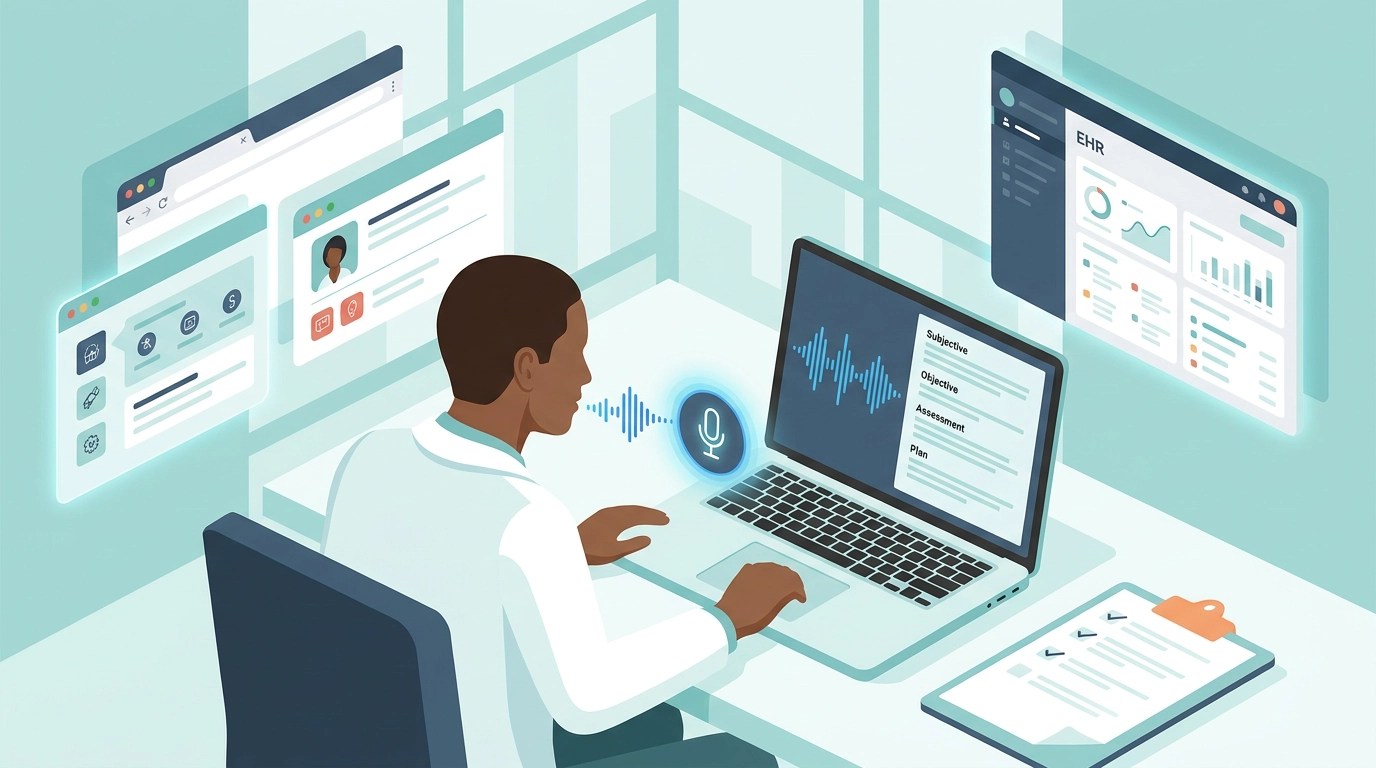
The Documentation Burden Nobody Went to Medical School For
You did not train for years to spend your evenings typing. Yet that is where the modern clinical day ends for most providers: charting after the last patient leaves, finishing notes from the parking lot, opening the laptop again at home. The phenomenon even has a name — "pajama time," the after-hours documentation that clinicians do unpaid, off the clock, eating into sleep and family time.
The numbers are stark. Studies of physician workflow consistently find that doctors spend 8 to 30 minutes documenting a single progress note, and that for every hour of direct patient care, clinicians spend roughly one to two additional hours on the EHR and desk work. Documentation is now one of the leading drivers of burnout cited by physicians, nurse practitioners, physician assistants, and therapists alike.
Voice has always been the obvious fix — you can speak a note far faster than you can type it. The problem was the tooling. For two decades, "medical dictation" meant one product: Dragon Medical. Powerful, yes, but expensive, heavy to deploy, and increasingly hard to justify for solo providers and small practices.
This guide is about what comes after Dragon: affordable medical dictation software that turns spoken clinical notes into clean, structured text using modern AI — without an enterprise contract, a server, or a four-figure annual bill.
What Dragon Medical Actually Costs (and Why It Hurts Small Practices)
Dragon Medical One — the cloud version most practices use today — typically runs around $99 per provider, per month, usually on an annual contract, often with setup or partner fees on top. For a hospital system with a procurement department, that is a line item. For a solo physician, a two-person therapy practice, or a small specialty clinic, it is a meaningful recurring cost — frequently over $1,200 per clinician per year before add-ons.
The price is not the only friction:
- Per-seat licensing punishes small teams. Three part-time providers can cost as much as three full-time ones.
- Vendor lock-in. Your dictation lives inside one proprietary ecosystem with its own profiles, training, and support contracts.
- Setup overhead. Voice profile training, microphone provisioning, and IT involvement turn "I just want to dictate" into a project.
- Desktop-app weight. The classic experience assumes installed software and a managed device, not the lightweight browser-based workflows many small practices actually run on.
None of this means Dragon is bad. It means it was built for large institutions — and that the small-practice and solo-clinician market has been badly underserved by affordable alternatives. That is the gap modern AI voice-to-text fills.
What Changed: Transcription Plus an AI Cleanup Layer
Older dictation tools did one thing — turn sound into text. If you mumbled, trailed off, or said "um," that landed in the note verbatim. Getting a clean result required disciplined, robotic speech and careful command words.
Modern AI voice-to-text works in two layers, and the second layer is what makes it genuinely useful for clinical notes.
Layer 1: Medical-Aware Speech Recognition
Today's speech models are trained on enormous, diverse datasets — including accented English, which matters enormously in medicine, where a large share of providers are international medical graduates. The best speech to text for clinical notes handles natural speaking pace and a wide medical vocabulary without per-user voice training.
Recognition alone still slips, though. On fast or accented speech, a recognizer can hear "ilium" for "ileum," "hypertension" run together with the next word, or drop a decimal. Raw transcription needs a second pass.
Layer 2: AI Cleanup and Structuring
After transcription, an AI model rereads the text and:
- Removes filler words, false starts, and self-corrections ("no wait, scratch that")
- Fixes punctuation, capitalization, and run-on sentences
- Repairs residual misrecognitions using clinical context
- Structures the dictation into a note format — SOAP, progress note, referral letter, or your own template
This is the difference between a wall of transcribed mumbling and a note you can paste straight into the chart. It is also why hands free medical documentation software finally works for narrative-heavy specialties, not just templated checkboxes.
VoxWrite is a medical dictation Chrome extension built on exactly this two-layer model: accurate transcription, then AI cleanup tuned by rules you control — running inside the browser-based tools where your charting already happens.
From Spoken Encounter to Structured SOAP Note
Here is what voice typing SOAP notes looks like in practice. A clinician dictates the encounter the way they would describe it to a colleague — unstructured, conversational, with a couple of corrections.
What you say (natural, with filler and self-corrections):
"Okay so this is a 54 year old male here for follow up of his type 2 diabetes and hypertension uh he says he's been feeling pretty good no chest pain no shortness of breath he's been checking his sugars at home running around one forty fasting blood pressure today is one thirty eight over eighty four exam is unremarkable heart regular lungs clear um plan is continue metformin one thousand twice daily increase lisinopril to twenty milligrams daily recheck A1c in three months and labs before next visit"
What VoxWrite produces:
Subjective: 54-year-old male presenting for follow-up of type 2 diabetes mellitus and hypertension. Reports feeling well overall. Denies chest pain or shortness of breath. Home fasting glucose readings approximately 140 mg/dL.
Objective: Blood pressure 138/84. Heart regular rate and rhythm. Lungs clear to auscultation. Exam otherwise unremarkable.
Assessment: Type 2 diabetes mellitus, reasonably controlled. Hypertension, suboptimally controlled.
Plan: Continue metformin 1000 mg twice daily. Increase lisinopril to 20 mg daily. Recheck A1c in 3 months. Order labs prior to next visit.
You spoke once. The filler is gone, the numbers are formatted, and the note is organized into Subjective, Objective, Assessment, and Plan — because a saved custom rule told the AI to always return dictation in SOAP format. Same clinical content, a fraction of the time.
Where Voice-to-Text Pays Off Most in Healthcare
Progress Notes and Encounter Documentation
The highest-volume writing task in any practice. Dictating a progress note between patients — and getting it back structured and clean — is the single biggest time win. The two-to-four minutes saved per note adds up to hours reclaimed across a full clinic day.
Patient Records and EHR Entries
Many modern EHRs and patient portals run in the browser. Because VoxWrite is a Chrome extension, voice to text for patient records EHR entry happens directly in those web-based fields — chart notes, message replies, order comments — without copy-paste from a separate app. (For native desktop EHR software that is not browser-based, dictate into a browser field or document and paste the finished note in.)
Referral Letters and Patient Communication
Referral letters, prior-authorization narratives, and patient-portal messages are full prose, which is exactly where dictation plus AI cleanup shines. Speak the gist; receive a properly worded, professional letter. The same workflow that powers dictated professional emails applies to clinical correspondence.
Mental Health and Therapy Notes
Speech to text for mental health therapists may be the strongest fit of all. Therapy documentation is narrative, reflective, and time-consuming to type. Dictating a session summary immediately after the appointment — while it is fresh — captures nuance that a rushed end-of-day typing session loses. A saved rule can return the note in SOAP, DAP, or a custom format your practice uses.
Solo Providers and Small Practices
Dictation software for small medical practice settings has historically meant choosing between an unaffordable enterprise license and typing everything by hand. A per-clinician browser extension removes that dilemma: no server, no IT project, no procurement cycle. Allied health — physical therapists, dietitians, optometrists, dentists — benefit just as much as physicians.
The HIPAA Question — An Honest Answer
Any article about medical dictation has to address this directly, because the wrong assumption here is genuinely dangerous.
There is no such thing as a tool that is "automatically" a HIPAA compliant voice typing tool. HIPAA compliance is not a sticker a product wears — it is a property of your entire data path. For dictation, compliance hinges on a few things:
- A signed Business Associate Agreement (BAA) with every service that touches protected health information (PHI) — and in an AI dictation workflow, that includes the AI provider doing the transcription and cleanup, not just the extension.
- Knowing where audio and text travel, how long they are retained, and who can access them.
- Your own practice policies on what may be entered where.
Here is where VoxWrite's architecture is relevant — and where you still have to do your homework. VoxWrite uses a bring-your-own-key (BYOK) model: you connect your own AI provider account, and your dictation is processed through your key rather than pooled through the vendor. That gives you more control over the data path and over which provider's terms (and BAA) apply. You can read the full reasoning in our guide to BYOK AI tools and private writing.
But control is not certification. Before you dictate a single piece of PHI:
- Confirm with your compliance officer that a BAA covers the AI provider you connect.
- Verify that provider's data-retention and training policies for API usage.
- Until that path is confirmed, do not enter identifiable patient information — dictate de-identified notes, or use it for non-PHI writing (referral templates, patient-education material, internal drafts).
Treat this section as a starting checklist, not legal advice. The responsible position is simple: assume nothing is HIPAA-ready until your practice has confirmed it in writing.
What Makes VoxWrite a Good Fit for Clinicians
Genuinely Affordable
As affordable medical dictation software, VoxWrite replaces a ~$99/month enterprise seat with a low-cost extension subscription plus your own metered AI usage. For most individual clinicians, dictation cost drops dramatically — and there is no annual lock-in.
Accent-Robust Recognition
Medicine is international. VoxWrite's recognition handles a wide range of accents, and the AI cleanup layer catches the residual errors heavy accents still produce — the same engine that helps non-native English speakers write like a pro.
Custom Rules per Site — Your Note Templates, Automated
This is the feature clinicians value most. A saved rule can tell the AI: "Always return this dictation as a SOAP note," or "Format as a DAP therapy note," or "Write a formal referral letter." Different rules can apply in different web apps — your EHR, your secure messaging, your letter drafts. Setup is in the custom rules documentation.
Works Where You Already Chart
No separate dictation window to alt-tab to. VoxWrite runs inside browser text fields — web-based EHRs, portals, Google Docs, Gmail — so the finished note appears in the field you are already in. Press a hotkey, speak, done; configure it in the hotkeys documentation.
You Control the Data Path
The BYOK model means your dictation is processed through your own AI provider account — important context for the HIPAA conversation above.
Desktop Browser Only — A Limitation Worth Knowing
Honest limitation: VoxWrite is a Chrome, Edge, and Brave extension for desktop and laptop computers. There is no mobile app, and it is not a handheld point-of-care dictation device. It is built for documentation at a workstation — the desk or laptop where you actually write notes between and after encounters. If you need bedside or exam-room capture on a mobile device, this is not the tool for that moment; it is the tool for the charting that follows.
Dragon Medical vs. AI Voice-to-Text: A Direct Comparison
| Factor | Dragon Medical One | VoxWrite (AI voice-to-text) |
|---|---|---|
| Typical cost | ~$99/provider/month, annual contract | Low-cost extension + your own metered AI usage |
| Deployment | Installed software, often IT-managed | Browser extension, installs in seconds |
| Note structuring | Templates and macros you configure | AI structures dictation into SOAP/DAP/letters via rules |
| Filler & cleanup | Largely verbatim; needs disciplined speech | AI removes filler, fixes grammar automatically |
| Accent handling | Per-user voice profile training | Accent-robust out of the box + AI correction |
| Best fit | Large institutions, enterprise IT | Solo clinicians, small practices, therapists |
| Data control | Vendor cloud, enterprise BAA | BYOK — your own AI provider account (verify BAA) |
| Mobile / bedside | Companion mobile mic app available | Desktop browser only — no mobile app |
A 15-Minute Setup for Clinicians
1. Install VoxWrite
Install from the Chrome Web Store or the Edge Add-ons Store. Works on Chrome, Edge, and Brave on desktop or laptop.
2. Connect Your AI Key — and Confirm the BAA First
Before any PHI touches the tool, confirm with your compliance officer that your chosen AI provider's BAA covers API usage. Until then, practice with de-identified or non-PHI content.
3. Set a One-Key Hotkey
The faster you can start recording, the more often you will use it between patients. A single-key shortcut is ideal — see the hotkeys documentation.
4. Create a SOAP (or DAP) Custom Rule
Add a rule that tells the AI to return your dictation in your preferred note format. Make a second one for referral letters. This is what turns raw speech into chart-ready notes. Walkthrough in the custom rules documentation.
5. Dictate One Real (De-identified) Note
Pick a routine encounter type you document constantly. Dictate it once, read the structured output, and adjust your rule wording. After two or three iterations, the format will match how your practice charts.
What to Expect in the First Week
Your notes will get shorter to write, not shorter in content. You will say the same clinical detail you always have — the AI just removes the typing and the formatting labor.
You will stop dreading narrative sections. Assessment-and-plan paragraphs and therapy summaries, the parts that are slow to type, become the fastest parts to dictate.
"Pajama time" shrinks. Most clinicians who move encounter notes to dictation reclaim a meaningful chunk of after-hours charting within the first week.
You will refine your rules. The first version of your SOAP rule is rarely the final one. Tweak the wording a few times and it will start producing notes that need almost no editing.
Frequently Asked Questions
What is the best speech to text for clinical notes?
The best speech to text for clinical notes combines accurate, medical-aware recognition with an AI layer that structures dictation into a usable note. Dragon Medical One is the enterprise standard at ~$99/provider/month; VoxWrite is an affordable, browser-based alternative that transcribes and then formats your speech into SOAP notes, progress notes, or letters inside web-based EHRs and any browser field.
Is there an affordable alternative to Dragon Medical?
Yes. Affordable medical dictation software like VoxWrite uses a low-cost extension subscription plus a bring-your-own-key model, so you pay your own metered AI usage instead of a ~$1,200+/year enterprise seat. For solo and small practices, that often cuts dictation cost dramatically with no annual lock-in.
Can voice typing create SOAP notes?
Yes. For voice typing SOAP notes, VoxWrite uses a saved custom rule that tells the AI to always return your dictation in Subjective/Objective/Assessment/Plan structure. You dictate the encounter conversationally and receive a structured note in the field you are already in.
Is VoxWrite a HIPAA compliant voice typing tool?
VoxWrite is not sold as a certified HIPAA compliant voice typing tool, and no consumer dictation tool should be assumed HIPAA-ready by default. Compliance depends on a signed BAA covering every service that processes PHI — including the AI provider in a BYOK setup. Confirm the full data path with your compliance officer before dictating PHI; VoxWrite's BYOK model gives you more control, but control is not certification.
Does voice to text for doctors handle accents?
Yes. Voice to text for doctors is trained on broad, accented speech data — important given how many providers are international medical graduates — and VoxWrite's AI cleanup layer fixes the residual errors heavy accents still cause.
Can I use it for voice to text for patient records EHR entry?
If your EHR runs in a browser, yes — voice to text for patient records EHR entry works in those web fields like any other browser input. VoxWrite does not run inside native, non-browser desktop EHR applications; for those, dictate into a browser field or document and paste the note.
Is there dictation software for a small medical practice?
Yes. Dictation software for small medical practice use does not require an enterprise contract. VoxWrite installs per-clinician as a browser extension — no server, no IT project — making it practical for solo providers, small groups, and allied health professionals.
Is there speech to text for mental health therapists?
Yes. Speech to text for mental health therapists is a natural fit because therapy notes are narrative-heavy. Dictate a session summary right after the appointment and have VoxWrite return it in SOAP, DAP, or a custom format — only entering PHI once your data path is BAA-covered.
Is this hands free medical documentation software?
Largely, yes. As hands free medical documentation software, VoxWrite lets you speak a note and have it transcribed, cleaned, and structured without typing. You still review and submit the note in your chart, which is appropriate for clinical documentation.
Does VoxWrite work on phones?
No. VoxWrite is a desktop browser extension (Chrome, Edge, Brave). There is no iOS or Android app and it is not a handheld dictation device — it is built for charting at a workstation.
Conclusion: Dictation Without the Enterprise Price Tag
The reason most clinicians type their notes is not that they prefer it. It is that the only serious dictation option was priced and packaged for large institutions. That is no longer true.
Modern AI voice-to-text — accurate transcription plus a cleanup-and-structuring layer — does what clinicians actually need: turn a spoken encounter into a clean, formatted note. And it does it as an affordable, browser-based medical dictation Chrome extension rather than a four-figure annual contract.
Used responsibly — with the HIPAA data path confirmed before any PHI is entered — it can hand you back the part of the job you never trained for: the typing.
Your time belongs with patients, not paperwork. Let your voice do the charting.
Ready to cut your documentation time?
Try VoxWrite Free for 7 Days — No credit card required. Desktop Chrome, Edge, or Brave only. Confirm your HIPAA data path before dictating PHI.
Related Articles
- Why BYOK AI Tools Are the Future of Private Writing
- Voice Typing With Templates: Dictate Perfectly Formatted Output
- Casual Speech to Professional Text with AI
- From Voice to Perfect English: AI Voice Typing for Non-Native Speakers
About the Author: This guide was created by the VoxWrite team.
Last Updated: June 2026