From Voice to Perfect English: How Non-Native Speakers Use AI Voice Typing to Write Like a Pro
Last updated: April 2026 | Reading time: 13 minutes
The Gap Between What You Can Say and What You Can Write
You speak English well. You hold meetings in it, watch movies in it, joke in it. Then you sit down to write a single email to a client — and the cursor sits there for ten minutes while you debate whether it is "discuss about" or "discuss," whether the verb tense matches, whether the tone sounds too direct or too soft. The five-sentence message takes twenty minutes. By the time you send it, you have second-guessed every comma.
This is the most common writing pain point in the entire English-speaking professional world: roughly 1.5 billion non-native English speakers use English at work, and surveys by organizations like the British Council consistently find that writing — not speaking — is the skill ESL professionals rate themselves lowest on. A widely cited 2024 study found that 78% of international students already use AI writing tools for academic writing because the gap between spoken and written ability is so large.
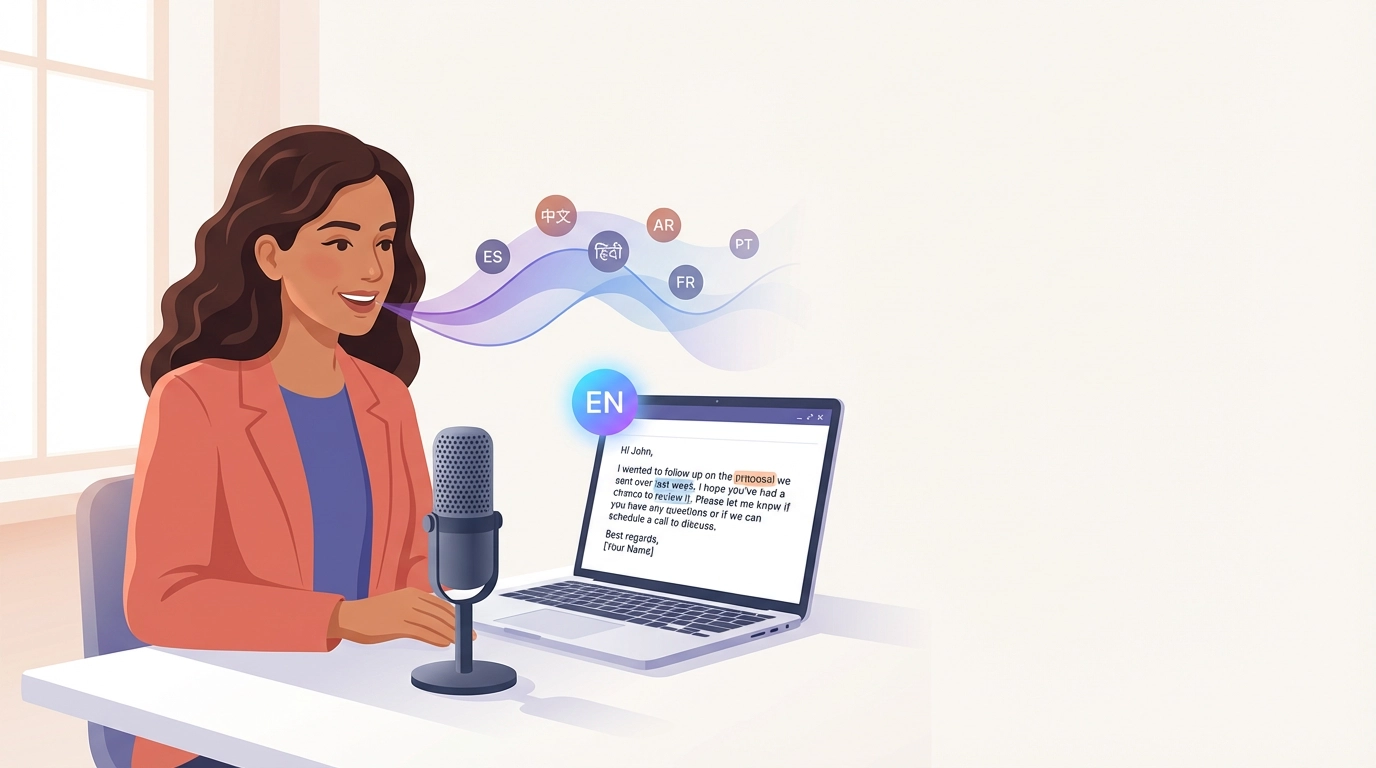
AI voice typing closes that gap. You speak in your natural accent, the AI transcribes it, then a second AI layer cleans the grammar, fixes prepositions, polishes word choice, and outputs professional English. The fluency you already have in your voice becomes the fluency on the page.
This guide is for every non-native English speaker who can say it but struggles to write it.
Why Writing in English Is Harder Than Speaking It
Speaking English uses one part of your brain. Writing it uses several at once. For non-native speakers, writing demands all of the following in parallel:
- Translation — converting an idea from your native language into English
- Grammar mechanics — articles (a/an/the), tenses, agreement, prepositions
- Word choice — selecting the right register and idiom
- Spelling — especially difficult for languages with different alphabets
- Tone calibration — judging whether the result sounds professional, friendly, too blunt, too soft
In speech, you skip most of those steps. Your listener fills the gaps; intonation carries tone; small grammar slips are forgiven. In writing, every gap has to be filled by you, before you hit send. That is why a confident speaker can become a hesitant writer the moment they open their email client.
The Real Cost of the Gap
The cost is not just slower writing. It is:
- Avoidance. Emails get postponed. Slack messages get drafted and abandoned. LinkedIn posts never get published.
- Confidence loss. A senior engineer becomes a junior writer in the same conversation, simply because the medium changed from voice to text.
- Career ceiling. Promotion in international workplaces is tightly correlated with written English, especially in remote-first companies where most communication is asynchronous.
An AI writing tool for non native English speakers is not a vanity tool. For most ESL professionals, it is one of the highest-leverage investments they can make in their career.
How AI Voice Typing Solves the Non-Native Writing Problem
Voice typing is not a new idea. What is new is the second AI layer on top of transcription — the part that cleans, corrects, and polishes. That is what makes the modern stack genuinely useful for non-native writers, in a way that pure dictation never was.
Layer 1: Speech to Text Accent Friendly
Modern speech recognition models are trained on millions of hours of accented English from across the world. Speech to text accent friendly is no longer a marketing claim — it is the baseline. Voice typing with accent recognition now handles Indian, Chinese, Spanish, Arabic, Brazilian Portuguese, French, German, Russian, Japanese, Korean, Vietnamese, Filipino, Polish, Turkish, and dozens of other accented English variants reliably.
That said, transcription alone is not enough. Even the best recognizer occasionally hears "tree" for "three," "sink" for "think," "very" for "berry." On a heavy accent, these slips add up.
Layer 2: AI Grammar Correction Non Native English
This is the part that changes everything. After transcription, an AI model rereads the text and:
- Fixes incorrect articles (adds the missing "a/an/the," removes extra ones)
- Corrects verb tense and subject-verb agreement
- Repairs preposition choice ("on Monday" vs "in Monday")
- Replaces awkward word order with natural English structure
- Adjusts register so the output sounds professional, not stiff
- Catches the residual transcription slips from Layer 1
AI grammar correction non native English is the difference between "I am writing for ask about meeting tomorrow" and "I'm writing to ask about tomorrow's meeting." Both express the same idea. Only one belongs in a client email.
Layer 3: Tone and Context Adaptation
The same sentence sounds different in Gmail, in Slack, on LinkedIn, in a Notion doc. VoxWrite's custom rules per website let you define the target tone for each context — formal email, casual chat, polished post — and the AI applies it automatically. You speak the same way; the output adapts.
What This Looks Like in Practice
Here is a real-world example from a non-native English speaker dictating a follow-up email to a client.
What you say (natural, accented, with grammar slips):
"Hi John I want to follow up about the proposal we send to you last week we are still waiting for your feedback if you have any question please let me know also we can do a call this week if you prefer to discuss in person thanks"
What VoxWrite produces:
Hi John,
I wanted to follow up on the proposal we sent over last week — we're still waiting on your feedback. If you have any questions, just let me know. Happy to set up a call this week if you'd prefer to discuss it live.
Thanks!
Same intent. Same content. But now: correct verb tenses ("sent," not "send"), correct subject-verb agreement ("we're," "you'd"), natural English idioms ("follow up on," "set up a call," "discuss it live"), proper email formatting with greeting and sign-off.
You did not edit anything. You spoke once.
Use Cases Where Voice Typing Pays Off Most
Professional Emails
The single highest-volume English writing task for most ESL professionals. Voice to text for non native speakers turns a 20-minute email into a 90-second one. Speak the message once, let the AI fix tenses, articles, and tone, hit send. Full workflow in Voice to Email: Two Ways to Dictate Professional Emails.
LinkedIn Posts and Thought Leadership
Many non-native speakers have years of expertise but never publish on LinkedIn because writing 300 polished words feels too high-stakes. Speaking 300 words of expertise is easy. The AI handles the polish. Your reach grows because your voice — your actual voice — finally reaches print. Step-by-step guide: Dictate LinkedIn Posts with Your Voice.
Client Reports and Proposals
Long-form English writing that has historically required a colleague's review or a paid editor. With AI voice typing, you dictate the full report at speaking speed and get a professional-grade first draft. A short editing pass replaces hours of writing-and-revising.
Customer Support and Sales Replies
For customer-facing roles where every reply has to sound on-brand and grammatically clean, voice typing with AI cleanup eliminates the daily anxiety of "did I write that right?" The output is consistently professional, regardless of how rushed or accented the input was. More on this workflow: Voice Dictation for Customer Support and Sales Teams.
Academic Writing for ESL Students
Dictation software for ESL learners writing essays, dissertations, and research papers turns a multi-week struggle into a multi-day workflow. Speak the argument out loud as if explaining it to a classmate, then let the AI structure it into formal academic English. This is the same workflow recommended by writing centers — the AI just removes the typing bottleneck.
Native-Language Drafting
Bilingual professionals can take this even further. AI translate voice to English text lets you dictate the first draft in your native language — Spanish, Mandarin, Hindi, Arabic, Portuguese, French, Russian — and receive polished English directly into the app you are using. No copy-paste from Google Translate. No second tab. The mental load of cross-language drafting drops dramatically. Deep dive: Multilingual Voice Typing: Speak One Language, Write Another.
Voice Typing Is Also a Free English Tutor
This is the part most non-native users discover by accident, then come to value most.
Every time you dictate something and read the AI-cleaned output, you see the gap between what you said and what correct English looks like. Over weeks, your brain absorbs the patterns:
- You start hearing the missing articles before you say them.
- Preposition choice ("interested in," "depend on," "agree with") starts feeling natural.
- Verb tenses self-correct in real-time.
- Idioms you used to translate from your native language start being replaced by native English equivalents.
To improve English writing with AI voice typing, you do not need to study grammar charts. You just keep dictating. The corrections become the lesson. After a few months, your unedited writing — even when typed without VoxWrite — measurably improves.
ESL learners have always been told the fastest way to improve is to read native English a lot. AI voice typing adds a second loop: write a lot, see your own ideas in clean English, internalize the pattern. It is a personalized tutor that runs at the speed of your work, not the speed of a textbook.
What Makes VoxWrite a Good Fit for Non-Native Writers
There are dozens of dictation tools. Here is what specifically matters when English is not your first language.
Accent-Trained Speech Recognition
VoxWrite uses state-of-the-art speech recognition models trained on broad, accented input. Heavy accents that historically broke older dictation tools — strong Indian, Chinese, Slavic, Middle Eastern, Latin American — are now within normal accuracy ranges. The leftover errors are caught by the AI cleanup layer.
AI Cleanup Tuned for ESL Patterns
Article errors, preposition errors, tense slips, and word-order issues are exactly what the cleanup layer is good at. These are also exactly the errors most common in ESL writing. The pairing is unusually well matched.
Custom Rules Per Website
A formal client email is not a casual Slack message. Professional English writing tool ESL users need both registers, often in the same hour. VoxWrite lets you define per-site prompts so the same speech becomes a polished email in Gmail and a relaxed message in Slack. Setup details are in the custom rules documentation.
50+ Language Support for Native-Language Drafting
You are not limited to speaking English. Dictate in your strongest language; receive English on the page. This is a major workflow upgrade for bilingual writers, especially for long-form documents where translating sentence-by-sentence is exhausting.
Works Inside Your Existing Apps
Tools that require copy-paste between a translator, a grammar checker, and your real app stack three opportunities for context loss. VoxWrite runs as a browser extension inside Gmail, Google Docs, LinkedIn, Notion, Slack, your CRM. Speak; finished English appears in the field you are already typing in.
Desktop Browser Only — A Limitation Worth Knowing
Honest limitation: VoxWrite is a Chrome, Edge, and Brave extension for desktop and laptop computers. There is no mobile app. No iOS, no Android. Most professional writing happens at a desk anyway, but if you need on-the-go capture from your phone, use your phone's built-in voice input and clean it up later when you reach your computer. The reason VoxWrite produces such clean output is that it lives inside the desktop apps where your finished work actually goes — and that tradeoff is intentional.
Voice Typing vs. Typing for Non-Native Writers: A Direct Comparison
| Factor | Typing in English | Voice Typing (VoxWrite) |
|---|---|---|
| Speed | 20–40 WPM, slowed further by translation | 130–150 WPM in your natural accent |
| Article and preposition errors | Burden is 100% on you | Auto-corrected by AI cleanup |
| Verb tenses | Mistakes are common, hard to self-spot | Auto-corrected |
| Spelling | Constant friction, especially for non-Latin alphabets | Removed entirely — words are spelled for you |
| Tone calibration | Requires native intuition | Driven by per-site AI rules |
| Native-language drafting | Requires Google Translate + copy/paste | Speak in your language, get English in place |
| Confidence to publish | Often blocks LinkedIn, blogs, public writing | Polished output makes publishing safe |
| Long-term English improvement | Plateau is common | Daily exposure to corrected output accelerates fluency |
A Setup Checklist for Non-Native English Speakers
Spend 15 minutes once. The payoff lasts for every email you send for the next year.
1. Install VoxWrite
Install from the Chrome Web Store or the Edge Add-ons Store. Works on Chrome, Edge, and Brave on desktop or laptop.
2. Set a Hotkey for Instant Recording
The faster you can press record, the more often you will use it. A one-key shortcut is ideal. Step-by-step in the hotkeys documentation.
3. Create One Custom Rule for Your Highest-Volume App
Pick the app where you write most professional English — usually Gmail or Slack. Define a rule that tells the AI what tone to use ("polished professional email," "concise team message," "LinkedIn thought leadership post"). Expand to other apps later. Full walkthrough in the custom rules documentation.
4. Try the Bilingual Workflow Once
Open a Google Doc. Press your hotkey. Speak two paragraphs in your native language about a topic you know well. Read the English output. For most bilingual professionals, this is the moment they realize how much daily friction they have been carrying.
5. Read the Output, Don't Just Send It
For the first two weeks, read each cleaned-up message before sending. Not to check the AI — it's almost always right — but to internalize the corrections. This is where your own English writing starts improving.
Things to Expect During the First Week
The output will sound more native than you do. That is the point. Some users feel briefly "exposed" — as if the AI is doing the work. It is not. You generated the ideas; the AI handled the mechanics. Native speakers use spell-checkers, grammar tools, and editors all the time. This is the same category of help, just better.
Your writing speed will roughly triple. A reply that took 15 minutes will take 4. Use the time you save.
You will start spotting corrections in real life. Reading native English emails and articles, you will notice articles, prepositions, and tense patterns you did not consciously register before. This is the tutoring effect.
You will publish more. Most non-native users find that within a month, they post on LinkedIn, write longer reports, send more outreach messages — simply because the friction is gone.
Frequently Asked Questions
What is the best AI writing tool for non native English speakers?
The best AI writing tool for non native English speakers combines accent-friendly speech recognition with AI grammar correction. VoxWrite is a Chrome extension built specifically for this combination — it runs inside the apps where your work happens (Gmail, Google Docs, LinkedIn, Slack) and outputs polished English in one step.
Does voice to text work for accented speakers?
Yes. Voice to text for non native speakers with strong accents is now reliable thanks to modern speech models trained on millions of hours of accented English. VoxWrite adds a second AI layer that catches the small misrecognitions that pure transcription engines still make — making it noticeably more accurate than dictation alone.
Is VoxWrite speech to text accent friendly?
Yes. Speech to text accent friendly behavior is a core design goal. VoxWrite handles Indian, Chinese, Spanish, Arabic, Brazilian Portuguese, French, German, Russian, Japanese, Korean, Vietnamese, Filipino, Polish, Turkish, and dozens of other accented variants of English. The AI cleanup layer corrects whatever the recognizer misses.
Can dictation software help ESL learners?
Yes. Dictation software for ESL learners removes the spelling and grammar mechanics burden that slows ESL writing. Learners can speak fluently in English and let the AI clean up articles, tenses, and word order — and over time, exposure to the corrected output measurably improves their own unaided writing.
How do I improve English writing with AI voice typing?
The best way to improve English writing with AI voice typing is to dictate frequently and read the cleaned-up output before sending. Each cleanup is a free, personalized lesson — you see exactly which articles, prepositions, and tenses were corrected. After a few weeks of daily use, those patterns become automatic in your own writing.
Does VoxWrite do AI grammar correction for non native English?
Yes. AI grammar correction non native English is built into VoxWrite's cleanup layer. It corrects article usage (a/an/the), preposition choice, verb tense, subject-verb agreement, and word order — the exact errors that are most common in ESL writing.
Does VoxWrite support voice typing with accent recognition?
Yes. Voice typing with accent recognition works out of the box. Beyond the base recognizer, VoxWrite's AI cleanup catches and fixes the residual errors specific to heavily accented input — for example, when "three" is recognized as "tree" or "ship" as "sheep."
Is VoxWrite a good professional English writing tool for ESL professionals?
Yes. As a professional English writing tool ESL users can rely on, VoxWrite produces output that matches the tone of the app you are writing in — formal in Gmail, casual in Slack, polished in LinkedIn — without any manual rewriting.
Can VoxWrite AI translate voice to English text?
Yes. AI translate voice to English text is supported through custom rules. Speak in your native language — 50+ supported — and configure the rule to output English. Many bilingual professionals draft long documents this way to skip the cognitive cost of cross-language writing.
What is the best dictation app for accented English?
The best dictation app for accented English is one that pairs accent-trained recognition with an AI cleanup layer that corrects the residual errors. VoxWrite is built specifically for this — heavy accent in, professional English out, inside the apps where your work happens.
Does VoxWrite work on phones?
No. VoxWrite is a desktop browser extension (Chrome, Edge, Brave). There is no iOS or Android app. For mobile dictation, use your phone's built-in voice input and clean the text up later on your computer.
Conclusion: Your Voice Was Always Fluent. Now Your Writing Can Be Too.
Most non-native English speakers are far more fluent in conversation than on the page. The bottleneck has never been your English ability — it has been the gap between speaking and writing, the constant translation tax, the article-and-preposition guesswork, the dread of pressing send.
AI voice typing closes that gap. You speak in your accent, in your natural rhythm, in your strongest language if you prefer. The AI handles the mechanics. Polished, professional English appears in the email field, the document, the post, the report.
The fluency was always there. The tool just had to catch up to it.
Ready to write English as well as you speak it?
Try VoxWrite Free for 7 Days — No credit card required. Desktop Chrome, Edge, or Brave only.
Related Articles
- Multilingual Voice Typing: Speak One Language, Write Another
- Casual Speech to Professional Text with AI
- Voice to Email: Two Ways to Dictate Professional Emails
- Voice Typing With Templates: Dictate Perfectly Formatted Output
About the Author: This guide was created by the VoxWrite team.
Last Updated: April 2026