
How Voice Dictation Saves Lawyers 10+ Hours Per Week on Legal Documents
Last updated: June 2026 | Reading time: 13 minutes
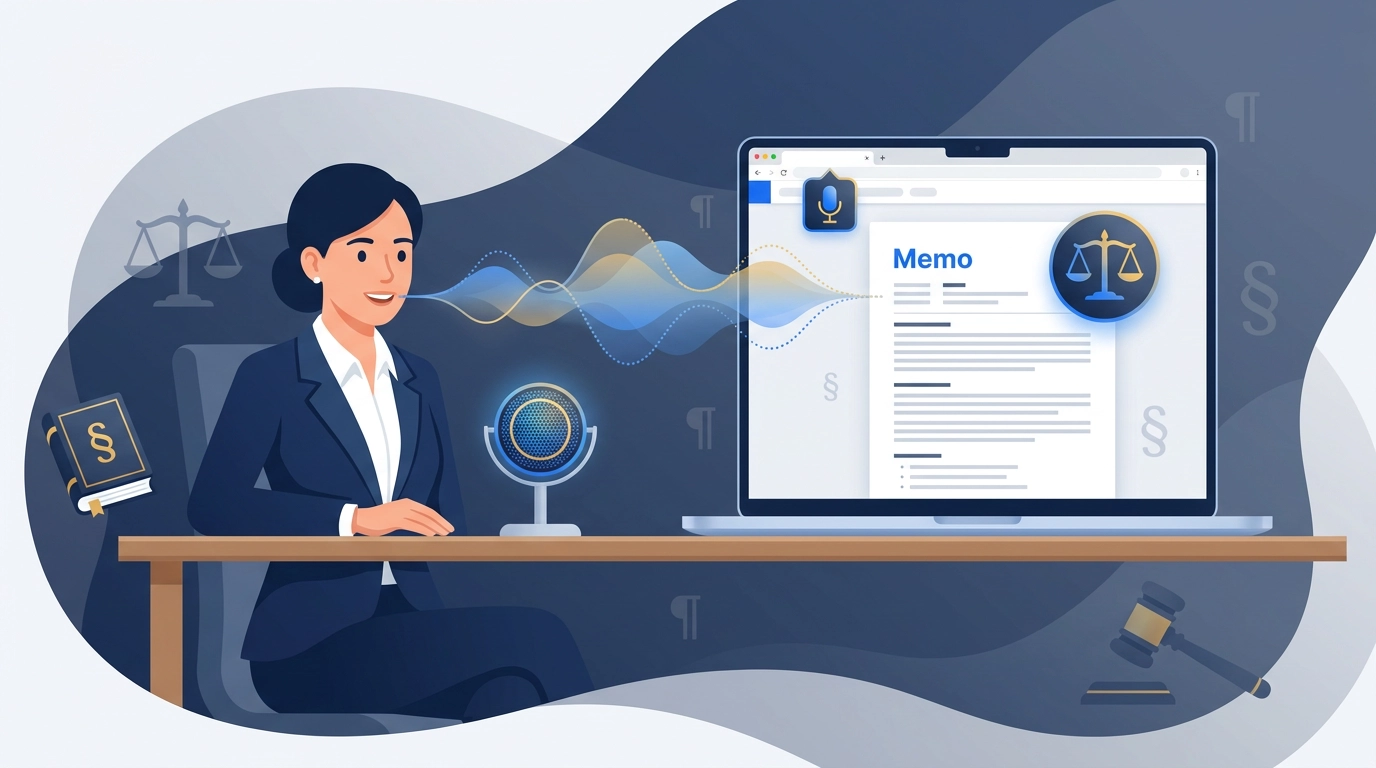
The Billable Hour You Spend Not Practicing Law
You went to law school to argue, advise, and advocate — not to type. Yet the modern legal day is dominated by the keyboard. The data is sobering: Clio's Legal Trends Report consistently finds that the typical lawyer spends only a fraction of the workday on billable client work, while much of the rest disappears into administrative tasks — document management, billing, and routine client communication. A large share of that non-billable load is writing: drafting briefs and memos, revising contracts, answering client emails, and producing the endless internal notes that keep a matter moving.
For every hour in front of a client or a judge, there are several hours of writing behind it. That writing is necessary — but the typing is not. You can speak a paragraph far faster than you can type it. The average professional types around 40 words per minute; most people speak comfortably at about 150 words per minute. That gap is hours per week, and for a lawyer those are hours that could be billable, or simply hours you get back.
The obvious fix has always been dictation. The problem was the tooling. For two decades, "legal dictation" meant essentially one product line — Dragon, in its Legal flavor — which is powerful but expensive, desktop-bound, and heavy to deploy. This guide is about what comes after Dragon: affordable, AI-powered voice dictation for lawyers that turns spoken legal work into clean, structured, citation-ready text without an enterprise contract or a four-figure annual bill.
What Legal Dictation Used to Cost — and Why It Held Firms Back
Dragon Legal Anywhere, the version most firms reach for, typically runs around $780 per user per year through resellers — and often considerably more on enterprise contracts — usually on annual licensing, sometimes with implementation help on top. For a large firm with a procurement team, that is a line item. For a solo practitioner, a two-attorney shop, or a small litigation boutique, it is a meaningful recurring cost — and the price tag is only part of the friction:
- Per-seat licensing punishes small teams. A few part-time associates can cost as much as several full-timers.
- Desktop-app weight. The classic experience assumes installed software and a managed device, not the browser-based workflows many modern firms actually run on.
- Voice-profile training. Older engines wanted you to train a personal profile and speak in careful, command-driven cadence.
- Vendor lock-in. Your dictation lives inside one proprietary ecosystem with its own profiles, macros, and support contract.
None of this means Dragon is a bad product. It means it was built for institutions — and that the solo-and-small-firm market has been badly underserved by genuinely affordable alternatives. People go looking for free dictation software for law firms precisely because the paid incumbent is priced out of reach. That is the gap modern AI voice-to-text now fills.
What Changed: Transcription Plus an AI Cleanup Layer
Older dictation tools did exactly one thing — turn sound into text. If you mumbled, trailed off, or said "um," that landed in your document verbatim. Getting a clean result required disciplined, robotic speech and a memorized list of command words.
Modern AI voice-to-text works in two layers, and the second layer is what makes it genuinely useful for legal work.
Layer 1: Accurate Recognition, Including Legal Terminology
Today's speech models are trained on enormous, diverse datasets. Good speech recognition for legal terminology now handles the Latin (res judicata, voir dire, prima facie), the procedural vocabulary, and the rhythm of legal language far better than the engines of a few years ago — without forcing you to train a personal voice profile first.
You can also get ahead of the misses. VoxWrite lets you give the transcription model a short hint — a list of the case names, party names, statutes, and Latin terms you actually use — so it spells them correctly the first time, before any cleanup runs. This feature is called Audio Prompts, and it is covered in detail below.
Recognition alone still slips, though. On fast speech a recognizer can mangle a citation, merge two words, or mishear a term of art. Raw transcription needs a second pass.
Layer 2: AI Cleanup and Structuring
After transcription, an AI model rereads the text and:
- Removes filler words, false starts, and self-corrections ("strike that, let me rephrase")
- Fixes punctuation, capitalization, and run-on sentences
- Repairs residual misrecognitions using context
- Structures the dictation into a format — a memo, a brief section, a client letter, or your own template
This is the difference between a wall of transcribed mumbling and a draft you can actually edit. It is also why hands free legal document drafting finally works for prose-heavy work, not just fill-in-the-blank forms.
VoxWrite is an AI dictation Chrome extension for lawyers built on exactly this two-layer model: accurate transcription, then AI cleanup tuned by rules you control — running inside the browser-based tools where your drafting already happens. (The same idea powers our guide to turning casual speech into professional text.)
From Spoken Argument to Structured Legal Memo
Here is what speech to text for legal documents looks like in practice. An attorney dictates a memo the way they would explain the issue to a colleague over coffee — unstructured, conversational, with a couple of corrections.
What you say (natural, with filler and self-corrections):
"Okay so the question here is whether our client's non-compete is enforceable uh under California law and the short answer is probably not because California generally voids non-competes under Business and Professions Code section sixteen six hundred there are narrow exceptions like sale of a business but those don't apply here so um my recommendation is we advise the client the clause is likely unenforceable and we focus on the trade secret claim instead"
What VoxWrite produces:
Issue: Whether the client's non-compete agreement is enforceable under California law.
Short Answer: Likely not. California generally voids non-compete agreements under Business and Professions Code § 16600.
Analysis: California law disfavors restraints on trade and voids most non-compete provisions. Narrow statutory exceptions exist — for example, in connection with the sale of a business — but none applies on these facts.
Recommendation: Advise the client that the non-compete clause is likely unenforceable, and concentrate the firm's strategy on the trade secret claim.
You spoke once. The filler is gone, the statutory reference is formatted, and the note is organized into Issue, Short Answer, Analysis, and Recommendation — because a saved custom rule told the AI to always return dictation in that memo structure. Same legal content, a fraction of the time. (You still verify the citation and the law — the AI drafts, you remain counsel of record.)
Where Voice Dictation Pays Off Most in Legal Work
Legal Briefs and Motions
The highest-stakes prose in the practice. Voice typing for legal briefs lets you get the argument out of your head and onto the page while it is fresh, then refine. Dictating the narrative sections — statement of facts, argument, conclusion — is dramatically faster than typing them cold, and AI cleanup means the first draft is already punctuated and organized rather than a raw transcript. Authorities and pin cites still get a manual pass; everything around them gets written in a fraction of the time.
Legal Memos and Internal Notes
If you want to dictate legal memos faster, this is the single biggest day-to-day win. Research memos, case assessments, and matter notes are exactly the kind of structured prose that AI formatting handles cleanly. Speak the analysis once, receive it organized into IRAC or your firm's house format, and spend your time on substance instead of formatting.
Client Emails and Correspondence
Client communication eats hours and rarely feels billable. Voice to text for client emails turns a two-minute spoken reply into a polished, professional message in Gmail or your webmail — no typing, no staring at a blank compose window. A saved rule keeps the tone formal and client-appropriate. The same workflow that powers our guide to dictating professional emails applies directly to attorney correspondence.
Contracts, Clauses, and Redlines
Drafting explanatory cover notes, summarizing redline changes for a client, or dictating a new clause in plain language for later tightening — all of it moves faster by voice. You speak the intent; the AI returns clean, structured prose you can refine into final contract language.
Solo Practitioners and Small Firms
Historically, dictation software for law firms meant choosing between an unaffordable enterprise license and typing everything by hand. A per-attorney browser extension removes that dilemma: no server, no IT project, no procurement cycle. That is the same calculus that makes voice dictation a fit for other high-volume writers — see how it helps real estate agents, HR pros, and freelancers handle similar writing loads.
The Confidentiality Question — An Honest Answer
Any article about legal dictation has to address client confidentiality directly, because the wrong assumption here can implicate your duties under the rules of professional conduct.
No dictation tool is "automatically" safe for privileged or confidential material. Confidentiality is a property of your entire data path, not a feature sticker. For dictation, that means knowing:
- Which services touch the text — for AI dictation, that includes the AI provider doing the transcription and cleanup, not just the extension.
- Where audio and text travel, how long they are retained, and who can access them.
- Whether your engagement terms and jurisdiction's ethics rules permit using a given cloud service for client information.
Here is where VoxWrite's architecture is relevant — and where you still must do your homework. VoxWrite offers a bring-your-own-key (BYOK) option (its free tier and its one-time lifetime license): you connect your own AI provider account, and your dictation is processed through your key rather than pooled through the vendor. That gives you more control over the data path and over which provider's terms apply. (The managed monthly subscription instead routes processing through VoxWrite's own backend — convenient, but a different data path to evaluate.) You can read the full reasoning in our guide to BYOK AI tools and private writing.
But control is not a guarantee. Before you dictate genuinely sensitive client matter:
- Review your chosen AI provider's data-retention and training policies for API usage.
- Confirm that using it for client information is consistent with your engagement letters and your jurisdiction's confidentiality rules.
- Until that path is confirmed, dictate non-privileged content — internal templates, legal-research summaries of public authority, or matters with client consent.
Treat this as a starting checklist, not legal or ethics advice. The responsible default for any attorney: assume nothing about a tool's data handling until you have confirmed it.
What Makes VoxWrite a Good Fit for Attorneys
Genuinely Affordable
As an alternative to a ~$780+/year enterprise seat, VoxWrite gives you two ways to pay, neither of which is an annual per-user license: a low-cost monthly subscription where the AI processing is managed for you, or a one-time lifetime license that uses the bring-your-own-key (BYOK) model — you connect your own API key and pay only your own metered AI usage. For most individual attorneys and small firms, dictation cost drops sharply either way. If you have been searching for free dictation software for law firms because the incumbents are out of budget, the free tier plus these two paid options are the realistic middle ground between "free but unusable" and "powerful but unaffordable."
Recognition Tuned by an AI Layer for Legal Language
VoxWrite's recognition handles a wide vocabulary, and the AI cleanup layer catches the residual errors that trip up legal dictation — a misheard citation, a garbled Latin term — using context. It is the practical answer to the perennial complaint that generic dictation tools mangle legal terminology.
Audio Prompts — Teach It Your Legal Vocabulary
Generic recognizers stumble on exactly the words that matter most in law: party names, opposing counsel, unusual case names, statute and rule citations, and Latin terms of art. VoxWrite's Audio Prompts let you fix that proactively. An Audio Prompt is a short hint (up to 2,000 characters) sent to the transcription model together with your audio, telling it precisely how to spell the names and terms you use — so voir dire never comes back as "vwa deer," and a party name like Caraballo is not rendered three different ways across one memo.
You can scope each prompt to specific websites and keep separate vocabularies per practice area — a litigation list on one site, a corporate/M&A list on another — so the right terms are loaded automatically wherever you draft. Audio Prompts apply when you use an OpenAI transcription model in bring-your-own-key mode, and they are always applied on the managed subscription. Setup is in the Custom Audio Prompts documentation.
This is the cleaner answer to speech recognition for legal terminology: instead of correcting the same misheard term every single day, you teach the recognizer once and it gets it right from then on. Audio Prompts shape the transcription itself; Custom Rules (next) reshape the finished text — together they take a spoken argument to a clean draft.
Custom Rules per Site — Your Document Formats, Automated
This is the feature attorneys value most. A saved rule can tell the AI: "Always return this dictation as an IRAC memo," or "Format as a formal client letter," or "Write this as a numbered brief section." Different rules can apply in different web apps — your document system, your webmail, your research tool. It is the legal-specific case of voice typing with templates for formatted output. Setup is in the custom rules documentation.
Works Where You Already Draft
No separate dictation window to alt-tab to. VoxWrite runs inside browser text fields — Google Docs, web-based document and practice-management systems, Gmail — so the finished text appears in the field you are already in. Press a hotkey, speak, done; configure it in the hotkeys documentation.
You Control the Data Path
If you choose the BYOK option (the free tier or the one-time lifetime license), your dictation is processed through your own AI provider account rather than VoxWrite's servers — important context for the confidentiality conversation above. The managed subscription trades that direct control for not having to handle a key yourself.
Desktop Browser Only — A Limitation Worth Knowing
Honest limitation: VoxWrite is a Chrome, Edge, and Brave extension for desktop and laptop computers. There is no mobile app. It is built for drafting at a workstation — the desk or laptop where you actually write briefs, memos, and correspondence. It also does not run inside native, non-browser desktop applications such as an installed copy of Microsoft Word; for those, dictate into a browser document and paste the finished text in.
Dragon Legal vs. AI Voice-to-Text: A Direct Comparison
| Factor | Dragon Legal Anywhere | VoxWrite (AI voice-to-text) |
|---|---|---|
| Typical cost | ~$780+/user/year, annual licensing | Low-cost monthly subscription, or one-time lifetime license (BYOK + your own AI usage) |
| Deployment | Installed software, often IT-managed | Browser extension, installs in seconds |
| Document structuring | Templates and macros you configure | AI structures dictation into IRAC/letters/briefs via rules |
| Filler & cleanup | Largely verbatim; needs disciplined speech | AI removes filler, fixes grammar automatically |
| Voice training | Per-user voice profile setup | Works out of the box + AI correction |
| Custom vocabulary | Build and train custom word lists | Audio Prompts bias recognition per site (case names, terms, citations) |
| Best fit | Large firms, enterprise IT | Solo attorneys, small firms, boutiques |
| Data control | Vendor cloud / enterprise terms | BYOK option (own AI provider account) or managed subscription |
| Mobile | Companion mobile mic app available | Desktop browser only — no mobile app |
A 15-Minute Setup for Attorneys
1. Install VoxWrite
Install from the Chrome Web Store or the Edge Add-ons Store. Works on Chrome, Edge, and Brave on desktop or laptop.
2. Pick Your Plan — and Check the Data Path First
Choose how you want to run it: the managed monthly subscription (no API key to set up), or the BYOK route — the free tier or the one-time lifetime license — where you connect your own AI provider key. If you go BYOK, review your chosen AI provider's data-retention and training policies and confirm the use is consistent with your confidentiality obligations before any confidential matter touches the tool. Until then, practice with non-privileged content.
3. Set a One-Key Hotkey
The faster you can start recording, the more often you will use it between tasks. A single-key shortcut is ideal — see the hotkeys documentation.
4. Create an IRAC (or Client-Letter) Custom Rule
Add a rule that tells the AI to return your dictation in your preferred memo or brief format. Make a second one for client correspondence. This is what turns raw speech into a usable first draft. Walkthrough in the custom rules documentation.
5. Add an Audio Prompt for Your Legal Vocabulary
List the case names, party names, statutes, acronyms, and Latin terms you dictate most often in an Audio Prompt, and scope it to the sites where you draft, so they are transcribed correctly from the start instead of corrected after the fact. Details in the Custom Audio Prompts documentation.
6. Dictate One Real (Non-Privileged) Document
Pick a document type you write constantly — a research memo, a routine client email. Dictate it once, read the structured output, and adjust your rule wording. After two or three iterations, the format will match how your firm drafts.
What to Expect in the First Week
Your documents will get faster to write, not thinner in substance. You will make the same legal arguments you always have — the AI just removes the typing and the formatting labor.
You will stop dreading the blank page. Statement-of-facts sections, analysis paragraphs, and long client replies — the parts that are slow to type — become the fastest parts to dictate.
Your billable mix improves. Most attorneys who move drafting to dictation reclaim a meaningful chunk of writing time within the first week — time that goes back to clients or back to you.
You will refine your rules. The first version of your IRAC rule is rarely the final one. Tweak the wording a few times and it will start producing drafts that need almost no restructuring.
Frequently Asked Questions
What is the best dictation software for attorneys?
The best dictation software for attorneys combines accurate recognition with an AI layer that structures dictation into a usable legal document. Dragon Legal Anywhere is the enterprise standard at roughly $780+/user/year; VoxWrite is an affordable, browser-based alternative that transcribes and then formats your speech into memos, briefs, and client emails inside the web tools you already use.
Does voice dictation for lawyers handle legal terminology?
Yes. Good speech recognition for legal terminology handles Latin terms, citations, and procedural vocabulary. VoxWrite also lets you load your own case names, party names, statutes, and terms of art via Audio Prompts so they are transcribed correctly from the start, and its AI cleanup layer repairs any residual misrecognitions using context. As with any draft, you proofread citations and authorities before filing.
Can VoxWrite learn my firm's case names and legal terms?
Yes, with Audio Prompts. You give the transcription model a short hint listing the case names, party names, statutes, acronyms, and Latin terms you use, and it spells them correctly instead of guessing. You can keep separate vocabularies per practice area and scope each to the sites where you draft. See the Custom Audio Prompts documentation. They apply with OpenAI transcription models in BYOK mode and are always applied on the managed subscription.
Is there free dictation software for law firms?
Built-in OS dictation and Google Docs voice typing are free but produce raw, unformatted text with no legal structure. As a practical middle ground, VoxWrite has a free tier and two affordable paid options instead of a per-seat enterprise license: a low-cost monthly subscription with managed AI processing, or a one-time lifetime license that uses a bring-your-own-key model where you pay only your own metered AI usage.
Can I use voice typing for legal briefs?
Yes. For voice typing for legal briefs, VoxWrite uses a saved custom rule to return dictation as structured, punctuated brief sections. You dictate the argument conversationally and receive organized prose in the field you are already in — then verify authorities manually.
How can I dictate legal memos faster?
To dictate legal memos faster, use a one-key hotkey, speak the analysis naturally, and let VoxWrite's AI remove filler and apply your memo format (IRAC or a custom template). The result is a structured first draft instead of a raw transcript.
Is there speech to text for legal documents that works in the browser?
Yes. Speech to text for legal documents works in any browser text field — Google Docs, web-based document systems, Gmail. VoxWrite is a desktop Chrome, Edge, and Brave extension; it does not run inside native desktop apps like installed Word, where you would dictate into a browser document and paste.
Can attorneys use voice to text for client emails?
Yes. Voice to text for client emails is one of the simplest wins — speak your reply and receive a professional, formal message in Gmail or webmail, with a saved rule keeping the tone client-appropriate.
Is this hands free legal document drafting software?
Largely, yes. As hands free legal document drafting software, VoxWrite lets you speak a document and have it transcribed, cleaned, and structured without typing. You still review, edit, and finalize — appropriate for legal work where accuracy is paramount.
Is VoxWrite an AI dictation Chrome extension for lawyers?
Yes. VoxWrite is an AI dictation Chrome extension for lawyers (and Edge and Brave): it transcribes your voice, cleans it with AI, and formats it via custom rules — all inside the browser. There is no mobile app; it is built for drafting at a workstation.
Does VoxWrite work on phones?
No. VoxWrite is a desktop browser extension (Chrome, Edge, Brave). There is no iOS or Android app — it is built for drafting briefs, memos, and correspondence at a desk or laptop.
Conclusion: Dictation Without the Enterprise Price Tag
The reason most attorneys type their documents is not that they prefer it. It is that the only serious dictation option was priced and packaged for large firms. That is no longer true.
Modern AI voice-to-text — accurate transcription plus a cleanup-and-structuring layer — does what lawyers actually need: turn a spoken argument into a clean, formatted draft. And it does it as an affordable, browser-based AI dictation Chrome extension rather than a four-figure annual contract.
Used responsibly — with the data path confirmed before any confidential matter is dictated — it can hand you back the part of the job you never wanted: the typing.
Your time belongs in the practice of law, not the typing of it. Let your voice do the drafting.
Ready to cut your documentation time?
Try VoxWrite Free for 7 Days — No credit card required. Desktop Chrome, Edge, or Brave only. Confirm your confidentiality data path before dictating privileged matter.
Related Articles
- Why BYOK AI Tools Are the Future of Private Writing
- Voice Typing With Templates: Dictate Perfectly Formatted Output
- Voice to Email: Dictate Professional Emails
- Voice Dictation for Real Estate Agents, HR Pros, and Freelancers
About the Author: This guide was created by the VoxWrite team.
Last Updated: June 2026