
Social Media Content Creation: Dictate Captions & Posts That Sound Like You
Last updated: February 2026 | Reading time: 14 minutes
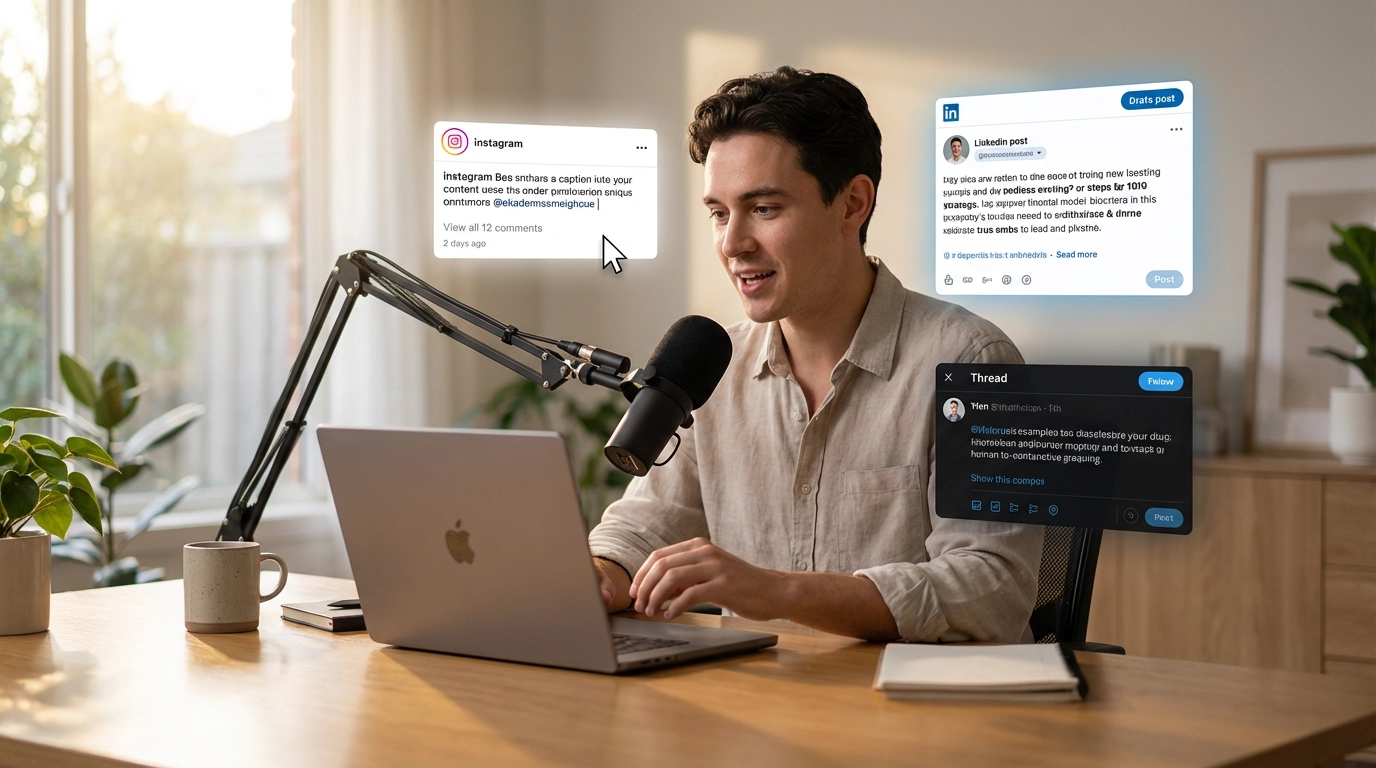
The Blank Caption Problem
You've got the photo. You've got the idea. You open the caption field and... nothing.
The cursor blinks. You type a sentence, delete it. Try again. Delete again. Five minutes later, you've written something that sounds like every other generic post in the feed.
This happens because typing kills your natural voice.
When you type a caption, you over-think every word. You self-edit mid-sentence. You second-guess your tone. The result sounds stiff, polished in the wrong way, and nothing like how you actually talk.
And the irony is brutal: the content that performs best on social media sounds like a real person talking. Not corporate copy. Not template language. A real human voice sharing a real thought.
Here's the problem at scale:
- You need to post 5-7 times per week across multiple platforms
- Every platform has different formats and tones (Instagram vs. LinkedIn vs. Twitter)
- The best captions require a conversational, authentic tone — exactly the thing typing makes hardest
- You spend 6+ hours per week writing captions, according to Social Media Today
- Half that time is wasted staring at blank fields and deleting first attempts
What if you could just say what you're thinking — and get a polished, platform-ready caption?
That's what voice typing social media captions does. You speak naturally, and AI transforms your words into formatted content that sounds authentically like you. Because it is you.
Why Speaking Produces Better Social Media Content Than Typing
This isn't just about speed (though it's 4x faster). It's about quality. Spoken captions sound better on social media because social media rewards the spoken voice.
Typing Creates a Filter. Speaking Removes It.
When you type, your brain runs every sentence through an internal editor before your fingers hit the keys. You think: "Is this good enough? Does this sound smart? Should I rephrase this?"
When you speak, that filter disappears. You say what you mean. Your natural vocabulary, phrasing, and rhythm come through.
Research from PeerJ Computer Science confirms that people express ideas with more natural language flow when speaking versus typing. For social media — where authenticity is the difference between scroll-past and engagement — this matters enormously.
When you dictate a caption, you get:
- Your actual vocabulary (not "thesaurus mode")
- Your natural storytelling rhythm
- The humor and personality that make followers connect with you
- The conversational tone that algorithms and audiences reward
When you type a caption, you often get:
- Over-edited, safe language
- Stiff sentence structure
- Generic phrasing that sounds like everyone else
- Something that took 10 minutes and still doesn't feel right
The Authentic Voice Advantage
Think about the social media posts that stop your scroll. A founder sharing a raw lesson. A creator telling a real story. A coach giving unfiltered advice.
These posts work because they sound like someone talking to you. And voice dictation creates this tone by default — because you are, literally, talking.
Authentic voice social posts perform better because audiences connect with real people, not polished copy. Voice dictation is the fastest way to sound real — because you're speaking as yourself.
The Speed Factor: 4x Faster Caption Creation
Speaking is naturally faster than typing. Most people type at 40 words per minute but speak at 120-150 WPM. For social media, where captions range from 30 to 300 words, the time savings add up fast.
Speed comparison per post:
- Typing an Instagram caption (100 words): 3-5 minutes (typing + editing + rewriting)
- Speaking the same caption: 45 seconds (speaking) + 5 seconds (AI processing)
- Quick review: 30 seconds
That's under 2 minutes versus 5+ minutes per post.
Now multiply by a week's worth of content:
| Method | Time per Post | 7 Posts per Week |
|---|---|---|
| Typing from scratch | 8-15 min | 56-105 min |
| Voice dictation + AI | 2-3 min | 14-21 min |
| Time saved | — | 42-84 min per week |
That's over an hour saved weekly — just on captions. For creators posting across multiple platforms, the savings multiply.
But the most important speed gain isn't the speaking itself. It's eliminating the blank-page stall. You don't stare at an empty field trying to find the right opening line. You just start talking. The words flow. The AI formats them. Done.
Platform-Specific Voice Workflows
Each social platform has its own style, format, and audience expectations. VoxWrite's custom rules let you set up voice workflows tailored to each one. Speak the same way every time — the AI adapts the output to the platform.
Instagram: Dictate Captions with Voice
Instagram captions thrive on storytelling, vulnerability, and personality. The best ones sound like someone talking to you directly.
Custom rule for Instagram:
Format as an Instagram caption. Start with a strong hook sentence.
Use short paragraphs with line breaks for readability.
Keep the tone conversational and authentic.
Add 3-5 relevant hashtags at the end.
Remove filler words but keep the natural speaking style.
You say:
"Okay so I just had the craziest morning, I woke up at 5 AM to work on my side project before my day job and I actually finished the landing page, it's not perfect but it's done and I think there's a lesson there about just shipping things instead of waiting for perfection"
VoxWrite delivers:
Woke up at 5 AM today to work on my side project before my day job.
And I actually finished the landing page.
Is it perfect? No. But it's done. And there's a lesson in that.
Stop waiting for perfection. Ship the thing. Iterate later.
The gap between "almost ready" and "live" is just one decision.
#buildinpublic #sideproject #justshipit #entrepreneurmindset #morningroutine
30 seconds of speaking. A scroll-stopping caption. The energy from that morning is captured — something you'd never recreate by typing hours later.
LinkedIn: Voice Post Creation
LinkedIn rewards thought leadership, professional insights, and clear structure. The best LinkedIn posts tell a story with a takeaway.
Custom rule for LinkedIn:
Format as a LinkedIn post. Start with a compelling hook line.
Use short paragraphs (1-2 sentences each) with line breaks.
Professional but conversational tone.
End with a question or call to action to drive engagement.
No hashtags unless specifically mentioned. No emojis.
Keep under 1,300 characters for optimal reach.
You say:
"I interviewed 15 candidates this month and the number one thing that separated the strong ones from the weak ones wasn't their resume or their skills, it was how they asked questions, the best candidates asked questions that showed they'd done research about our company and thought about how they'd actually contribute, that's what I want to talk about"
VoxWrite delivers:
I interviewed 15 candidates this month.
The number one thing that separated the strong ones from the rest wasn't their resume. It wasn't their technical skills.
It was how they asked questions.
The best candidates asked questions that showed three things:
They'd researched our company beyond the About page. They'd thought about how they'd actually contribute. They were interviewing us as much as we were interviewing them.
Generic questions like "What's the culture like?" tell me nothing. But "I noticed you launched X last quarter — what's the team's biggest challenge scaling that?" tells me everything.
Hiring managers: What question has impressed you most in an interview?
A thought you had right after the last interview — captured in 40 seconds, structured for LinkedIn engagement. LinkedIn voice post creation without the writing struggle.
Twitter/X: Dictation for Tweets and Threads
Twitter demands brevity. Every word counts. Voice dictation helps because you speak the core idea, and the AI distills it to fit the format.
Custom rule for tweets:
Format as a tweet. Maximum 280 characters.
Be punchy and direct. Remove all unnecessary words.
No hashtags unless specifically mentioned.
Keep the original personality and edge.
Custom rule for threads:
Format as a Twitter thread. Split into numbered tweets.
Each tweet must be under 280 characters.
Start with a strong hook tweet.
End with a summary or call to action.
Keep it conversational and sharp.
You say (for a thread):
"I want to share five things I learned about pricing my SaaS product this year, first one is don't charge based on cost charge based on value, second is that annual plans need to be at least 20 percent cheaper to convert, third is that a free tier kills urgency, fourth is that raising prices on existing customers is fine if you grandfather them, and fifth is to always test pricing in small segments before rolling out"
VoxWrite delivers:
🧵 5 things I learned about SaaS pricing this year:
1/ Don't price based on your costs. Price based on the value you deliver. Your expenses are irrelevant to how much your product is worth to customers.
2/ Annual plans need to save at least 20% to convert. Anything less and monthly feels like a better deal. The discount needs to feel meaningful.
3/ A free tier kills urgency. When there's no cost to "try later," people never convert. Free trials with time limits work far better.
4/ Raising prices on existing customers is fine — if you grandfather them. They keep their old price, new customers pay more. Everyone wins.
5/ Always test pricing in small segments first. Don't roll out a new price to everyone at once. Test with 10% of traffic and measure conversion.
That's it. A year of pricing experiments in 5 tweets. Save this for later.
One minute of speaking. A polished 6-tweet thread. The Twitter dictation tool formatting handles character limits and numbering automatically.
Facebook, TikTok, and Other Platforms
The same approach works everywhere:
- Facebook: Longer storytelling captions, community-oriented tone, questions to drive comments
- TikTok (web): Short descriptions optimized for search and hooks
- Pinterest: SEO-rich descriptions with keywords
- YouTube: Video descriptions and community post drafts
Create a VoxWrite custom rule for each platform, and your spoken content gets automatically formatted for that platform's style.
Batch Dictation: A Full Week of Content in 20 Minutes
The most efficient social media creators don't write posts one at a time. They batch-create content in a single session — and voice dictation makes batching dramatically faster.
The Voice Batching Workflow
- Pick 2-3 content themes for the week
- Open your scheduling tool in Chrome (Buffer, Hootsuite, Later, or Sprout Social)
- Set your VoxWrite custom rule for the platform
- Dictate 5-7 posts in a row — one after another, speaking each idea for 30-60 seconds
- Review, tweak, schedule
What this looks like in practice:
You sit down on Tuesday morning with a cup of coffee. You open Buffer. You dictate 7 Instagram captions, one right after another. Each takes 30-60 seconds of speaking. VoxWrite processes each one and drops polished, formatted text into the scheduling tool.
Total time: 15-20 minutes. You now have a full week of Instagram content ready to schedule.
Then you switch to LinkedIn. Dictate 3 posts. Another 5-10 minutes.
In under 30 minutes, you've created 10 pieces of content across two platforms. Try doing that by typing.
Why Batching Works Better with Voice
Typing kills batching momentum. By the third caption, you're mentally exhausted from crafting sentences. Your quality drops. You take breaks. What should be a 30-minute session turns into 2 hours.
Voice dictation keeps the energy flowing. Speaking is less cognitively taxing than writing. You can dictate post after post without the mental fatigue that typing creates. The ideas keep coming because you're not wrestling with sentence structure — you're just talking.
Content Repurposing: Speak Once, Post Everywhere
One of the most powerful features of social media post dictation with VoxWrite is content repurposing. You speak one idea and turn it into content for multiple platforms — without re-dictating.
The Repurposing Workflow
- Dictate your core idea (60-90 seconds of speaking)
- Process for Platform 1 (e.g., LinkedIn post using LinkedIn custom rule)
- Go to VoxWrite side panel, select the same recording
- Reprocess with Platform 2 rule (e.g., Instagram caption using Instagram rule)
- Reprocess again with Platform 3 rule (e.g., Twitter thread using Twitter rule)
One idea. Three platforms. Three custom formats. Under 3 minutes total.
No re-dictating needed. Just select a different rule and reprocess from the side panel.
Example: One Idea, Three Platforms
You say (60 seconds):
"I've been tracking my productivity for 30 days and the biggest finding is that my most productive hours are between 6 and 9 AM, but I was wasting them on email and Slack, once I blocked those hours for deep work only my output doubled, the lesson is that it's not about working more hours it's about protecting your best hours"
Instagram version (processed with Instagram rule):
I tracked my productivity for 30 days. The biggest finding surprised me.
My most productive hours? 6-9 AM. What was I doing during those hours? Emails and Slack.
Once I blocked those hours for deep work only — no notifications, no messages, no "quick checks" — my output doubled.
It's not about working more hours. It's about protecting your best hours.
What time of day are you most productive? Tell me below.
#productivity #deepwork #morningroutine #timemanagement #worksmarter
LinkedIn version (reprocessed with LinkedIn rule):
I tracked my productivity for 30 days. Here's the biggest finding.
My peak performance hours are 6-9 AM. For months, I was spending those hours on email and Slack — reactive work that could wait.
When I blocked those three hours for deep work only, my output doubled. Not a small improvement. Doubled.
The lesson isn't about working more. It's about defending your best hours from low-value interruptions.
Three changes that made the difference:
Notifications off until 9 AM. Slack set to "away" by default. One clearly defined task before opening email.
What's your strategy for protecting your peak hours?
Twitter version (reprocessed with Twitter rule):
Tracked my productivity for 30 days.
Biggest finding: my best hours (6-9 AM) were being wasted on email and Slack.
Blocked them for deep work. Output doubled.
It's not about working more hours. It's about protecting your best ones.
Same recording. Three platforms. Three formats. Each one sounds native to the platform it's on.
How VoxWrite Powers Social Media Voice Workflows
VoxWrite is a Chrome extension that transforms your speech into polished, formatted text using AI. For social media creators, it's the fastest path from idea to published post.
Works on Every Platform
VoxWrite works in any text field on any website in your Chromium browser:
- Instagram (web version)
- Twitter/X
- TikTok (web)
- Buffer, Hootsuite, Later, Sprout Social
- Notion, Google Docs (for drafting)
- Any browser-based scheduling tool
Open the platform, click the microphone, and speak.
Custom Rules Per Platform
This is where VoxWrite becomes a social content voice typing powerhouse. Set up custom rules that automatically apply based on the website you're using:
| Platform | Site Pattern | Custom Rule Focus |
|---|---|---|
| instagram.com | Storytelling tone, hooks, hashtags, line breaks | |
| linkedin.com | Professional insights, structured paragraphs, CTAs | |
| Twitter/X | x.com | Under 280 chars, punchy and direct |
| facebook.com | Community tone, longer storytelling, questions | |
| Buffer | buffer.com | Varies by target platform — use a general rule |
VoxWrite remembers your rules and applies them automatically. Open LinkedIn? LinkedIn rule activates. Switch to Instagram? Instagram rule kicks in. No manual switching.
More details on setting up rules: Custom Rules Guide
Built-in Templates for Quick Posts
Don't want to set up custom rules right away? VoxWrite includes built-in templates for common content types, including social media posts. Pick a template, speak your idea, and get formatted output immediately.
AI-Powered Transformation
VoxWrite doesn't just transcribe. It transforms casual speech into platform-ready content:
- Removes filler words ("um", "uh", "like", "so basically")
- Adds structure (hooks, paragraphs, lists, CTAs)
- Matches tone to your custom rule (professional, casual, witty)
- Formats for the platform (character limits, hashtags, line breaks)
- Casual speech becomes polished content without losing your voice
Your Recordings, Always Available
Every dictation stays in the VoxWrite side panel. You can:
- Replay any recording
- Reprocess with different rules (turn the same idea into an Instagram caption AND a LinkedIn post)
- Export or copy transcriptions
- Delete when no longer needed
This is what makes cross-platform repurposing possible — speak once, reprocess for every platform.
Real Examples: Voice-Dictated Social Media Content
Example 1: Instagram Carousel Caption
Creator says (45 seconds):
"I want to share the five tools I use every day as a solopreneur, Notion for project management, Figma for design, VoxWrite for content creation by voice, Stripe for payments, and Plausible for analytics, each one costs less than 20 bucks a month"
VoxWrite delivers:
My entire business runs on 5 tools. Total cost: under $100/month.
Here's the stack I use every single day as a solopreneur:
- Notion — project management, docs, and databases in one place
- Figma — design everything from landing pages to social graphics
- VoxWrite — create content by voice (I dictated this caption)
- Stripe — payments and invoicing without the headaches
- Plausible — privacy-friendly analytics that actually make sense
You don't need 47 subscriptions to run a business. You need the right 5.
Save this for later. What's your essential tool stack? Drop it below.
#solopreneur #toolstack #buildinpublic #indiemaker #productivity
Example 2: LinkedIn Thought Leadership
Manager says (50 seconds):
"Something I've noticed lately is that the best remote teams aren't the ones with the most Slack messages, they're the ones that write the best documentation, if your team can't work without being online at the same time then you have a communication problem not a remote work problem"
VoxWrite delivers:
Hot take: The best remote teams aren't the ones with the most Slack messages.
They're the ones with the best documentation.
If your team can't function without everyone being online at the same time, you don't have a remote work problem. You have a communication problem.
Great async teams share three traits:
Decisions are documented, not buried in DMs. Context is written down, not assumed. Meetings happen to decide, not to inform.
The companies winning at remote work aren't adding more meetings. They're writing better docs.
What's your team's biggest async challenge?
Example 3: Twitter/X Thread Opener
Founder says (20 seconds):
"I bootstrapped my SaaS to 10K MRR and the number one growth channel wasn't paid ads or SEO it was just being active on Twitter every day sharing what I was building and learning"
VoxWrite delivers:
Bootstrapped to $10K MRR. The #1 growth channel wasn't paid ads. It wasn't SEO.
It was showing up on Twitter every day and sharing what I was building.
Here's what actually worked 🧵
Example 4: Facebook Community Post
Business owner says (25 seconds):
"Hey everyone quick update, we're launching our spring collection next week, everything is handmade and there's only limited quantities, if you want early access drop a comment and I'll send you the link before it goes live"
VoxWrite delivers:
Quick update for you all!
Our spring collection launches next week. Everything is handmade, and quantities are limited — once it's gone, it's gone.
Want early access? Drop a comment below and I'll send you the link before it goes live.
Can't wait for you to see what we've been working on!
7 Tips for Better Voice-Dictated Social Content
1. Speak Like You're Telling a Friend
The best social media content is conversational. When you dictate, imagine you're telling a friend about what happened or what you learned. Don't try to "sound professional" — platforms reward real voices.
2. Lead with the Hook
Train yourself to start with the most interesting part. Instead of building up to the point, open with it. Say: "Here's what happened" or "The biggest lesson was..." VoxWrite will format it, but the strongest hooks come from how you naturally emphasize what matters.
3. One Post, One Idea
Don't cram three topics into one dictation. Speak about one idea per post. If you have three ideas, dictate three separate posts. This keeps each piece focused, shareable, and algorithm-friendly.
4. Use Platform-Specific Custom Rules
Set up custom rules for each platform. This way, you speak naturally every time, and the AI adapts the output — hashtags for Instagram, line breaks for LinkedIn, character limits for Twitter. Automatic.
5. Batch Your Dictation Sessions
Set aside 20-30 minutes to dictate a full week of content. Speak one post after another without stopping to edit. All your recordings stay in the side panel for review and scheduling later.
6. Reprocess for Repurposing
Spoke a great LinkedIn post? Go to the VoxWrite side panel, select that recording, apply your Instagram rule, and get a second piece of content without speaking again. One recording, unlimited platform formats.
7. Don't Over-Edit the Output
Voice-dictated posts already have your natural tone. If you edit too heavily, you'll strip away the authenticity that makes social media content work. Trust the AI formatting and only correct factual details.
A Weekly Social Media Workflow with Voice
Here's a complete weekly system for creators who want to produce consistent, authentic content without spending hours writing.
Monday: Plan Themes
- Choose 2-3 content themes for the week
- Jot down rough ideas or speak quick notes into VoxWrite
Tuesday: Batch Dictate
- Open your scheduling tool (Buffer, Hootsuite, Later)
- Dictate 5-7 posts for your primary platform
- Reprocess recordings for secondary platforms
- Total time: 20-30 minutes for a full week across platforms
Wednesday: Review and Schedule
- Review all dictated posts
- Light edits for accuracy, links, and images
- Schedule across the week
- Total time: 15-20 minutes
Thursday-Friday: Engage
- Reply to comments and DMs
- If a new idea hits, dictate it into VoxWrite for next week's batch
Total weekly content creation time: 35-50 minutes instead of 3-5 hours.
Who Benefits Most from Social Media Voice Dictation?
Social content voice typing works especially well for:
- Solo creators who manage multiple platforms without a team
- Small business owners who can't dedicate hours to social media every week
- Coaches and consultants who share lessons and insights regularly
- Personal brands where authentic voice is the entire value proposition
- Marketing teams who need to produce high volumes of platform-specific content
- Non-native English speakers who think faster than they type in English. VoxWrite supports 50+ languages and can even translate while transcribing.
- People with RSI or carpal tunnel who need to reduce keyboard strain
If you create social media content regularly and typing is slowing you down, a caption creation voice tool will transform your workflow.
Getting Started: Your First Voice-Dictated Post
Step 1: Install VoxWrite
- Visit the Chrome Web Store or Microsoft Edge Add-ons
- Click "Add to Chrome" or "Get"
- Confirm installation
Works on: Chrome, Edge, Brave, and other Chromium-based desktop browsers.
Step 2: Set Up a Social Media Custom Rule
- Click the VoxWrite icon in your toolbar
- Go to Settings → Custom Rules
- Click "Add New Rule"
- Add a rule like:
Format as a social media post. Conversational tone.
Start with a hook. Use short paragraphs.
Remove filler words but keep natural personality.
Add a question or call to action at the end.
Or skip custom rules and use a built-in template to start immediately.
Step 3: Open Any Social Platform and Speak
- Open Instagram, LinkedIn, Twitter, or your scheduling tool in Chrome
- Click the floating microphone button, open the VoxWrite side panel, or use a keyboard shortcut
- Speak your post idea naturally (30-60 seconds)
- Stop recording. VoxWrite processes your speech and delivers a polished, formatted post.
- Review, add any links or images, and publish
Your first voice-dictated post will take under 2 minutes. By the end of the week, you'll have a full content workflow that runs on voice instead of typing.
Frequently Asked Questions
How do I dictate Instagram captions with my voice?
Open Instagram (web) or your social media scheduling tool in a Chromium browser, click the VoxWrite microphone button, and speak your caption naturally. VoxWrite transcribes your speech, removes filler words, and delivers a polished caption with proper formatting. You can set up custom rules specifically for Instagram captions to add hashtags, emojis, or a specific tone automatically.
Can I create LinkedIn posts by voice?
Yes. Open LinkedIn in Chrome, click the VoxWrite mic, and speak your post as if you're telling a colleague about it. VoxWrite transforms your spoken thoughts into a well-structured LinkedIn post. Use custom rules to add line breaks for readability, a professional tone, and a call-to-action at the end.
Does voice dictation work for Twitter/X threads?
Yes. You can dictate a full thread's worth of ideas in one take. Use a VoxWrite custom rule that formats your speech into tweet-sized chunks under 280 characters each. Speak your key points naturally and let the AI split them into a cohesive thread.
How does voice typing help with authentic social media content?
When you speak instead of type, your natural personality comes through. You use the phrases, humor, and tone that make your content sound like you — not like a template. AI-powered voice dictation captures that authenticity while cleaning up filler words and grammar. Typed captions tend to sound stiff because you self-edit every word. Speaking bypasses that filter.
What social media platforms does VoxWrite work with?
VoxWrite is a Chrome extension that works on any website in a Chromium browser. This includes Instagram (web), LinkedIn, Twitter/X, Facebook, TikTok (web), Buffer, Hootsuite, Later, Sprout Social, and any other browser-based social media tool or scheduling platform.
Can I reprocess a recording for a different platform?
Yes. All your recordings stay in the VoxWrite side panel. You can take a recording you originally processed for LinkedIn, apply your Instagram custom rule, and get a completely different output formatted for Instagram — without re-dictating. This makes cross-platform repurposing fast and effortless.
Can I create social media content in different languages?
Yes. VoxWrite supports 50+ languages. You can speak in your native language and get captions in English, or vice versa. This is especially useful for creators and brands with international audiences who post in multiple languages.
How do I set up VoxWrite for social media workflows?
Install the VoxWrite Chrome extension, then create custom rules for each platform. For example, set a rule for instagram.com that adds hashtags and emojis, a rule for linkedin.com that uses a professional tone with line breaks, and a rule for x.com that keeps text under 280 characters. VoxWrite remembers and applies rules per website automatically.
Conclusion: Your Voice Is Your Best Content Tool
The biggest obstacle to consistent social media posting isn't ideas. It's the time and friction of turning ideas into platform-ready captions.
Voice typing social media captions changes the equation:
- Create a week's worth of content in a 20-minute batch session
- Sound like yourself — not like a template or a copywriter
- Repurpose one idea across multiple platforms without rewriting
- Eliminate the blank-caption-field anxiety that kills creativity
- Spend 80% less time on caption writing
The social media creators who post consistently aren't necessarily better writers. They've built systems that remove friction between having an idea and publishing it.
Voice dictation removes that friction. You sit down, speak your ideas, and walk away with a full week of authentic, platform-ready content.
Ready to create a week of social media content in 20 minutes?
Try VoxWrite Free for 7 Days - No credit card required.
Related Articles
- Dictate Blog Posts Faster: From Ideas to Published Content
- From Casual Speech to Professional Text: Using AI to Transform Your Tone
- Voice to Email: Two Ways to Send Professional Emails Faster
- Multilingual Voice Typing: Speak in Any Language, Write in Any Other
About the Author: This guide was created by the VoxWrite team.
Last Updated: February 2026